17
Chapter 2: Hardware Setup
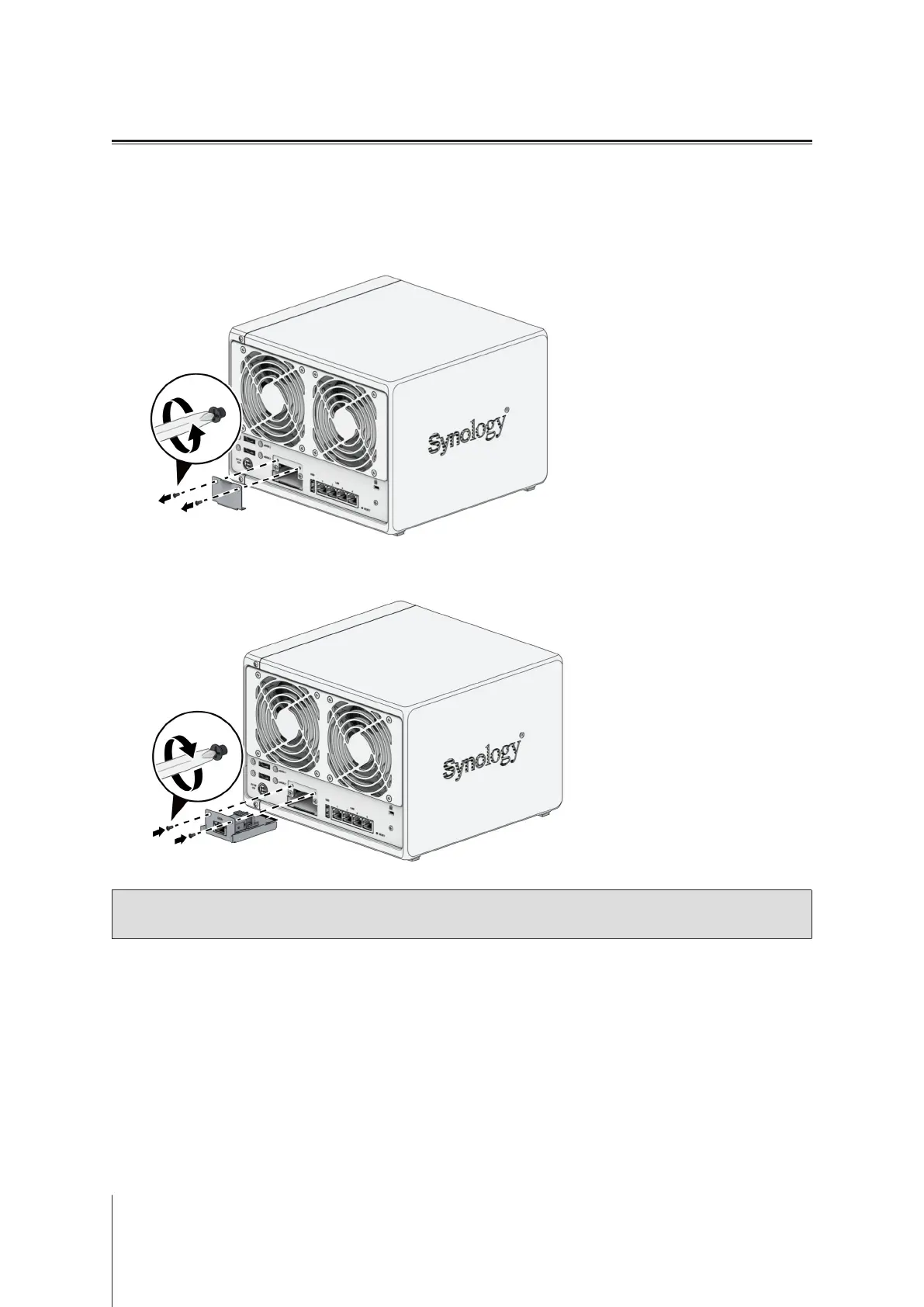
Install Network Upgrade Module
Your Synology NAS has a Network Upgrade slot which allows you to install network upgrade module for LAN port
expansion.
To install a network upgrade module
1
Shut down your Synology NAS. Disconnect all cables from your Synology NAS to prevent possible damage.
2
Remove the two screws on the PCIe expansion shield to remove the shield.
3
Insert the network upgrade module and tighten the two screws to secure the newly inserted module.
Note:
Conrm that the network upgrade module is fully inserted. Otherwise, the network upgrade module
might not be able to function properly.








 To Next Page