10
Chapter 2: Hardware Setup
Add a RAM Module on Network Video Recorder
The optional Synology DDR4 RAM module is designed for Network Video Recorder memory expansion. Follow
the steps below to install, check, or remove a RAM module on your Network Video Recorder.
To install the RAM module:
1
Shut down your Network Video Recorder. Disconnect all cables connected to your Network Video Recorder to
prevent any possible damages.
2
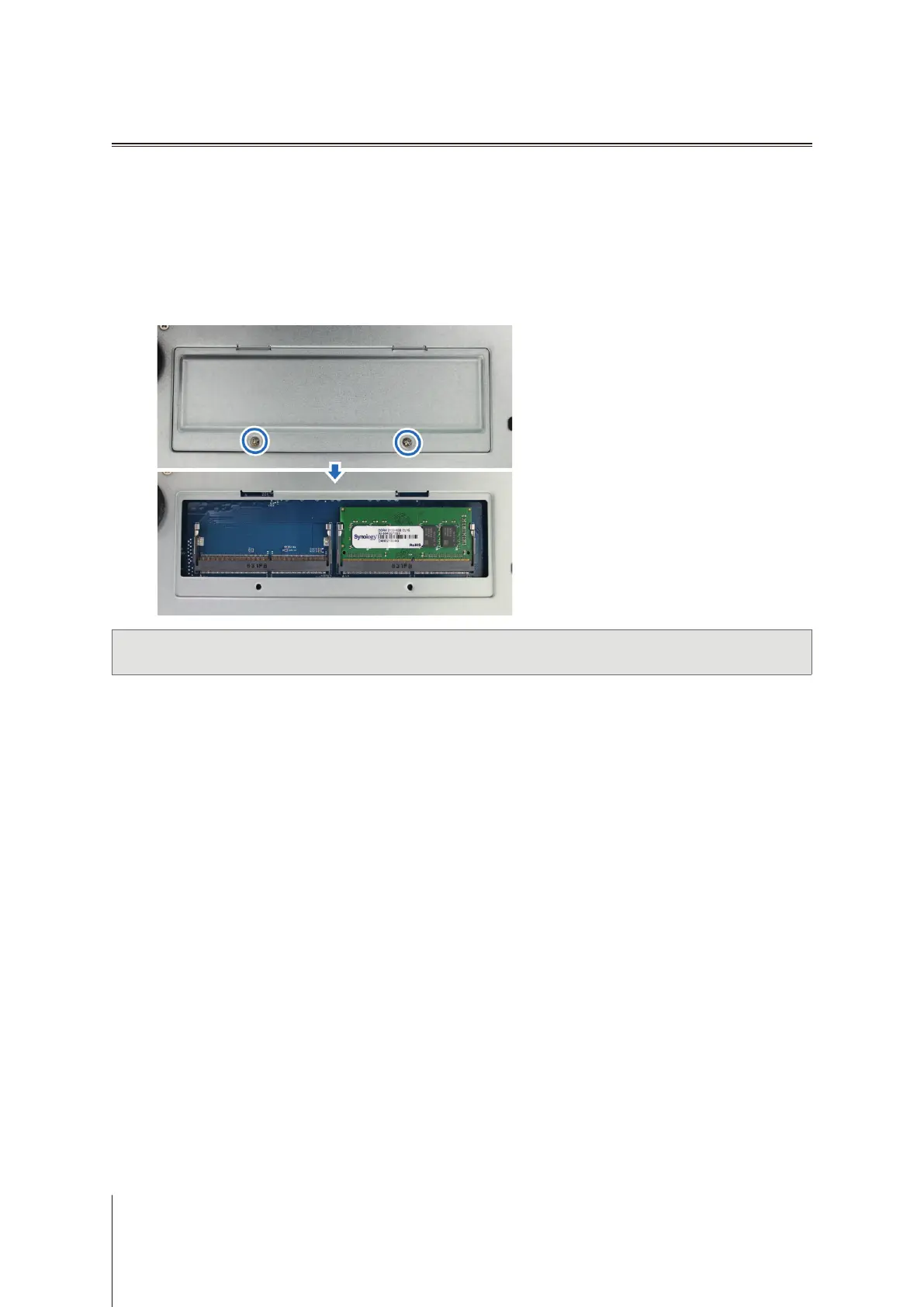
The RAM modules are located at the bottom of DVA3219.
3
Remove the 2 screws that secure the bottom panel. Lift o the panel and place it to the side. You will see there
is one pre-installed 4G RAM module.
Important:
When you remove the panel, you expose sensitive internal components. Avoid touching anything other
than the memory assembly when you remove or add memory.













 To Next Page