44 Synopsys, Inc.
SolvNetPlus
DesignWare
5.60a
March 2020
Installing Software Drivers PCIe IP Prototyping Kit Installation Guide
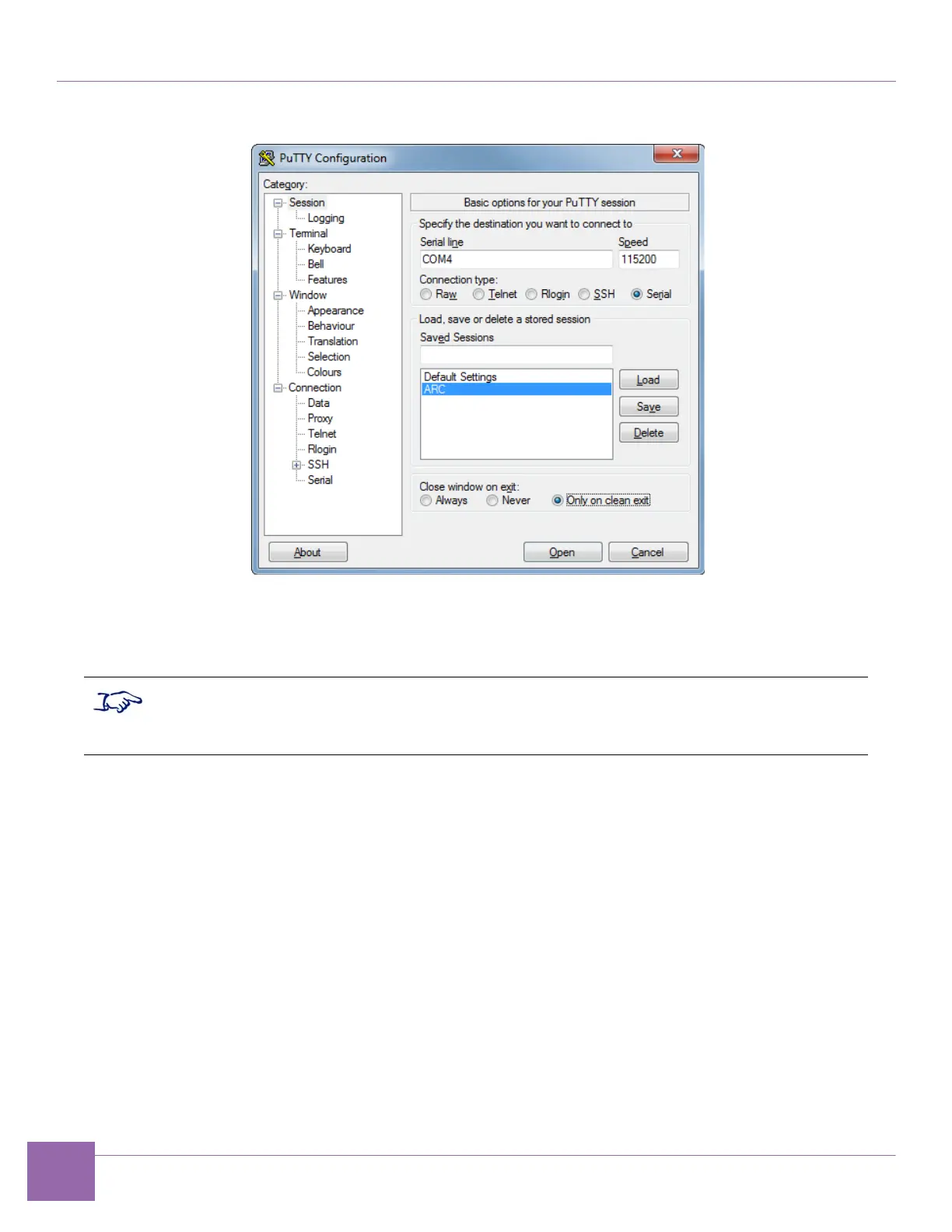
Figure 3-2 PuTTY Configuration
4. Save the configuration parameters using the Sessions feature. Type a session name (for example,
“ARC” as shown in Figure 3-2) and click Save.
5. To start a session, click Open.
If prompted for a username use the following:
Username: root
Password: root


 To Next Page