52 Synopsys, Inc.
SolvNetPlus
DesignWare
5.60a
March 2020
Status LEDs PCIe IP Prototyping Kit Installation Guide
A.3 ARC SDP Board LEDs
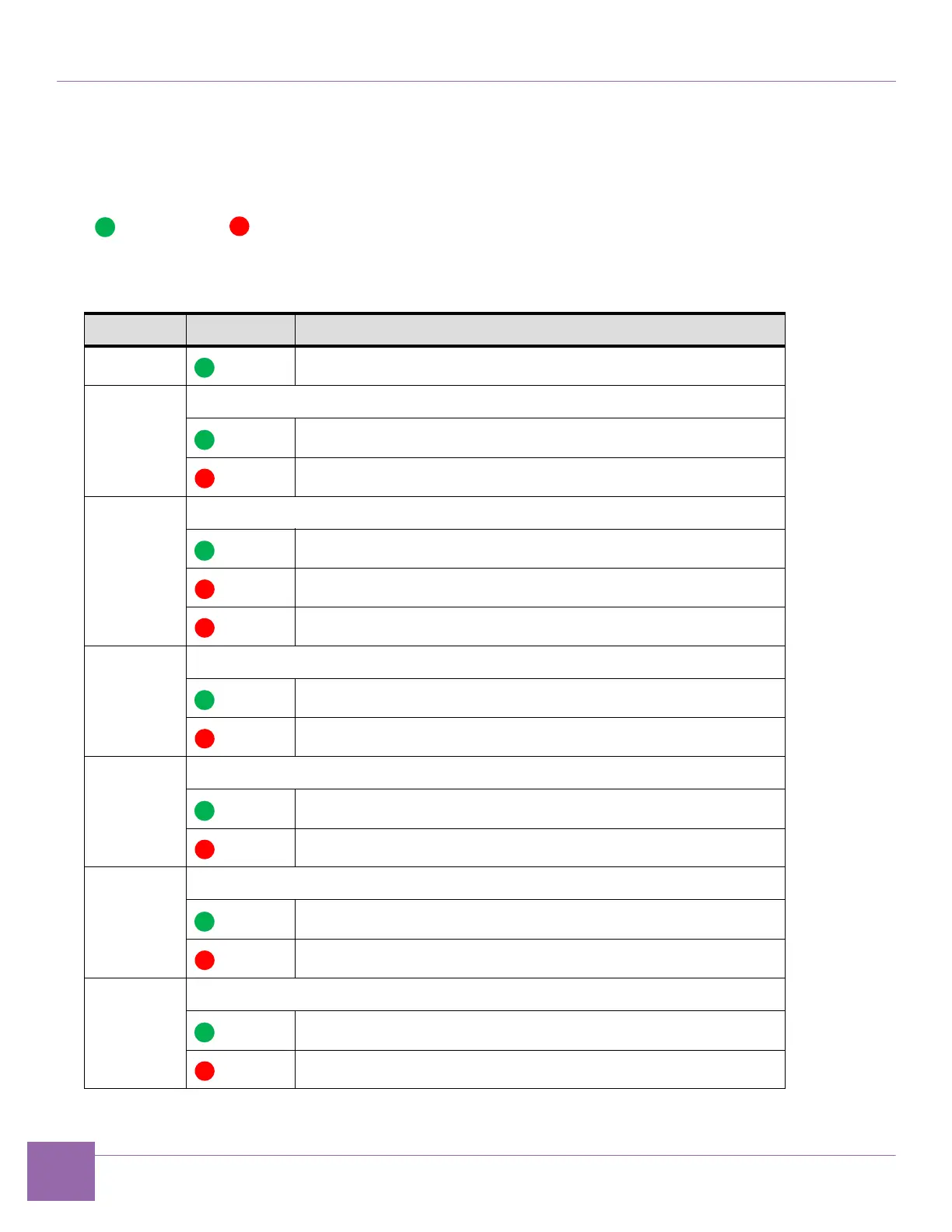
Table A-3 describes the ARC SDP board status LEDs colors and the status they indicate.The following list
represents the color code for the supervision LEDs.
Green Red
Table A-3 ARC SDP Supervision LED State and Description
LED Color Description
+12 V Indicates the 12 V power supply is switched on.
RESET Indicates the ARC SDP board reset status.
Normal operation.
Reset is active.
TEMP Indicates the FPGA temperature status.
FPGA temperature is OK
FPGA temperature higher than 75 °C (167 °F). Switch OFF the board.
Blinking FPGA temperature higher than 90°C (194 °F). Switch OFF the board.
DONE Indicates the FPGA’s status.
FPGA configuration is complete.
FPGA configuration ongoing.
POWER Indicates the power monitor’s status
The required voltage levels are within tolerance.
The required voltage levels are not OK.
TUNNEL0 Indicates the status of the AXI tunnel to the ARC CPU Card.
OK
Failure. Check the ARC CPU card connection to the ARC SDP board.
TUNNEL1 Indicates the status of the AXI tunnel to the HAPS system.
OK
Failure. Check the HT3 connection cable.


 To Next Page