10 p250 Laser Quick Start Guide Version 3.1
p250 Quick Start Guide
14. Before mounting the laser to the rail, ensure the aperture seal is removed.
AVOID EXPOSURE
Invisible laser radiation
is emitted from
this aperture.
8
9
6
5
4
INTERFACE
LASE
RDY
PWR
AB
7
SA Model Shown
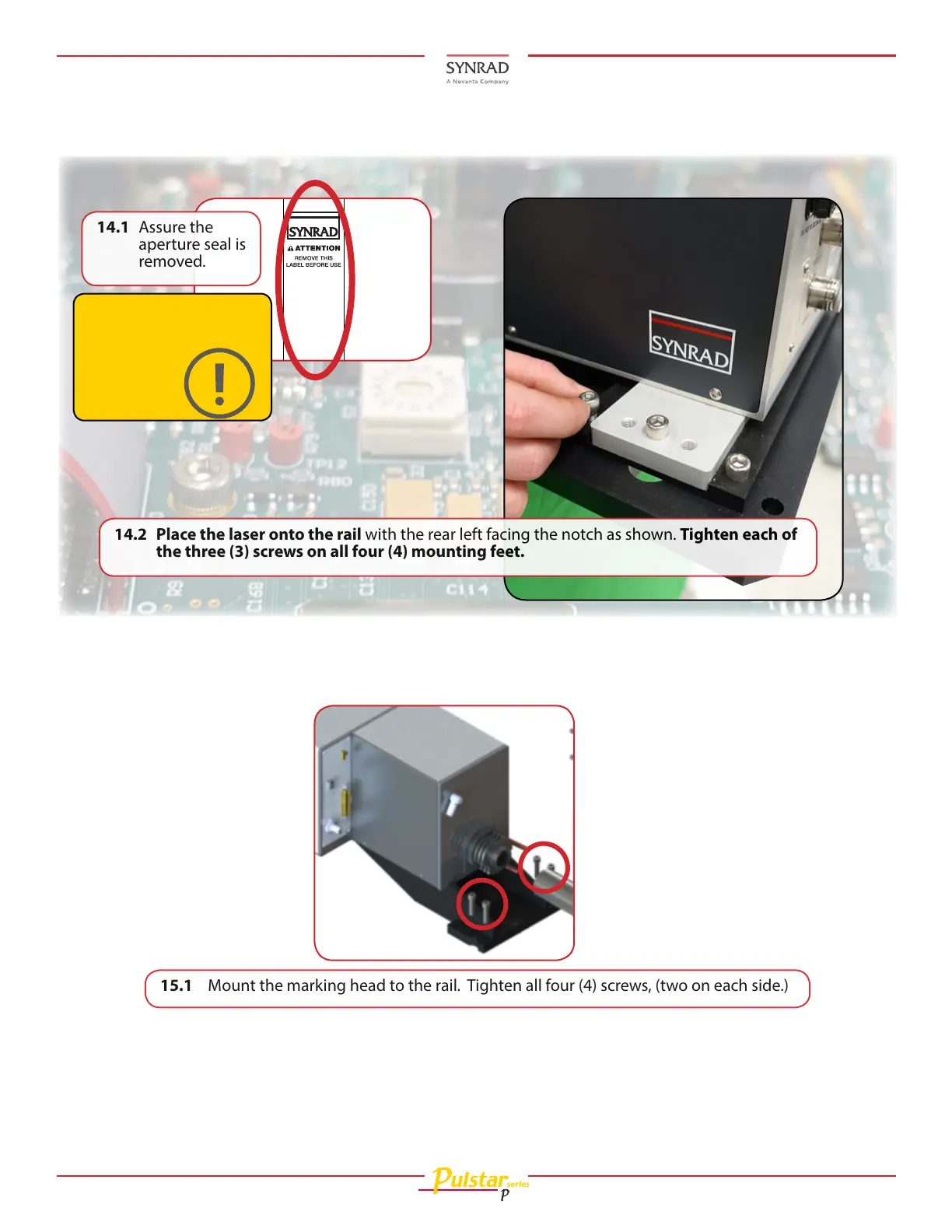
15.1 Mount the marking head to the rail. Tighten all four (4) screws, (two on each side.)
14.1 Assure the
aperture seal is
removed.
14.2 Place the laser onto the rail with the rear left facing the notch as shown. Tighten each of
the three (3) screws on all four (4) mounting feet.
Caution
Possible equipment
damage
15. Assure the Laser and Marking Head are mounted on the rail rst, then assemble the tube’s path
enclosure below. Locate the path enclosure components in the kit.
Mounting (Continued):








 To Next Page