Document Number: MKT-70-1096 Revision 1 Page 13
SYSMEX XE-5000
TM
11. The results of HPC Mode are displayed on the Main Unit LCD screen.
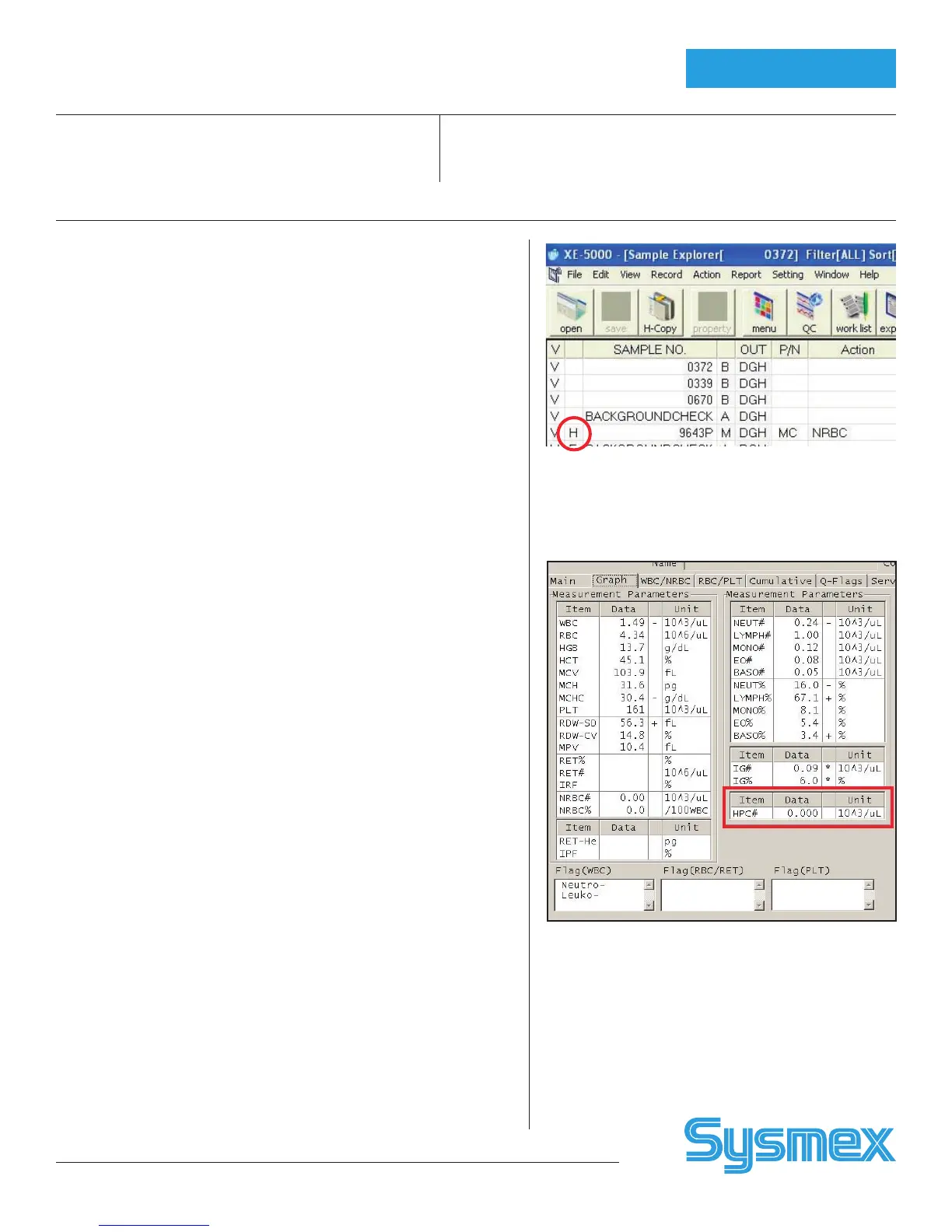
Samples analyzed in HPC Mode are marked with an “H” to the left of
the Sample No. on the LCD screen.
The results are also displayed on IPU screens. On the Sample Explorer
screen samples analyzed in HPC analysis mode are marked with an “H”
to the left of the Sample No. Results are listed in the column to the right
when the operator clicks on that sample.
On the Data Browser screen both the Graph and HPC tabs display HPC
results. The sample mode is noted with an “H” to the left of the sample
number.
Note: In the HPC Analysis mode READY status is maintained for approximately 3
minutes after the last operation on the Main Unit. If no new operation is
performed within approximately 3 minutes the preparation sequence will
be executed again when the next operation is started.
HPC Results on Browser
HPC Results on Explorer
HPC Mode



 To Next Page