Document Number: MKT-70-1096 Revision 1 Page 12
SYSMEX XE-5000
TM
Summary of HPC Analysis
The HPC (hematopoietic progenitor cell) analysis mode provides a rapid
count of HPCs using peripheral blood and cord blood for screening purposes.
The HPC count can help determine the optimal time for harvesting stem cells
more quickly and at a lower cost.
The instrument must be set to HPC analysis mode in order to correctly ana-
lyze a sample for HPC#. HPC analysis can be performed on peripheral blood
or umbilical cord blood.
CAUTION: The clinician must take into consideration the full clinical picture to
determine when to use the HPC results.
Sample Analysis in HPC Analysis Mode
Samples for HPC testing should be analyzed immediately after drawing.
1. Make sure that the instrument is in READY status on the LCD screen on
the Main Unit. The READY light should be lit.
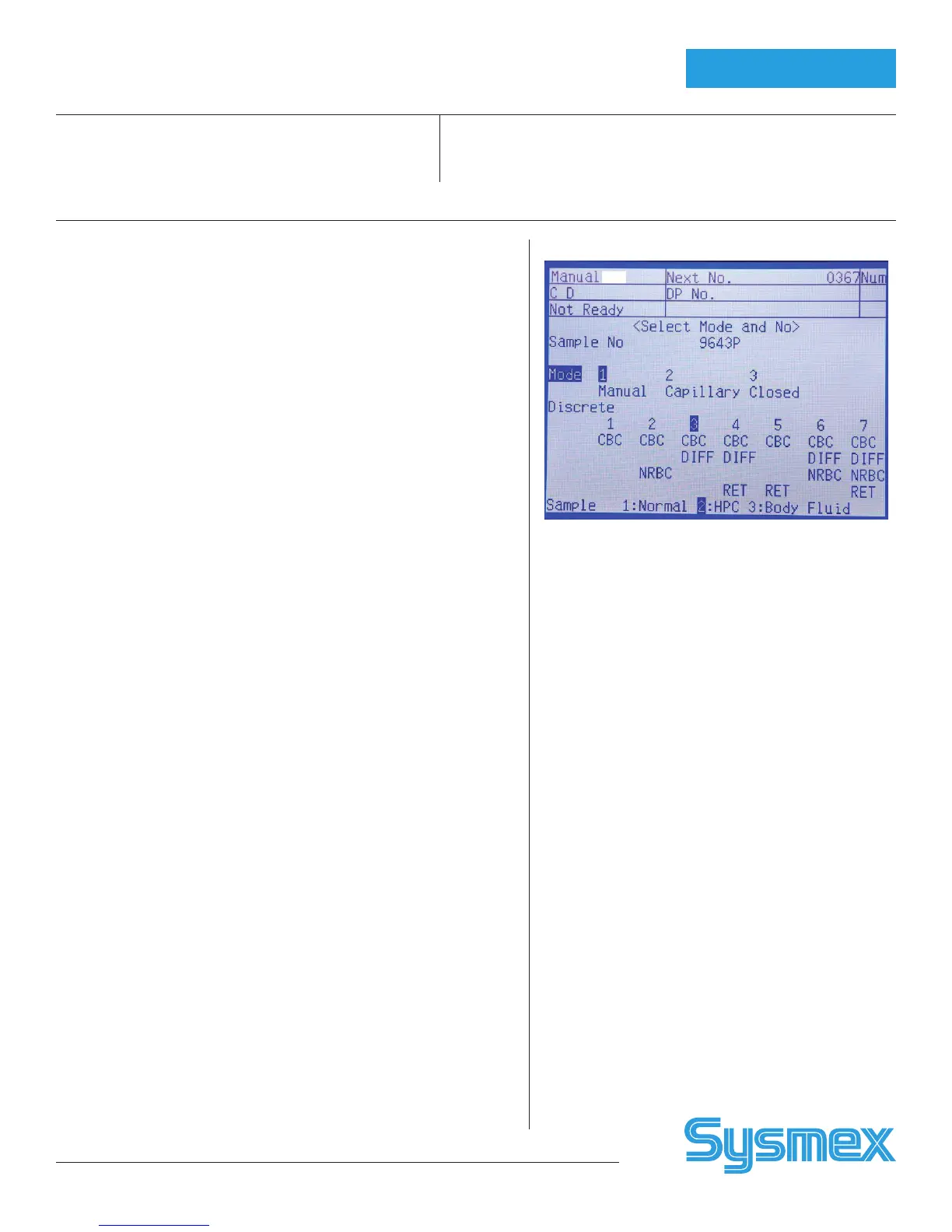
2. Press the MANUAL key on the Main Unit panel keypad. The Manual
Sample No. Setting screen will appear on the LCD.
3. Using the numeric keys, input the sample ID number or read the bar-
code using a hand held barcode reader (optional).
4. Set analysis mode to manual mode, by pressing the ↑ key to “Mode.”
Then using the → and ← keys, set to Manual Mode.
5. Use the ↑ key to move the cursor to Discrete. Then use the → and ←
keys to select CBC + DIFF as Discrete test.
6. Use the ↑ key to change the setting parameter to Sample. Then use the
→ and ← keys to set to HPC.
7. After all the settings are completed, press the ENTER key to initiate
analysis. When the ENTER key is pressed, a preparation sequence is
executed.
8. Mix the contents of the test tube gently but thoroughly.
9. Remove the cap carefully so as not to splatter the sample. Set the test
tube into the manual aspiration pipette, and then press the START
SWITCH. Do not remove the test tube while the READY LED is blinking
as the sample is being aspirated.
10. After the READY LED turns off (and a short beep sounds two times),
remove the test tube. Once analysis is completed, set Sample to Normal
on the Sample No. setting screen to return to normal mode.
HPC Order
HPC Mode



 To Next Page