Document Number: MKT-70-1096 Revision 1 Page 7
SYSMEX XE-5000
TM
Quick Guide
XE-5000 Capillary Mode
Prepare 1:5 dilution. Minimum Volume 40µL blood and 160µL of CELLPACK
(aspiration volume 130µL). Analyze within 30 minutes.
1. Verify XE green “Ready” LED is on.
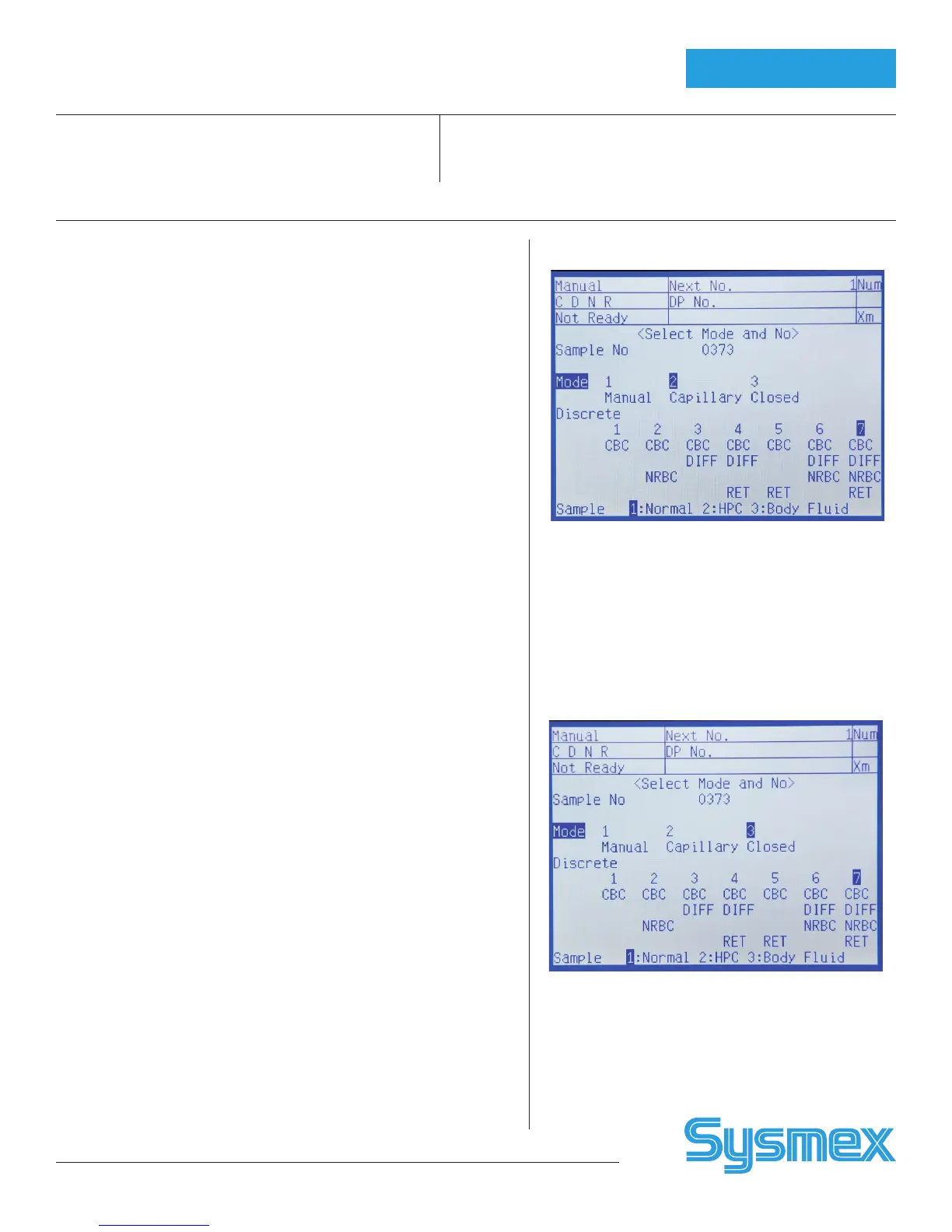
2. Press [MANUAL] on XE Main Unit LCD panel.
• Enter Sample No. or Name. (13 characters).
• For Name, press ‘Num’ 1, 2 or 3 times to display desired character
(NUM, ALP, alp).
• Press [↓] and [2] to select “Capillary”.
• Press [↓] and select Discrete test 1 to 7.
• Press [ENTER] on the panel.
3. Place well mixed 1:5 diluted sample under Manual Aspiration Pipette.
4. Press [Start] on XE Main Unit.
5. Remove tube when “Ready” LED stops blinking and “beep-beep” sound
is heard. No need to wipe tip of sample aspiration pipette.
6. Results will display after completion of analysis. (Capillary results labeled
with “C”)
7. When all Capillary Mode samples are completed, return to Manual
Mode. Press [MANUAL] on XE Main Unit LCD. Press [↓] and select “1
Manual Mode”. Press [ENTER].
XE-5000 Manual Closed Mode
Blood analyzed using Cap Piercer (without mixing or reading barcode).
1. Verify ‘Ready’ LED is on.
2. To change XE Main Unit to Closed Mode, press [MANUAL] on Main
Unit LCD panel.
• Enter Sample No. or Name. (13 characters).
• For Name, press ‘Num’ 1, 2 or 3 times to display desired character
(NUM, ALP, alp).
• Press [↓] and select “Closed”.
• Press [↓] and select Discrete test 1 to 7.
• Press [ENTER].
3. Mix sample (10 times inversion) and place tube in first tube position of
rack.
4. Set rack on right end of analysis line on XE Sampler Unit.
5. Press START SWITCH. Sampler moves rack until tube is in front of CP
aspiration hand.
6. Press [Start] on Main Unit. Cap Piercer picks up tube of blood and
aspirates it. Results display after completion of analysis (Closed results
labeled with P).
7. After measurement is completed, remove rack from the Analysis Line.
8. To change XE Main Unit back to Manual Mode, press [MANUAL] on XE
LCD panel, [↓] to Discrete and select “1 Manual”. Press [RETURN] to
exit Manual Mode.
Capillary Screen
Manual Closed Screen



 To Next Page