Document Number: MKT-70-1096 Revision 1 Page 9
SYSMEX XE-5000
TM
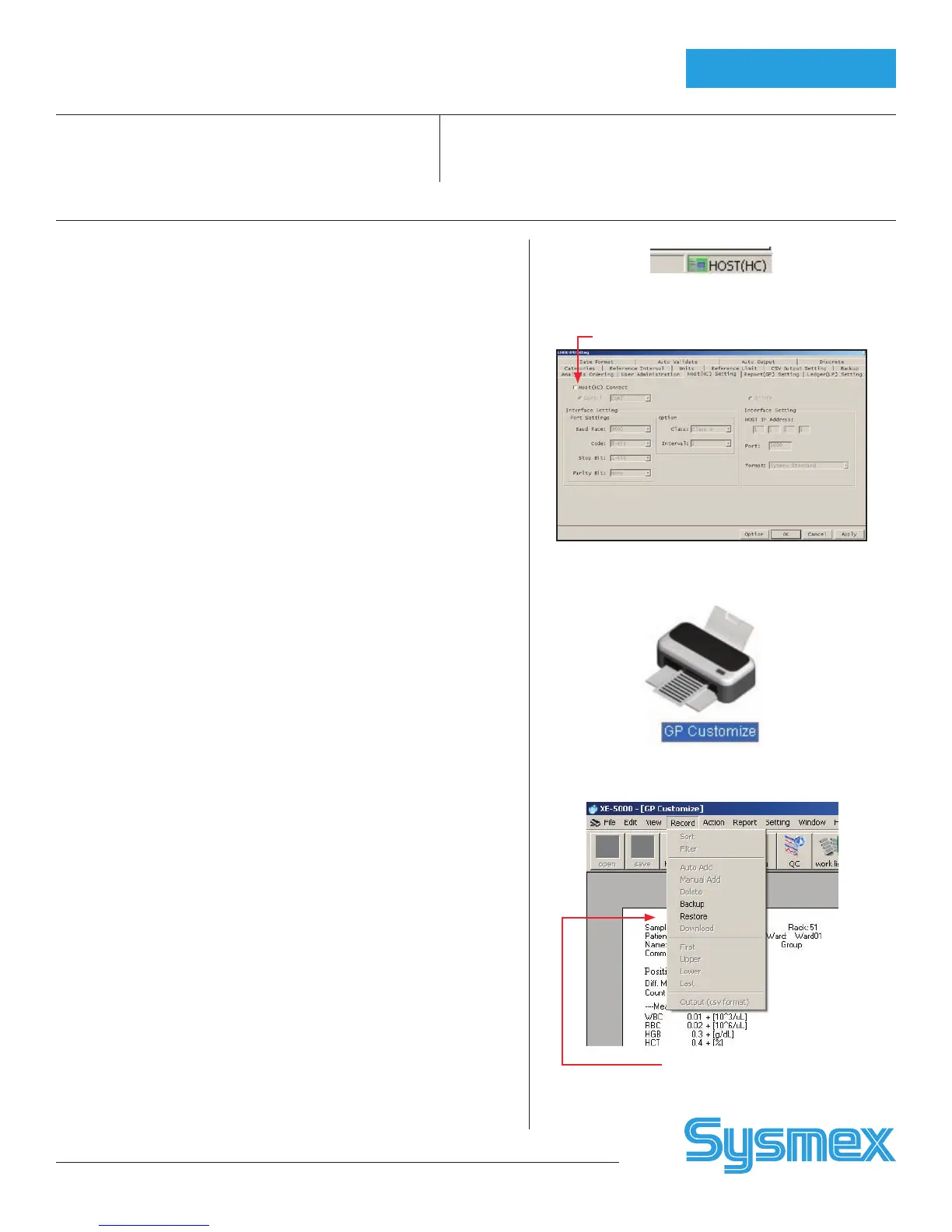
To Disconnect Host When LIS is Down
1. When the HOST is down, a pop-up error message displays on the IPU.
HOST icon will be red on Status display line at bottom of IPU.
2. Click the IPU error box to close the message.
3. Go to the IPU Settings, [HOST(HC)] Setting.
4. Click the “Host(HC) Connect” to remove the check. This disconnects
the IPU from the LIS .
5. Click [OK] to save the changes.
6. The red HOST(HC) icon disappears. The XE-5000 is ready to analyze
without using Host/LIS orders.
Select “Chartable GP Report” From Desktop
1. GP Customize is only available on XE pro software. Click “XE Pro” tab
from IPU Main Menu.
2. Click “GP Customize” icon.
3. Select “Report” for Format type.
4. From the top grey menu line, click [RECORD] and [RESTORE].
5. An “Open” dialog box displays with the message “A is not accessible”.
Click [CANCEL] to go to the Desktop.
6. Click the GP Customize folder. The desktop files are displayed. Select GP
report format from list.
7. Click “Open” tab.
8. Click [OK] to restore.
Note: When the HOST connection is resumed, restore your lab’s original GP
format.
To Re-connect the Host When LIS is Up
1. Go to the IPU Settings, HOST (HC) Setting.
2. Click the empty box next to “Host(HC) Connect” to reconnect IPU and
Host.
3. Click [OK] to save the changes.
4. The green HOST icon displays. The XE-5000 is now reconnected to the
HOST.
Sample Explorer
/Data Browser
Host HC ready Icon
Host(HC) connect
Host Tab On Browser
GP customize icon
Record menu



 To Next Page