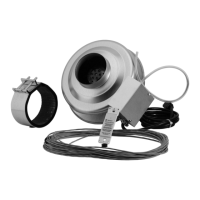
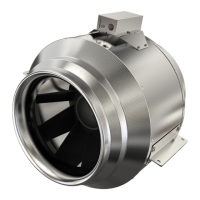
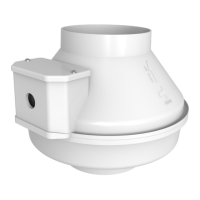
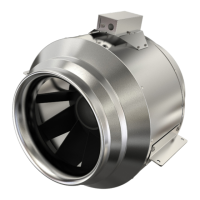
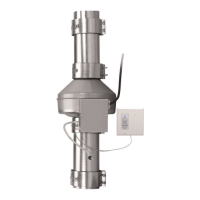
The Fantech DEDPV-705 Dryer Exhaust Duct Power Ventilator is a specialized product designed to enhance the performance of residential dryers (both gas and electric) by overcoming performance loss caused by long or restrictive duct systems. Unlike general dryer boosters, the DEDPV-705 is engineered to comply with strict safety requirements, making it a crucial component for safe and efficient dryer operation. Operating a dryer without a functional DEDPV-705 can lead to unsatisfactory drying, increased energy consumption, and potentially a dryer fire.
Function Description:
The DEDPV-705 works in conjunction with the dryer to ensure proper exhaust airflow. It is designed to be installed within the dryer's exhaust duct system, providing additional power to move air through long or complex duct runs. The device includes a pressure switch that monitors the airflow within the duct. If the dryer is operating and the product senses positive pressure within the exhaust duct, it will activate to assist in expelling air. This intelligent operation ensures that the dryer's exhaust system maintains optimal performance, preventing lint buildup and reducing the risk of fire. The system also features an indicator panel with an LED light that visually alerts the user to any malfunctions, such as blockages, wiring issues, or thermal fuse activation.
Important Technical Specifications:
- Product Name: DEDPV-705, #499195
- Duct Collar Dimensions: 4 inches (102 mm)
- Motor Type: AC: Alternating Current, 1-phase
- Duct System Compatibility: Capable of overcoming equivalent duct lengths up to 125 feet (38 meters) on 4-inch (102mm) diameter galvanized steel ducts.
- Air Velocity: Can maintain an air velocity of 1200 fpm (6.10 m/s).
- Installation Distance from Dryer Outlet: Must be installed within 5 linear feet (1.5 linear meters) or further than 40 linear feet (12 linear meters) from the dryer outlet to prevent damage to the dryer or the product.
- Indicator Panel Cable Length: 50 feet (15.4 meters)
- Power Cord: 3-prong, 5 feet (1.5 meters)
- Warranty: 5 years
Usage Features:
- Enhanced Dryer Performance: Specifically designed to assist dryers with long or restrictive duct systems, ensuring efficient drying and preventing performance degradation.
- Safety Compliance: Engineered to meet strict safety requirements, differentiating it from standard dryer boosters.
- Flexible Installation: Can be installed in various locations such as attics, crawl spaces, or basements, depending on the duct system layout. Vertical mounting is recommended to reduce condensation buildup.
- Indicator Panel: A remote-mounted indicator panel with a blue LED light provides visual alerts for system malfunctions, allowing users to quickly identify and address issues. The panel should be installed near the dryer for easy visibility.
- Pressure Switch Operation: The integrated pressure switch intelligently activates the ventilator when positive pressure is detected in the exhaust duct during dryer operation, optimizing airflow.
- Duct Run Calculation: The manual provides a table to help users calculate the maximum equivalent duct length based on elevation, ensuring proper system design. For each 45° elbow, add 2-1/2 feet (0.76 meters) to total duct system calculations; for every 90° elbow, add 5 feet (1.5 meters).
- Secondary Lint Trap Recommendation: If the product is installed less than 15 feet (4.6 meters) from the dryer outlet, a secondary lint trap is recommended between the dryer and the product.
- Cord-Connected Product: The DEDPV-705 is a cord-connected product, and field wiring is not permitted. Tampering with the electrical enclosure voids the UL marking and manufacturer's warranty.
- Operation Test: A detailed product operation test procedure is provided to verify correct system functionality during setup or for diagnostic purposes.
Maintenance Features:
- Lint and Debris Inspection: The product impeller may collect lint or debris. Regular inspection (a minimum of every six months) is recommended to prevent buildup, which can cause excessive noise or vibration.
- Impeller Cleaning: Instructions are provided for inspecting and cleaning the impeller, including disconnecting power, loosening clamps, removing ducts, and temporarily removing mounting screws.
- No Additional Lubrication: The product bearings are sealed and pre-lubricated, eliminating the need for additional lubrication.
- Removable Cleanout Ducts: The design incorporates cleanout ducts that must be removable for maintenance work, facilitating access for inspection and cleaning.
- Troubleshooting Guide: A comprehensive troubleshooting table helps users diagnose common issues based on the indicator LED's behavior, providing solutions for problems like blockages, wiring errors, or thermal fuse activation.
- Safety Precautions for Maintenance: Emphasizes the importance of setting the service disconnect switch to the OFF position and locking it out before performing any maintenance to prevent accidental activation.


 To Next Page

 General