5. The display will clear, but the arrow will continue to flash at the selected symbol.
To return to review mode at any time press the ‘tuning’ button until the
review mode appears.
4.4.2. Setting the Time and Day (CSC 5352 only)
The day, hours and minutes are programmed as follows:
1. Enter Quick Set Mode as previously described.
2. Begin by obtaining the Clock symbol in the normal way, then press the
‘enter’ button. The number on the far left of the display will flash, this is the day
number.
3. Use the and buttons to select the day number (1 to 7) with 1
representing Monday and 7 representing Sunday. If you decide not to change
the value at any stage press the “tuning” button instead.
4. Press the enter’ button to enter the day number and the hours will flash.
The and buttons will allow the hour to be set.
5. Press the ‘enter’ button to enter the hour and the minutes will flash. The
and buttons will allow the minutes to be set.
6. Press the ‘enter’ button and the display will return to the Quick Set mode
and the time and day will be set. To return to review mode at any time press
the ‘tuning’ button.
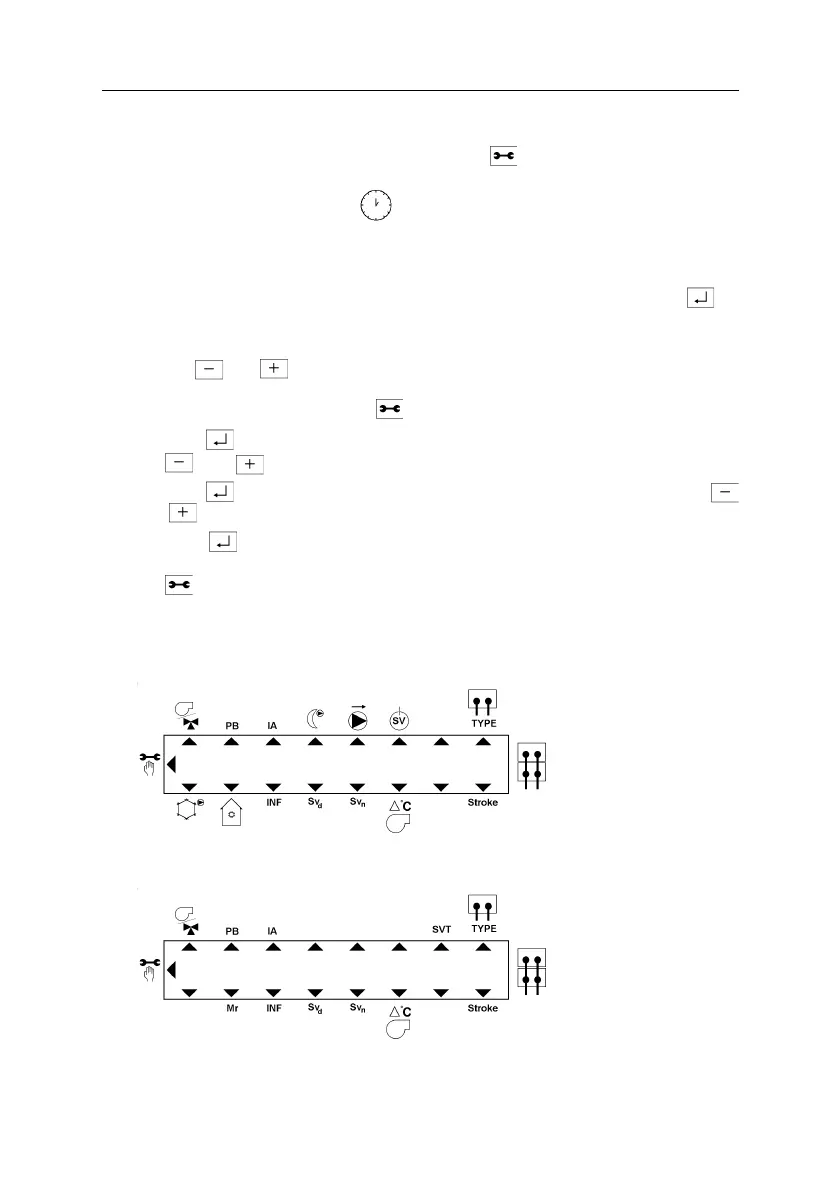
4.5. OVERLAY CARD PRINTING, FINE TUNE MODE ONLY
Fine Tune Card Settings for the CSC 5352
Fine Tune Card Settings for the CSC 5252
Fig.14
October, 03 CSC USER GUIDE
26 of 42



 To Next Page
 Loading...