EasyManua.ls Logo

T Scale M503 Series - User Manual

T Scale M503 Series
24 pages
Print Icon
To Next Page IconTo Next Page
Loading...
I
Weighing Indicator
M503
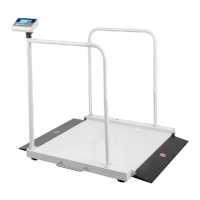
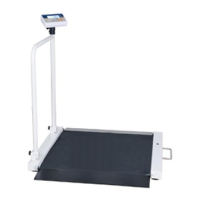
Wheelchair Scale

Questions and Answers

  • L
    Luis FrankAug 1, 2025
    Why is my T Scale Scales display blank with no self-test?
    • A
      April WalshAug 1, 2025
      A blank display with no self-test on your T Scale Scales usually indicates a power issue. This could be due to the main power being off, a faulty or unplugged power supply, an uncharged internal battery, or a problem with the on/off switch. Check that the power is getting to the scale and that the on/off switch is working. Verify the voltages, which are on the power labels.
  • C
    christopherjohnsonAug 6, 2025
    Why is my T Scale Scales weight value incorrect?
    • J
      jamescordovaAug 6, 2025
      An incorrect weight value on your T Scale Scales is often due to a calibration error, the platform or load cell touching something, or a wrong weighing unit setting. Use an accurate weight to perform the calibration. Make sure the pan and load cell are properly installed and not touching anything. Also, verify the parameter settings, load cell, and connectors.
  • J
    juanmedinaAug 10, 2025
    Why is my T Scale Scales display unstable?
    • R
      Richard HouseAug 10, 2025
      An unstable display on your T Scale Scales can be caused by several factors: * Goods touching something * Air variations or vibrations * Temperature changes * Faulty load cell or connections * Faulty power supply. Ensure the scale is in an acceptable location, check the connectors and load cell, and inspect the power supply and battery.
  • A
    Alexandra MillerAug 14, 2025
    How to troubleshoot a T Scale Scales that can't use full capacity?
    • P
      Patricia VegaAug 14, 2025
      If your T Scale Scales cannot use its full capacity, it may be due to overload protection stoppers or transport locks not being removed, incorrect parameter settings, an AD problem, or a damaged load cell or mechanism. Check the stoppers and locks under the platform. Verify the weighing unit and parameter settings. Inspect the load cell.
  • S
    Sierra DominguezAug 18, 2025
    What causes different corner weights on my T Scale Scales platform?
    • Z
      Zachary LarsonAug 18, 2025
      Different corner weights on your T Scale Scales platform are typically caused by overload protection stoppers or transport locks not being removed, or a damaged load cell or mechanism. Ensure that the stoppers and locks under the platform are removed. Use an accurate weight to recalibrate, and check the load cell.
  • D
    Dr. Robert VargasAug 22, 2025
    What to do if my T Scale Scales battery is not charging?
    • N
      Nicole MclaughlinAug 23, 2025
      If your T Scale Scales battery is not charging, the issue might stem from the mains voltage, the charging circuit, or the battery itself. Check the mains and adapter, inspect the battery, and examine the charging circuit.
  • M
    Madison MaldonadoAug 27, 2025
    Why is my T Scale Scales blank after the self-test?
    • C
      Carolyn JohnsonAug 27, 2025
      A blank display after the self-test on your T Scale Scales could be due to the pan not being installed, an unstable weight, or a damaged load cell. Ensure the pans are installed correctly and try turning it on again.

Summary

1. PRECAUTIONS

WARNING

Safety warning about disconnecting power before servicing.

3. SPECIFICATION

7. PARAMETERS

8. CALIBRATION

9. BATTERY OPERATION

10. MAINTENANCE

10.2 Error Codes

List and explanation of common error codes and their potential causes.

10.4 Check the Load cell

Steps and diagrams for inspecting the load cell for faults and connections.

10.5 Check PCB Voltages

Instructions for measuring critical voltage points on the scale's PCB.

10.6 Trouble Shooting

A guide to common scale problems, their causes, and recommended solutions.

T Scale M503 Series Specifications

General IconGeneral
BrandT Scale
ModelM503 Series
CategoryScales
LanguageEnglish

Related product manuals