DHR Series Getting Started Guide Page 48
To install the geometry so that it is in the same position each time:
1 Move the motor shaft to the home position by holding the Lock button for 3 seconds until you hear a
short beep. Alternatively, click the Go to Home Position in TRIOS Software.
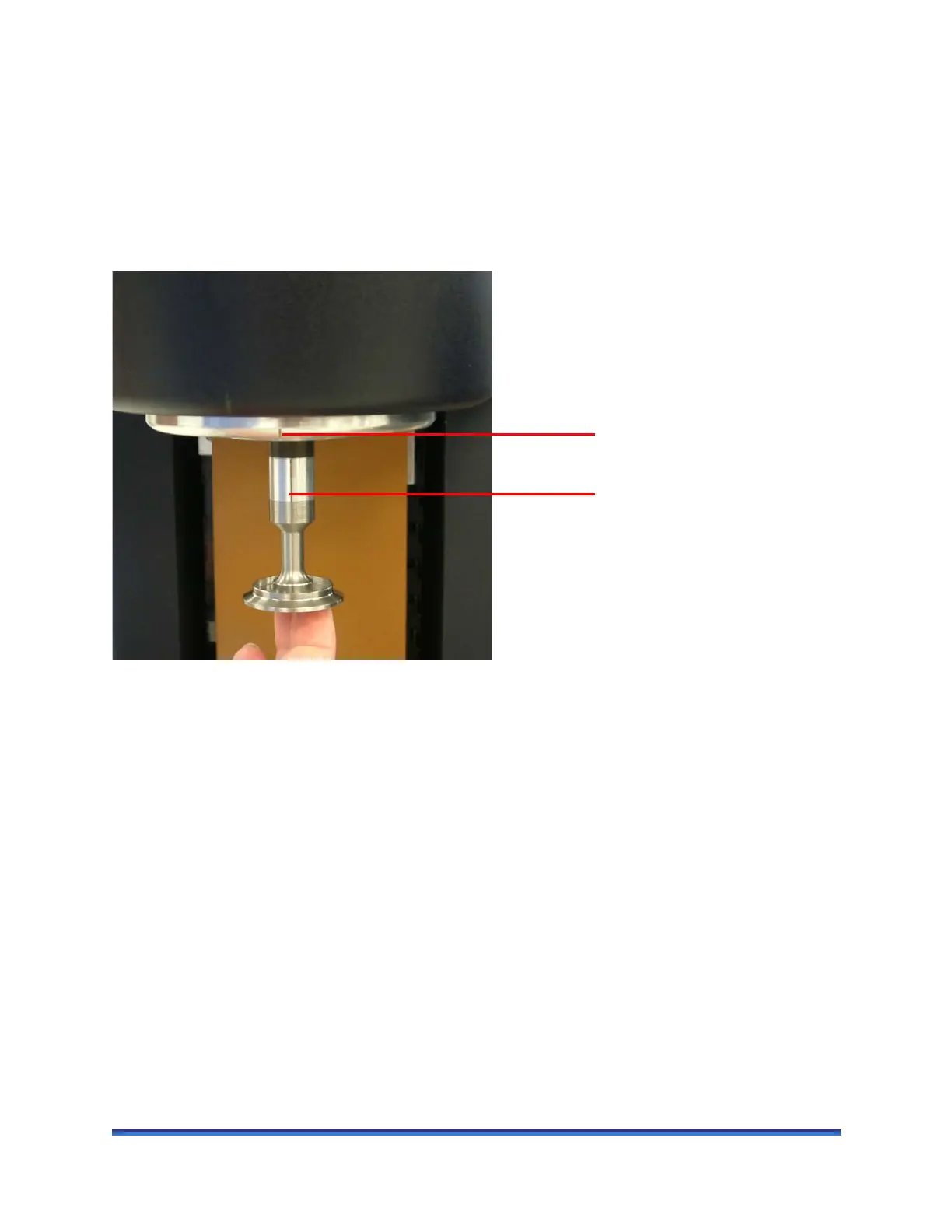
2 Align the notch on the Smart Swap geometry with the notch on the Smart Swap cover and screw in the
draw rod.
NOTE: If Smart Swap is turned on, the geometry rotates a few seconds after it is fitted to enable
identification.
Figure 22 Aligning the Smart Swap geometry notch and Smart Swap cover notch.
Smart Swap cover notch
Smart Swap geometry notch



 To Next Page