(844) 482-2822
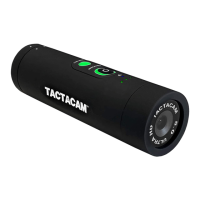
QUICK CHANGE MODES
GETTING TO KNOW YOUR TACTACAM:
“QUICK CHANGE” VIDEO MODES (excludes Solo)
Three preset video modes:
Green = Standard recording best for rst time use & general
recording.
Blue = Zoom mode to get you even closer to the subject.
Light Blue = Slow motion recording at 120fps provides smooth
playback of your shot placement. Best results with lighted arrow nock
or tracer round ammo.
BLACKOUT MODE (excludes Solo)
To enter Blackout mode press the MODE button when the camera is recording.
NOTE: You can only enter and exit the Blackout mode when the
camera is recording.
When in Blackout mode your camera functions will remain the same
without visible lights on the camera. You will only feel the camera
vibrate. 2 vibrations = recording and 1 vibration = pause. If at any
time you get confused just push and hold the rec/power button for
5 seconds and the camera will power off.
NOTE: When using Blackout mode, periodically conrm you are
in the correct mode (i.e. recording/not recording) to avoid mishap.
The battery indicator light will blink to inform you of the LOW last
5% of the battery when in Blackout mode.


 To Next Page