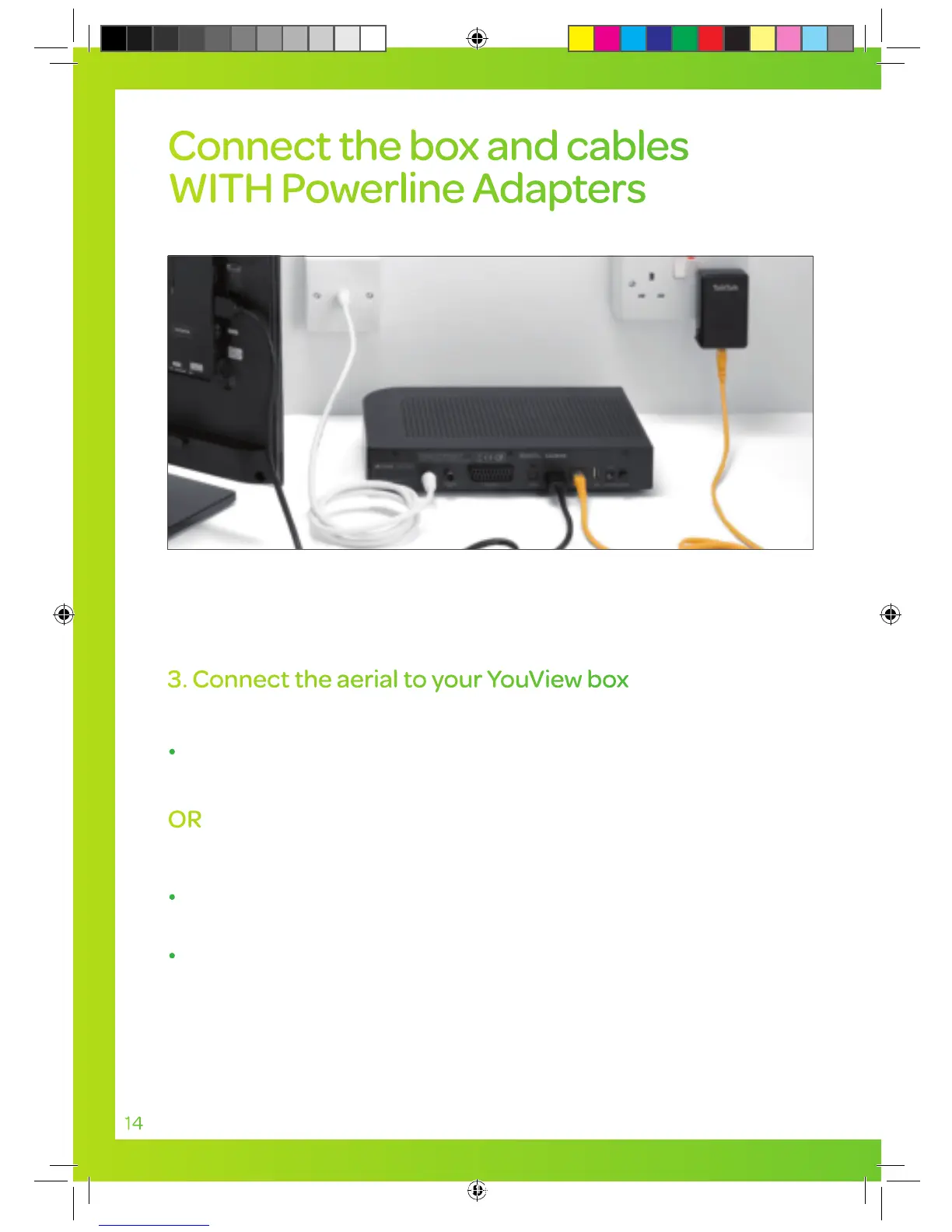
3. Connect the aerial to your YouView box
Using your existing aerial cable
Remove your existing aerial from your TV and connect it into
the socket on your YouView box where it says ANTENNA IN.
OR
Using the white aerial cable supplied
Connect one end of the white aerial cable into your aerial
wall socket.
Connect the other end into the socket on your YouView box
where it says ANTENNA IN.
YouView box
White aerial cable
14
Connect the box and cables
WITH Powerline Adapters
You’ll need an aerial so you can get all your
Freeview channels.
TT4286 TT SELF INSTALL GUIDE AMENDS AUG TVSIGUIDE0813V5 V11.indd 14 03/10/2013 15:31


 To Next Page