ONE THING AT A
TIME
Note: Chapter 2 shows how to format a di-sk. (Type
DIB
JN.TEE-
if
you
can't remember
whether a
disk
is
for-
matted.) Chapter
1 explains the drive numbers.
Then type:
10
OPEN
"0"t *lr
"CHECKS/DAT"
20 WRITE
»1
t "DR.
HORN"
38 CLOSE
»1
RUN
the
program. You'll
hear the
motor
of
the
disk
drive
and see
the red
light. The
Computer is
at
work,
doing
several tasks.
First, it
OPENs communication
to
the disk
so you
can send your checks
out
to it.
Then,
it
finds
an
empty
location
to
store the checks and notes
the
beginning location of that disk file in the
directory.
All
of
this happens in line 10. Notice the meaning
of the "O",
#1,
and "CHECKS/DAT":
1. #1 is a special "buffer" area in memory called
buffer #1. It communicates
with
the disk drive.
Line 10 OPENs this buffer. (If you've
been
using tape, you might remember that buffer
•
-
1 communicates with the tape recorder.)
2.
"0"
is the letter "O" not a
zero. It
stands for out-
put. It
tells
the
Computer
that buffer #1 will be
sending
out data to the disk.
3. "CHECKS/DAT" is the name of the disk file.
The
disk's directory uses
this
name
to
index
its
beginning and
ending
locations.
In line
20,
the
Computer sends
out the
words "DR.
HORN"
to
buffer #1
which WRITEs
it on the
disk.
Then, in line
30,
the Computer
CLOSEs
commu-
nication with buffer #1. In doing this, it:
•
sends out all the data remaining in buffer
#1
to the disk file.
•
notes in the
disk's directory
where "CHECKS/
DAT" ends.
Note: A
buffer
temporarily
stores data so the Com-
puter can input and output data to the disk in Mocks
of
249 characters
I
bytes) . Since
buffer
#1 only contains 8
characters
("DR . HORN"), they would not be sent out
to the dish without closing the
file.
It is very important that
you
CLOSE
communi-
cation with buffer #1. Why? Well, let's leave
buffer
#1
OPEN.
Delete
line
30
and RUN the pro-
gram
several times.
The program appears
to
work the same every time
you RUN it. This is because every time you RUN
(or LOAD) a program, the Computer will auto-
matically CLOSE communication with any buff-
ers you've left OPENed.
Now, let's assume you switch disks and RUN or
LOAD a program. The Computer will automati-
cally CLOSE communication with buffer #1. In
doing this, it will send out its closing information
to the new disk (thinking it's the old one). This
will very possibly garble the contents
of
both
disks.
Now
that
we've
warned you of the importance of
line
30,
re-insert
this line in your program and
RUN it
again.
This
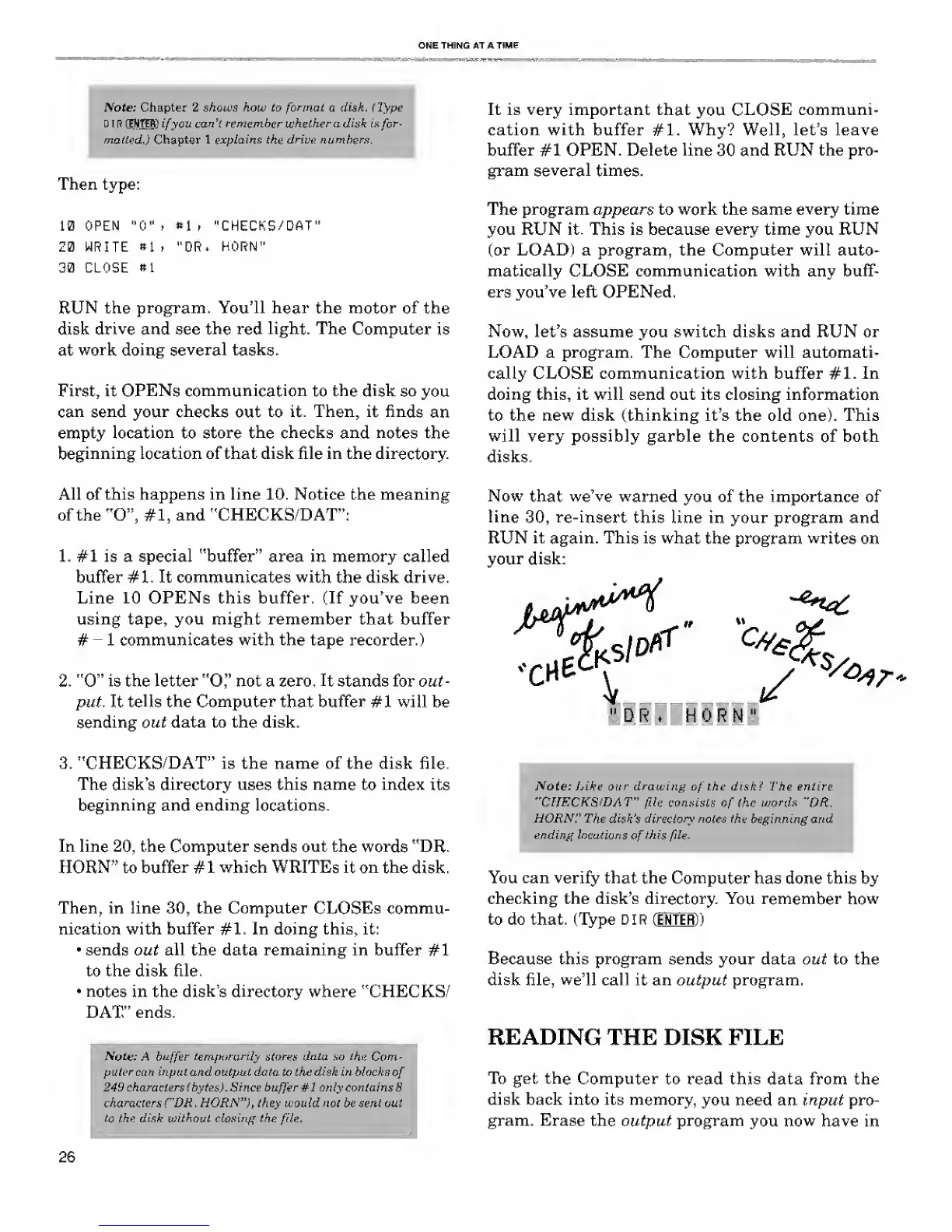
is what
the program
writes
on
your disk:
<cne
V
y
s
*»r-
"DR. HORN"
Vote:
Like
our drawing
of
the disk? The en
"CHECKS/DAT"
file
consists
of
the words "DR
HORN'' The disk's directory
notes the beginning and
ending locations
of
this
file.
You can verify that
the Computer
has done this by
checking the disk's directory.
You remember how
to do that. (Type D I
R
(ENTER))
Because this program sends your data out to the
disk file,
we'll
call it an output program.
READING
THE DISK FILE
To get the
Computer
to read this data from the
disk back into its memory,
you need an input pro-
gram. Erase the
output program
you
now
have in
26










 To Next Page