HOW
MUCH
CAN ONE DISK HOLD?
WRITING ON THE DISK
Program 1 uses WRITE to put this
data on the
disk. Type and RUN it:
PROGRAM 1
21 bytes
10
OPEN
"0%
«lf "OFFICE/DAT"
20 WRITE
*1
,
5,
"PEN"
30 WRITE
«1
i
-16
»
"PAPER"
40 CLOSE
#1
There is an easy
way to
see
what
lines 20 and 30
wrote on your disk.
Type these
two lines exactly as
they are above, but leave off
the
#1 in each line.
This will prevent the
Computer from
writing the
data on your disk (via buffer
#1).
The
Computer
will
write
it on your screen instead.
Type:
WRITE 5, "PEN" (ENTER)
WRITE -IS, "PAPER"
(HDIE)
Look very carefully
at
what
the Computer
WRITEs. Every blank
space and punctuation
mark counts.
Notice
the way the Computer
WRITEs
the two
strings (PEN and PAPER). It
puts quotation
marks
around
them. It WRITEs the
numbers
(5
and
-16)
differently.
If the number's
negative,
the
Computer
puts a
minus
sign in front of it. If
it's
positive, the
Computer simply
puts a blank
space
in front of it.
There are two characters
you typed which the
Computer didn't WRITE on the
screen.
These are
the two
(ENTER) characters which
you
typed at the
end of
the WRITE lines. It skipped
down to the
next
line
instead:
5
OK
"PEN'
-IS, "PAPER"
OK
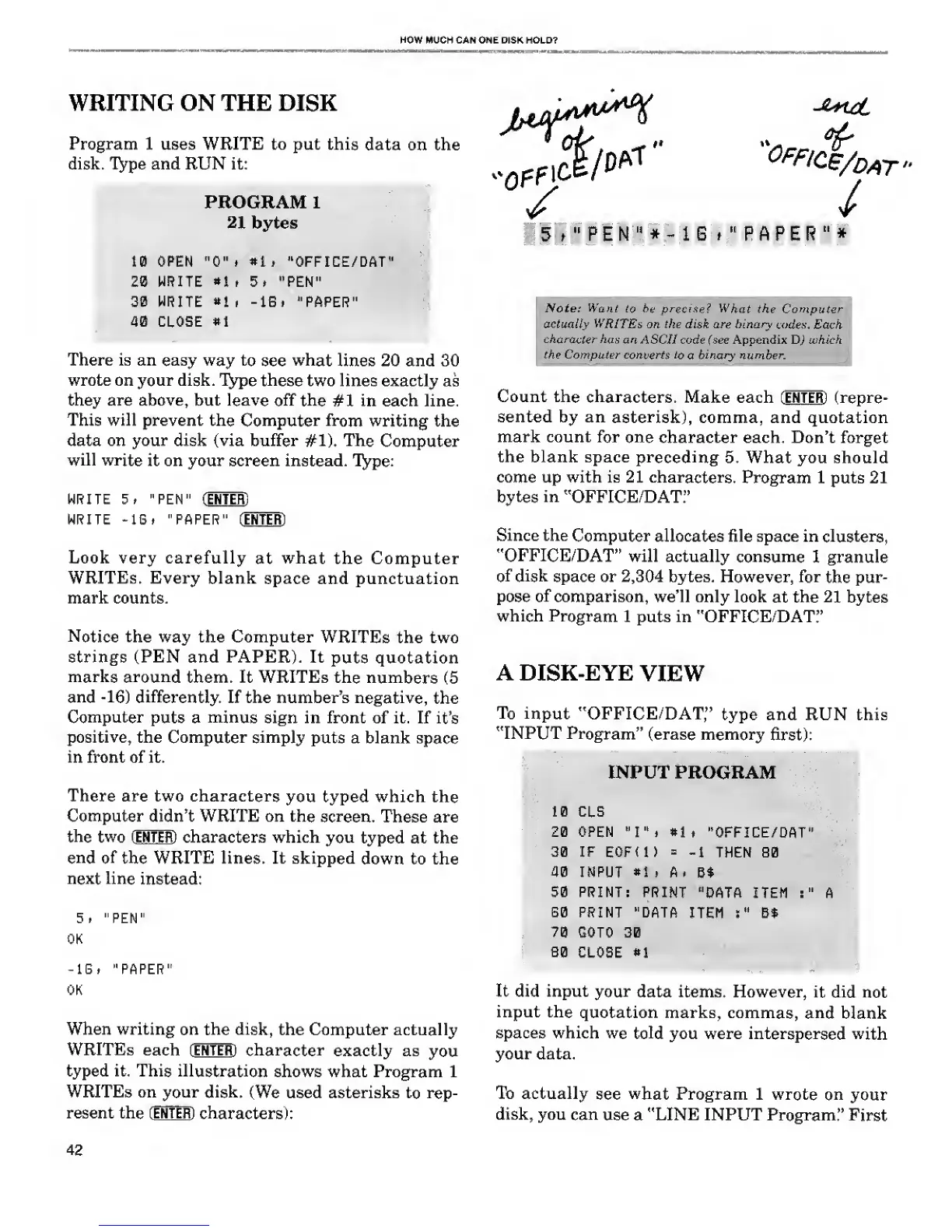
When writing
on the disk,
the Computer actually
WRITEs each (ENTER)
character
exactly as
you
typed it. This
illustration
shows what Program 1
WRITEs on your
disk.
(We used asterisks
to rep-
resent the [ENTER)
characters):
of
0f
fi<*/dat»
/
/
5 t
"
P E N
"
*
-
1 6 i
"
P A P E
R
"
*
Note: Want
to be precise? What
the Computer
actually
WRITEs
on the disk are binary
codex. Each
character has
an ASCII code (see Appendix D) which
the Computer
converts to
a
binary number.
Count the
characters.
Make each (ENTER)
(repre-
sented by an
asterisk),
comma, and quotation
mark count for
one
character each. Don't forget
the blank space
preceding
5. What you should
come up with is 21
characters.
Program 1 puts 21
bytes
in
"OFFICE/DAT."
Since the
Computer
allocates file space in
clusters,
"OFFICE/DAT"
will actually
consume
1 granule
of disk
space or
2,304
bytes. However, for
the pur-
pose
of
comparison, we'll only
look
at
the 21
bytes
which
Program
1 puts in "OFFICE/DAT:'
A DISK-EYE
VIEW
To input
"OFFICE/DAT,"
type and RUN this
"INPUT
Program"
(erase memory
first):
INPUT PROGRAM
10 CLS
20 OPEN
"I",
#1»
"OFFICE/DAT"
30 IF E0F< 1
)
=
-1
THEN 80
40 INPUT
#1
, A,
Bt
50 PRINT:
PRINT
"DATA ITEM
:"
A
60 PRINT
"DATA
ITEM
:
"
B$
70
GOTO 30
B0 CLOSE
*l
It did input
your
data items. However,
it did
not
input the
quotation marks, commas,
and
blank
spaces which
we told
you were
interspersed with
your data.
To actually
see
what
Program 1 wrote
on
your
disk, you
can
use a "LINE INPUT Program."
First
42










 To Next Page