SHUFFLING
DISK FILES
30
A*
=
STR*(N)
+
"
MONTHS"
40
PRINT
"YOU
HAVE
LIVED ABOUT' A$
MERGE "WEEKS/AGE" with it by typing MERGE
"WEEKS/AGE"
(ESTER) . Then LIST the
MERGEd
program.
Notice that
lines
10, 20,
and 30 of the program
you
had
in
memory
were
replaced by lines
10,
20,
and
30 of the "WEEKS/AGE"
program.
The line numbers tell the Computer how
to merge
the two programs. When there
is
a conflict of line
numbers (two line 10s)
f
the line from
the disk file
prevails.
Now
we'll
get technical (for those
of
you
who
are
interested).
What the
Computer normally
writes
in your disk file
is the ASCII
code for each
char-
acter of
data.
For
example, it writes
the word AT
with two codes —
the
ASCII
code for "A"
(65)
and
the ASCII code for *T"
(84).
(The
ASCII codes are
all listed in Appendix D).
However, when it SAVEs
a
program,
it writes the
BASIC words
differently.
To save
space, it com-
presses each BASIC word into
a
one-byte
"binary"
code.
You can't MERGE a file which
contains
these
binary
codes. This is why we had
you type the A
when
you
SAVEd
the two programs
above. The
A
tells the
Computer
to write the ASCII
codes for
each BASIC
word rather
than the binary
code.
By checking the directory,
you can see if the
data
in your files are in ASCII
or binary
codes. If there
is an "A" in the
fourth
column, it's all in ASCII
codes. A "B" indicates
that some
of the words are
in binary codes.
Note: Try
typing
MERGE
"MONTHS/AGE" , ft ^HTF
ffi.
The R tells the
Computer
to RUN the program
after
it's
MERGEd.
USING MORE BUFFER
SPACE
When you start-up your disk
system,
it sets aside
two
buffer areas in memory for
disk communica-
tion. You
can use either or both
of them
for read-
ing or writing
data to a disk file.
Up to now, that's all
we've
used
—
buffers #1 and
#2.
But,
as we've said
earlier, you can use up to 15
disk buffer
areas.
To use
more than 2
buffers, you must first
reserve
space
in memory
for them. To do this, use the
word
FILES. For
example, FILES 3 reserves
3
buffers.
Making use
of
all
these
buffers will greatly sim-
plify your
programs.
For example,
let's assume
you own a computer
school. To organize it, you
first put all your
students
in a file named
"COM-
PUTER/SCHr
Erase
memory, type and RUN:
10 OPEN
"0".
*1
.
"C0NPUTER/SCH"
20
FOR
X
=
1 TO B
30 READ At
40 PRINT *1
. A$
50 NEXT
X
G0 CLOSE
#1
70 DATA
JON i SCOTT , CAROLYN
80 DATA DONNA.
BILL r BOB
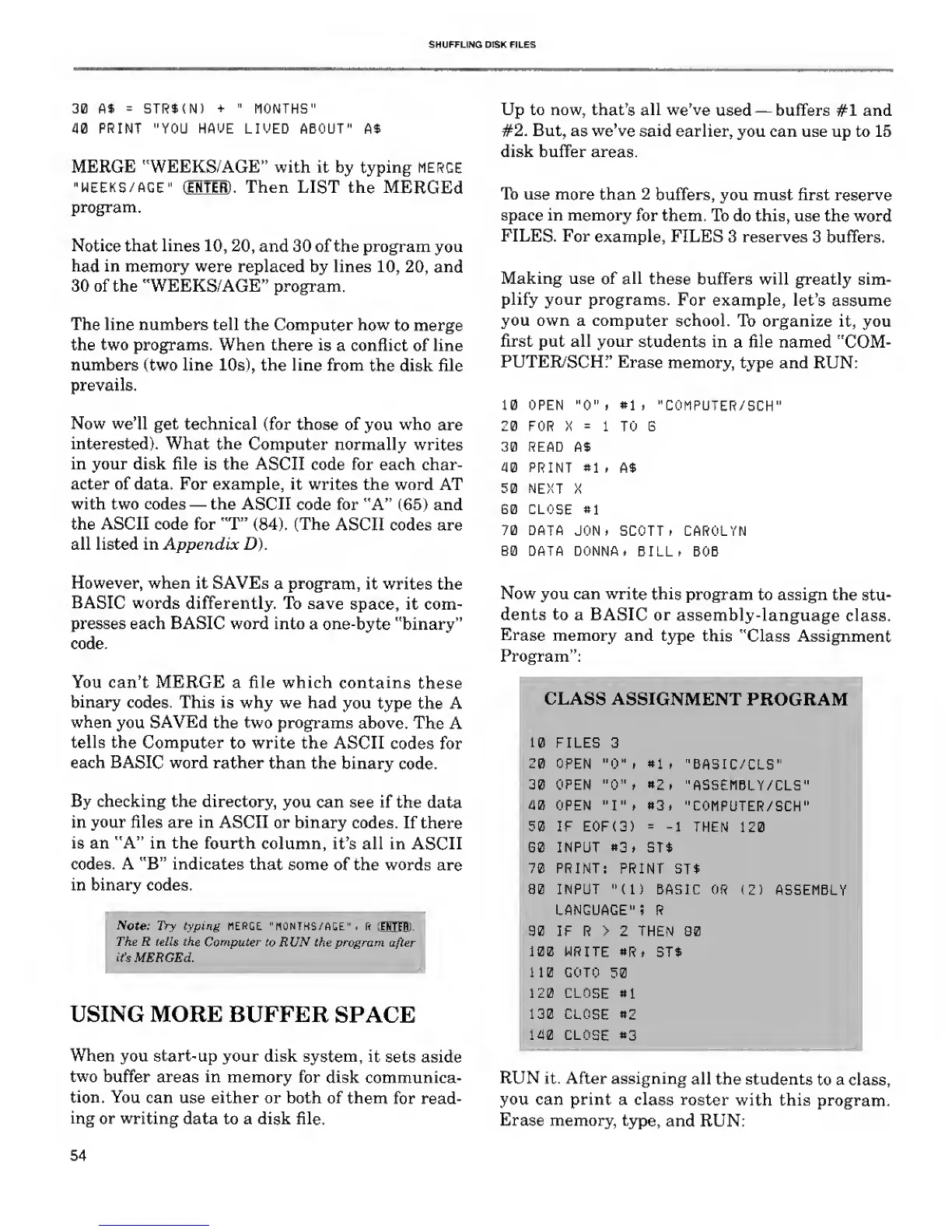
Now you can write
this
program to assign the
stu-
dents to a BASIC
or
assembly-language
class.
Erase
memory and
type
this "Class Assignment
Program":
I
CLASS
ASSIGNMENT
PROGRAM
»l
*Z
»3
10
FILES 3
20 OPEN
"0"
i
30
OPEN
"0"
.
W OPEN "I"
i
50 IF E0F(3)
G0 INPUT
«3.
70
PRINT
80 INPUT
LANGUAGE"! R
90 IF R > 2 THEN 80
100 WRITE
8R t ST$
110 GOTO
50
120 CLOSE
8
1
130
CLOSE
82
140 CLOSE
83
"BA5IC/CLS"
"ASSEMBLY/CLS"
"C0MPUTER/SCH"
1
THEN
120
ST4
PRINT ST$
(IS BASIC
RUN it. After assigning
all the students
to a class,
you can print a
class roster
with this
program.
Erase memory,
type,
and RUN:
54










 To Next Page