EasyManua.ls Logo

Tandy TRS-80 - Page 69

Tandy TRS-80
104 pages
Print Icon
To Next Page IconTo Next Page
To Previous Page IconTo Previous Page
Loading...
TECHNICAL
INFORMATION
Byte
# Contents
0-7
Filename,
left justified,
blank-filled.
If byte
=
0,
the
file has been
deleted
and the entry is
available.
If byte
=
FF
(hexadecimal),
the
entry (and
all following
entries) have
not
yet
been
used.
8-10
Filename
extension,
left justified,
blank-filled.
11 File
Type
=
BASIC program
1
=
BASIC
data file
2
=
Machine-language
program
3
=
Text Editor
source file
12 ASCII flag
=
the file is
in binary format
FF
(hexadecimal)
=
the file is
in
ASCII format
13
The number
of the first
granule in the
file (0-67).
14-15
The number
of bytes in
use
in
the last
sector of the file.
16-31
Reserved for
future use.
File Allocation
Table
Sector
2
of the directory
contains
a file allocation
table for
each of the
68 granules on
the disk. This
information
is located on
the first
68 bytes of the
sector. The remaining
bytes
contain zeroes:
Byte
#
Contents
0-67
Granule
information
68-255
Zeroes
Each of the first
68 bytes
corresponds
with
a
gran-
ule. For
example,
byte 15 corresponds
with
gran-
ule
15.
These
bytes will either
contain
a
value
of FF, 0-43,
or
C0-C9 (hexadecimal):
FF
The
corresponding
granule is free. It
is
not part
of
a
disk file.
00-43
The corresponding
granule
is part of
a
disk file. The
value, converted
to dec-
imal, points
to the next
granule in the
file. For
example,
if the value in
a byte
is 0A,
10 is the next
granule in the file.
C0-C9 The
corresponding
granule is
the last
granule in
the file. The value
contained
in
bits
0-5
of this
byte
tells
how many
of
the sectors in
that granule
are part
of the
disk file. (Bits
7 and
8
both
equal
1.)
SKIP
FACTOR
The
Computer
reads or
writes
data to the disk
one
sector
at a time.
Between sector
reads or
writes, it
does some
processing.
The disk
does not
stop and wait for
the Computer
to do this
processing. It
spins continuously.
For
example,
the
Computer might read
Sector 1
first. But
by the time it's
finished processing
Sec-
tor
1,
the disk
will have
spun to Sector
6.
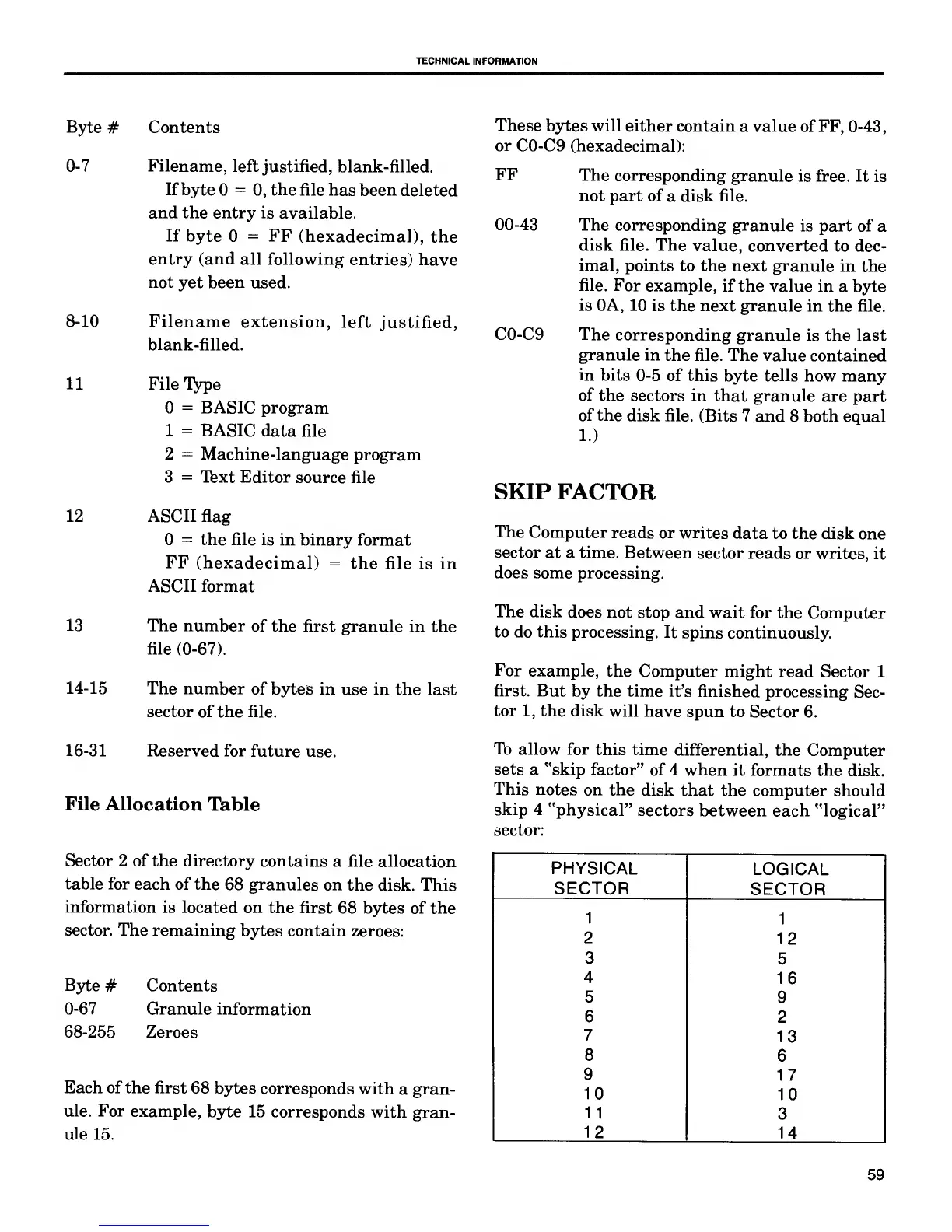
To
allow for
this time
differential, the
Computer
sets
a "skip factor"
of 4 when
it formats the
disk.
This
notes on the
disk that
the computer
should
skip
4 "physical"
sectors
between each "logical"
sector:
PHYSICAL
LOGICAL
SECTOR
SECTOR
1
1
2
12
3
5
4
16
5
9
6
2
7
13
8
6
9
17
10
10
11
3
12
14
59

Related product manuals