32
Table 4.1 Configuration instructions
Screen
Buttons
Screen Description
Button effects
0 = disabled
1 = audible chirp enabled
2 = blue LED flash enabled
3 = combination audible chirp and blue LED flash enabled
4 = display only enabled
One press saves the displayed value and activates the next configuration-mode screen.
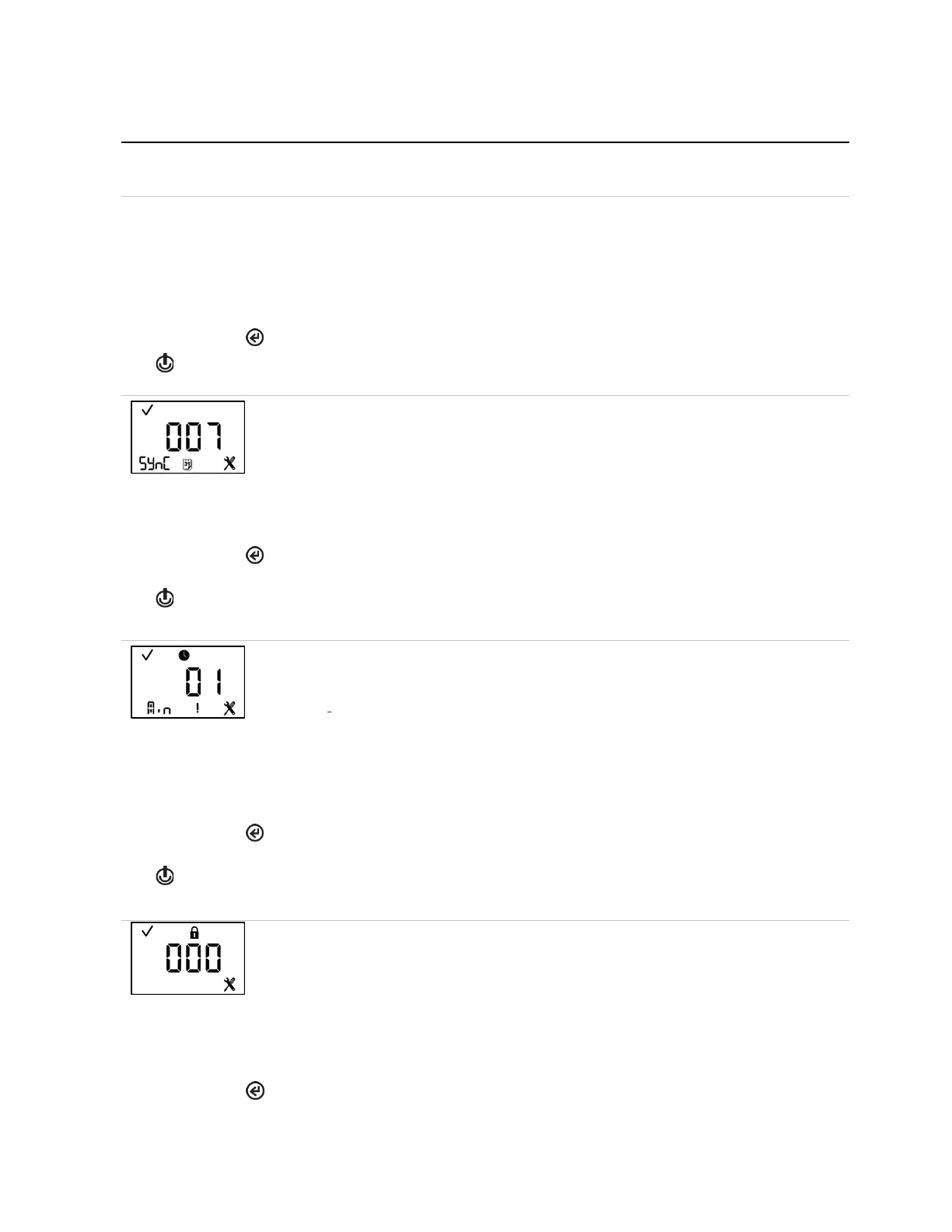
Dock due (Sync) interval
This screen features the status, configuration, calendar, and “SYnC” icons, with the current
value displayed in the main area. The technician can set the interval at which the dock due
warning is to be activated.
Note: When there is a high or low alarm, the unit will display the dock due icons automatically.
Value range: 1 to 365 days
Value increment: 1 day
The first press activates the value. Continued presses increment the value; hold to speed the
increment pace.
One press saves the displayed value and activates the next configuration-mode screen.
This screen features the status, clock, configuration and warning icons, with “min” in the lower
left area, and the time interval setting displayed in the main area. The technician can choose
the frequency for all enabled calibration, bump test, and dock due notifications.
For example, if the technician sets the interval for five minutes, every five minutes the
indicator selected from the enabled maintenance due warnings (calibration, bump test, and
dock due) will be activated.
Value range: 1 to 60 minutes
Value increment: 1 minute
The first press activates the value. Continued presses increment the value; hold to speed the
increment pace.
One press saves the displayed value and activates the next configuration-mode screen.
This screen features the status, lock, and configuration icons, with the current security code
displayed in the main area. The security code controls access to a unit's configuration mode
and the ability to power off a unit that is configured for always-on operation.
If the security code is set at 000, entry to configuration mode is not security-code protected,
and an always-on unit can be powered off without a security code. Any other value will enable
the security code.
Value range: 000 to 999
The first press activates the value. Continued presses increment the value; hold to speed the
increment pace.



 To Next Page