33
Table 4.1 Configuration instructions
Screen
Buttons
Screen Description
Button effects
One press saves the displayed value; a second activates the next configuration-mode screen.
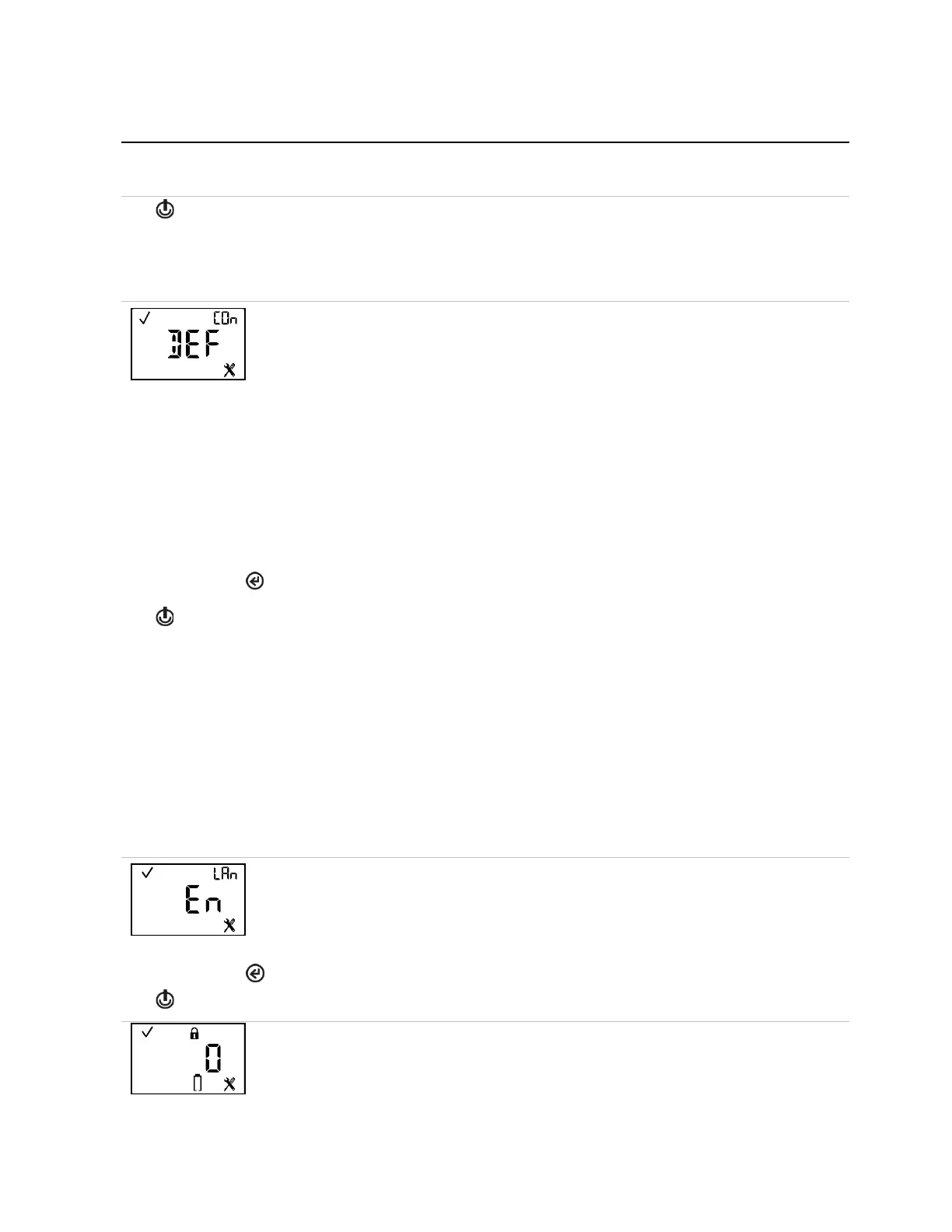
This screen features the status, “COn” (country-of-origin), and configuration icons, with the
current setting displayed in the main area. This feature automatically sets the low- and high-
gas alarm setpoints. The technician must choose one of these options:
“DEF” = USA and default value
“CAn” = Canada
“EUr” = Europe
“CR” = Czech Republic
“AUS” = Australia
The unit's settings are immediately updated to reflect that country's (or Europe's) low- and
high-gas alarm setpoints for the installed sensor-type. When the country-of-origin selection
does not contain a value for an alarm setpoint, the default value (DEF) is automatically
substituted.
The first press activates the value. Continued presses increment the value; hold to speed the
increment pace.
One press saves the displayed value and activates the next configuration-mode screen.
Notes:
Each alarm setting can be edited individually, in configuration mode, at that alarm's setpoint
screen. Because low- and high-gas alarm setpoints can be edited both individually and through the
country-of-origin option, it is important to understand override behavior.
Example
2
S low-gas alarm setpoint was edited–at its setpoint screen–to a value of 9 ppm.
Afterwards, a country-of-origin selection was made where the H
2
S low-gas alarm setpoint value is 10
ppm. The last-entered setting overrides the first. Therefore, in this example, the value of the H
2
S low
gas alarm setpoint is 10 ppm.
Another aspect to alarm settings applies to replacement or new sensors. For example:
• If the installed H
2
S sensor(s) is replaced with other H
2
S sensor(s), the last-entered low-gas alarm
setpoint (a value of 10 ppm in the above example) will be applied to the newly installed sensor(s).
• If the installed H
2
S sensors are replaced with a different sensor type (e.g., CO), the alarm settings
will be read from the newly installed sensor(s).
This screen features the status, “LAn” (language), and configuration icons, with the current
setting displayed in the main area. The technician can choose from these options:
“En” = English
“F” = French
Changes the value.
One press saves the displayed value and activates the next configuration-mode screen.
This screen features the status, lock, configuration, and the battery icon. The technician can
enable or disable this feature.
When enabled, the entry of the unit's security code (if the security code is not 000) will be
required to complete the shutdown process.



 To Next Page