34
Table 4.1 Configuration instructions
Screen
Buttons
Screen Description
Button effects
0 = disabled
One press saves the displayed value and activates the next configuration-mode screen.
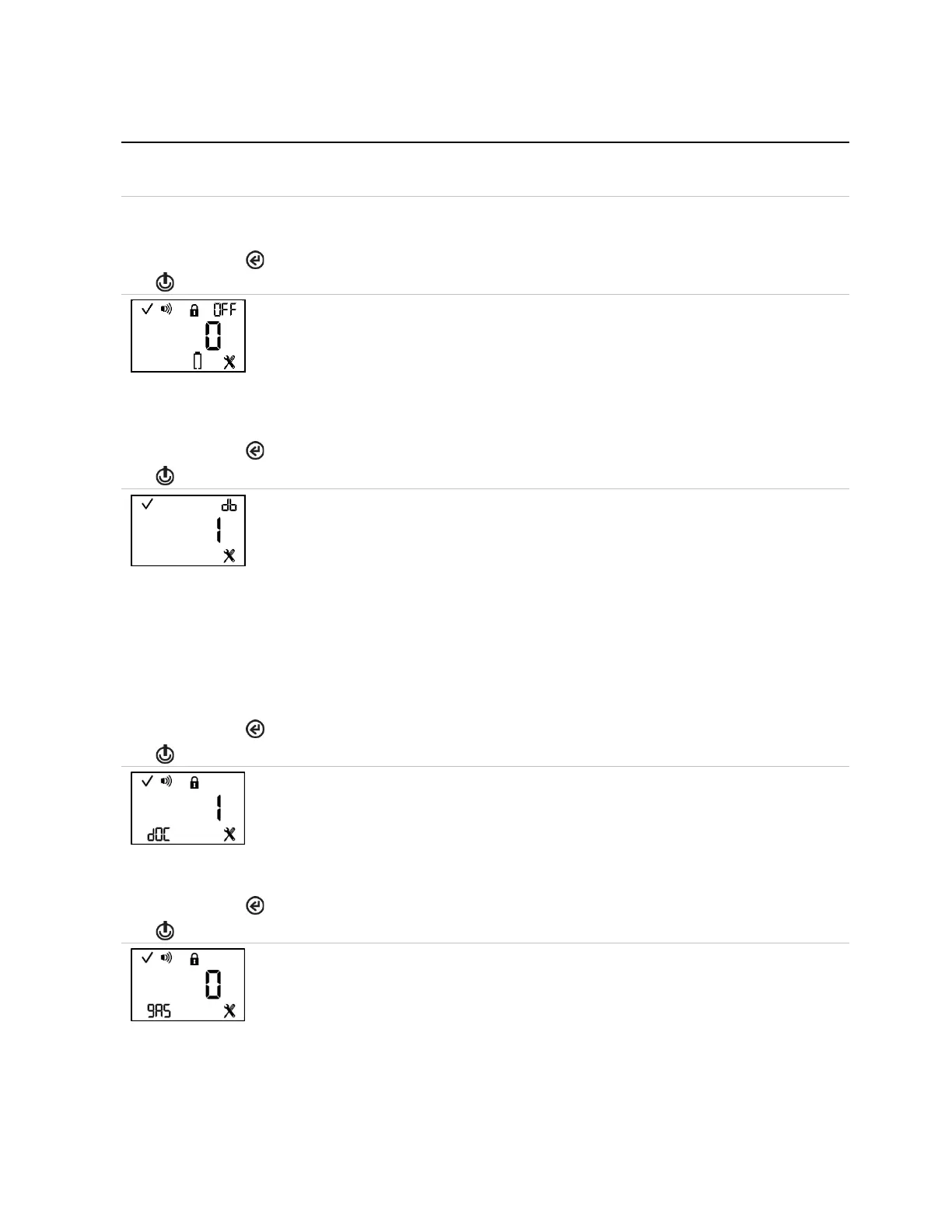
This screen features the status, alarm, lock, “OFF”, configuration, and battery Icons, with the
selected setting value displayed in the main area. The technician can allow or disallow the
operator to shut down the unit during an alarm.
Values:
0 = prevents shutdown
1 = allows shutdown
Increments the value.
One press saves the displayed value and activates the next configuration-mode screen.
Dead-band
Each sensor has a dead-band value, which allows it to measure the low-level presence (or
lack) of a gas. When this setting is enabled and the target gas reading falls into the “dead-
band” range, the instrument will display zero, rather than the actual gas reading.
This screen features the status, “db”, and configuration icons, with the selected setting value
displayed in the main area. The technician can set the instrument to display one of two values
for gas readings that are within a sensor’s dead-band range, the value of the reading or a
value of zero.
Values:
0 = disable dead-band: Always display actual gas reading.
1 = enable dead-band: Display zero when gas reading falls within dead-band range.
Increments the value.
One press saves the displayed value and activates the next configuration-mode screen.
This screen features the status, alarm, lock, configuration, and “dOC” icons, with the current
setting displayed in the main area. The technician can enable or disable this setting.
Values:
0 = disable alarms when docked
1 = enable alarms when docked
One press saves the displayed value and activates the next configuration-mode screen.
This screen features the status, alarm, lock, configuration, and “gAS” icons, with the current
setting displayed in the main area. The technician can enable or disable the gas-alert feature.
When enabled, the unit will notify the user when a detected gas concentration may be
approaching alarm levels.
Values:
0 = disable gas-alert
1 = enable gas-alert



 To Next Page