37
Table 4.2 Operation instructions
Screen
Buttons
Screen description
Button effects
Activates the next enabled operation-mode screen.
This screen displays when the STEL reading is enabled in operation-mode. The screen features the
check mark, sensor-type, and STEL icons, and the current STEL reading.
Activates the next enabled operation-mode screen.
Zero, Calibration, Bump Test, Response and Recovery
Time Testing
Perform the zero, calibration, bump testing, response and recovery time testing tasks in an area known to
be nonhazardous.
Table 4.3 Zero, calibration, bump test, response and recovery time testing
Supplies
Calibration cup (shipped with the unit)
Calibration tubing (shipped with the unit)
Calibration gas cylinder suitable for the installed sensors and the unit's calibration gas settings
Positive flow regulator suitable for the calibration gas cylinder
Stopwatch for measuring response and recovery time
Preparation
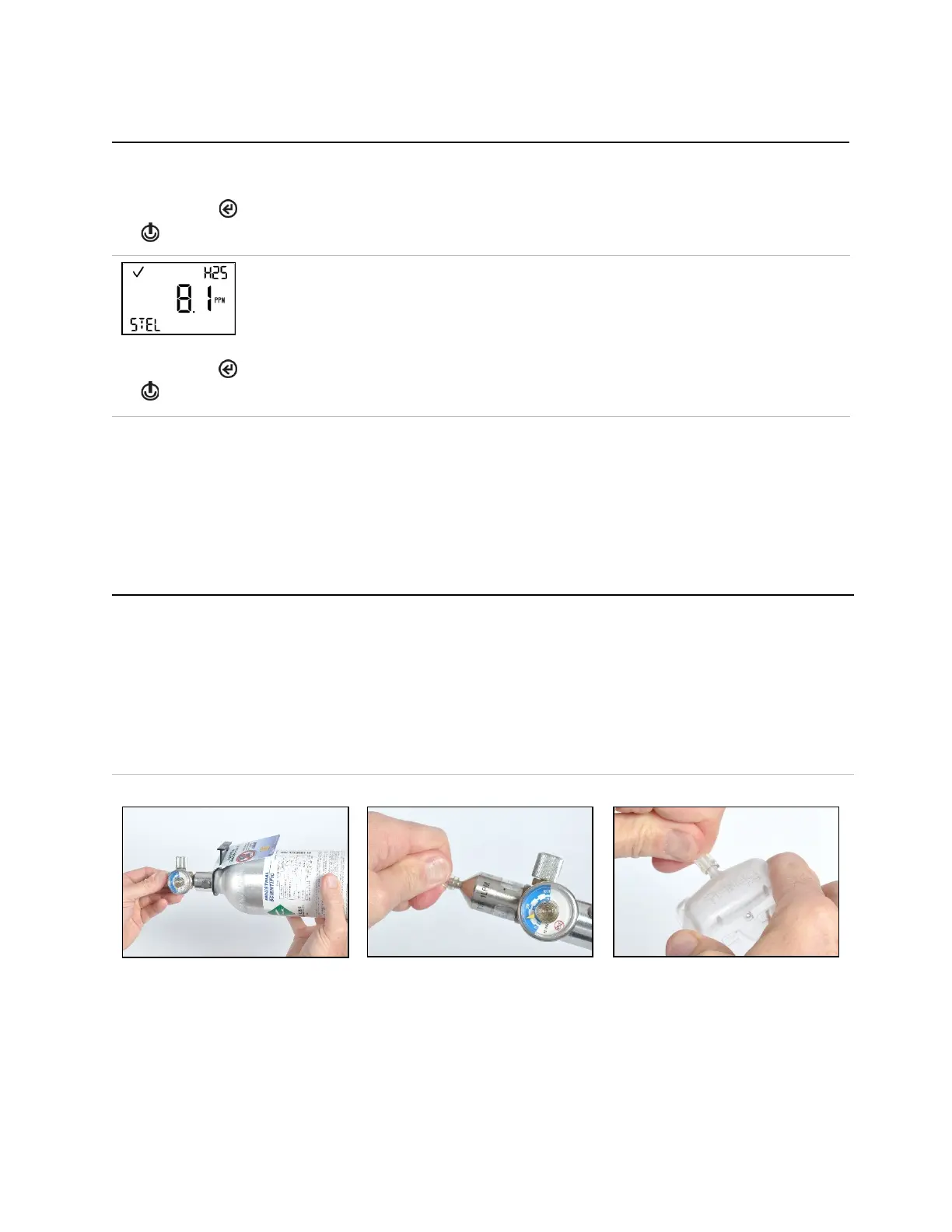
Holding the regulator, turn the
calibration gas cylinder in a clockwise
direction to tighten.
Connect either end of the calibration
tubing to the regulator's nipple.
Connect the other end of the tubing to
the calibration cup.
Proceed with the instruction set below for
the desired task: calibration or bump
testing.



 To Next Page