38
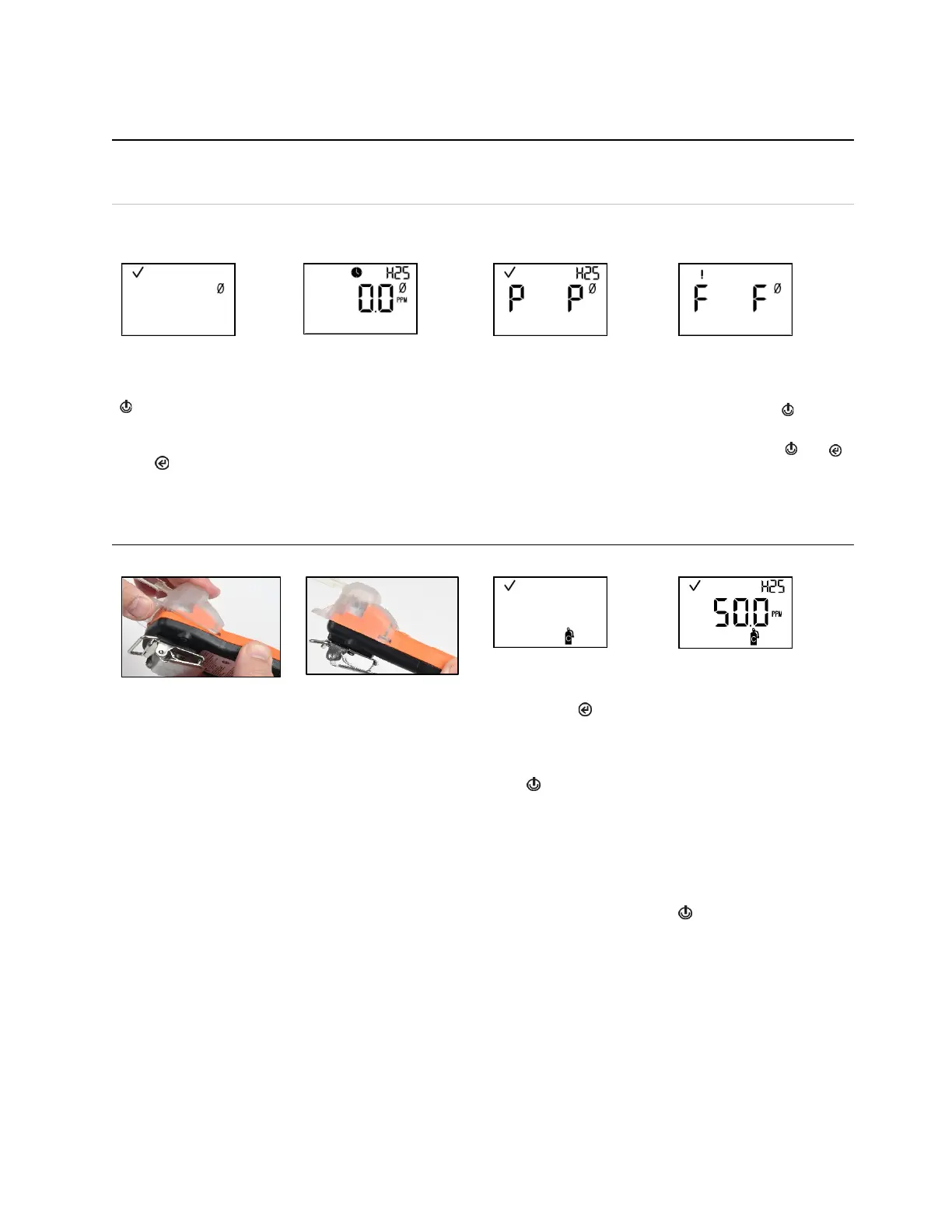
Table 4.3 Zero, calibration, bump test, response and recovery time testing
CAUTION: Calibration gases contain high concentrations of toxic gases that can pose risks to human health. To understand the
potential hazards associated with calibration gas, please consult the Safety Data Sheets (SDS) available on the Industrial
Scientific website.
http://www.indsci.com/en/explore/calibration-gas-and-reference-chart
Instruction
Zero
Initiate zero
Zero in-progress
Zero results (pass)
Zero results (fail)
Note: From anywhere in the
operation-mode loop, press
until the initiate-zero
screen is activated.
At the initiate-zero screen,
press to start the zero
process.
While the sensors are zeroed,
the zero-in-progress screen is
activated.
After the sensors are zeroed, the zero-results screen is
activated, and an audible alert is emitted.
If the result for either sensor is an "F" for fail, press to
reactivate the initiate-zero screen. Repeat the zero process.
If the result for both sensors is a "P" for pass, press then
to display the initiate-calibration screen. If calibration is not
desired, wait approximately 30 seconds for the zero-results
screen to deactivate; the home screen will be automatically
activated.
Calibration
Initiate calibration
Calibration apply gas
Place the calibration cup over the case top; align its top groove
with the small ridge at the top of the instrument.
Press down to secure the cup in place; a click will sound.
Visually inspect the calibration cup to ensure its edges along
the top and sides align with the case top edges.
process, press . Both
sensors will be calibrated
simultaneously.
To cancel the calibration,
press .
Once calibration is started,
the blue LED will flash with
an audible beep. Next, the
apply-gas screen is
activated; the expected
calibration gas type and
concentration are displayed.
This screen remains active
for up to 5 minutes as the
unit awaits the application of
calibration gas.
To cancel calibration, press
.



 To Next Page