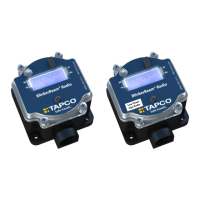
BlinkerBeam™ Radio Operation Guide
10
RADIO SETUP MENU
NOTICE
A radio must have the same BindCode (Binding Code) and Hop Seq. (Hop
Channel) as every other radio in the network.
To access the RADIO SETUP menu, select MAIN MENU > Radio Setup.
See Figure 30.
Binding Codes
NOTICE
Always verify binding code in the transmitter radio, no matter what
is recorded elsewhere. Check the Radio Status menu for the radio’s
BindCode (binding code) setting.
To access the binding codes, select MAIN MENU > RADIO SETUP > Set
Binding Code. See Figures 30 and 31.
Binding codes are read from left to right, but they are numbered from right
to left. In the example shown in the table, Digit 1 is at far right. See Figure 32
through Figure 34.
Digit Digit 7 Digit 6 Digit 5 Digit 4 Digit 3 Digit 2 Digit 1
Value
0 2 0 4 4 6 2
Note: The complete binding code is always eight digits, but only seven
digits can be assigned. Digit 8 is locked with a value of 0.
Note: If this radio’s BindCode does not match the BindCode of the
other radios in the network, see Set Binding Code Values for a
Replacement Radio in the Radio Setup Menu.
Note: On the BINDING CONFIG screens, the selection item is indicated
by * instead of >.
Set Binding Code Values for a Replacement Radio
The user must congure the new radio to use the same binding code. In
this example, the existing network uses binding code 00204462.
Digit Digit 7 Digit 6 Digit 5 Digit 4 Digit 3 Digit 2 Digit 1
Value
0 2 0 4 4 6 2
NOTICE
If another TAPCO system is located within a 1 mile radius
(or 40 miles if it has an Omni or a Yagi antenna) of this system, ensure
each system uses its own unique binding code.
Figure 32
RADIO SETUP
1) Set Binding Code
2) Set Hop Channel
3) Set Operation Mode
>
BINDING DIGIT 7
9
0
1
--> X
< >
BINDING CONFIG
Digit 7 0
Digit 6 2
Digit5 0
*
BINDING DIGIT 6
1
2
3
--> X
< >
BINDING CONFIG
Digit 2 0
Digit 1 2
SendCode -->
*
BINDING SAVING SAVED
00204462
BINDING CONFIG
Digit 7 0
Digit 6 2
Digit 5 0
>
RADIO STATUS -TX-
Radio Fw V: ##.##.###
LCD Fw V: ##.##.###
BindCode: 00204462
Is this the clearest and simplest that it could be?
BINDING CONFIG
SendCode ->
Digit 7 0
Digit 6 2
*
1
2
3
4
5
6
7
8
9
10
11
12
BINDING CONFIG
SendCode ->
Digit 7 0
Digit 6 2
*
BINDING CONFIG
Digit 5 0
Digit 4 4
Digit 3 4
*
BINDING CONFIG
Digit 3 4
Digit 2 6
Digit 1 2
*
*
*
Figure 31
RADIO SETUP
1) Set Binding Code
2) Set Hop Channel
3) Set Operation Mode
>
RADIO SETUP
1) Set Binding Code
2) Set Hop Channel
3) Set Operation Mode
>
RADIO SETUP
1) Set Binding Code
2) Set Hop Channel
3) Set Operation Mode
>
RADIO SETUP
2) Set Hop Channel
3) Set Operation Mode
4) RX Sensitivity
>
RADIO SETUP
3) Set Operation Mode
4) RX Sensitivity
5) TX Power
>
RADIO SETUP
4) RX Sensitivity
5) TX Power
6) Find Net Devices
>
1
2
3
4
5
6
RADIO SETUP
1) Set Binding Code
2) Set Hop Channel
3) Set Operation Mode
>
BINDING DIGIT 7
9
0
1
--> X
< >
BINDING CONFIG
Digit 7 0
Digit 6 2
Digit5 0
*
BINDING DIGIT 6
1
2
3
--> X
< >
BINDING CONFIG
Digit 2 0
Digit 1 2
SendCode -->
*
BINDING SAVING SAVED
00204462
BINDING CONFIG
Digit 7 0
Digit 6 2
Digit 5 0
>
RADIO STATUS -TX-
Radio Fw V: ##.##.###
LCD Fw V: ##.##.###
BindCode: 00204462
Is this the clearest and simplest that it could be?
BINDING CONFIG
SendCode ->
Digit 7 0
Digit 6 2
*
1
2
3
4
5
6
7
8
9
10
11
12
BINDING CONFIG
SendCode ->
Digit 7 0
Digit 6 2
*
BINDING CONFIG
Digit 5 0
Digit 4 4
Digit 3 4
*
BINDING CONFIG
Digit 3 4
Digit 2 6
Digit 1 2
*
*
*
Figure 33
RADIO SETUP
1) Set Binding Code
2) Set Hop Channel
3) Set Operation Mode
>
BINDING DIGIT 7
9
0
1
--> X
< >
BINDING CONFIG
Digit 7 0
Digit 6 2
Digit5 0
*
BINDING DIGIT 6
1
2
3
--> X
< >
BINDING CONFIG
Digit 2 0
Digit 1 2
SendCode -->
*
BINDING SAVING SAVED
00204462
BINDING CONFIG
Digit 7 0
Digit 6 2
Digit 5 0
>
RADIO STATUS -TX-
Radio Fw V: ##.##.###
LCD Fw V: ##.##.###
BindCode: 00204462
Is this the clearest and simplest that it could be?
BINDING CONFIG
SendCode ->
Digit 7 0
Digit 6 2
*
1
2
3
4
5
6
7
8
9
10
11
12
BINDING CONFIG
SendCode ->
Digit 7 0
Digit 6 2
*
BINDING CONFIG
Digit 5 0
Digit 4 4
Digit 3 4
*
BINDING CONFIG
Digit 3 4
Digit 2 6
Digit 1 2
*
Figure 34
Figure 30
MAIN MENU
3) Radio Setup
4) Legacy Control
5) Site Survey
>
MAIN MENU
2) Radio Status
3) Radio Setup
4) Legacy Control>
MAIN MENU
1) Controller Status
2) Radio Status
3) Radio Setup
4) Legacy Control
5) Site Survey
MAIN MENU
1) Controller Status
2) Radio Status
3) Radio Setup
>
MAIN MENU
0) Quick Setup
1) Controller Status
2) Radio Status
3) Radio Setup
>
>
MAIN MENU
1) Controller Status
2) Radio Status
3) Radio Setup
LCD Screen Icons
Selected and Saved
Saved Value
Selected
>
*
->
1
2
3
4
5
6


 To Next Page
 Loading...