BlinkerBeam™ Radio Operation Guide
11
Figure 45
RADIO SETUP
1) Set Binding Code
2) Set Hop Channel
3) Set Operation Mode
>
RADIO SETUP
1) Set Binding Code
2) Set Hop Channel
3) Set Operation Mode
>
RADIO SETUP
1) Set Binding Code
2) Set Hop Channel
3) Set Operation Mode
>
RADIO SETUP
2) Set Hop Channel
3) Set Operation Mode
4) RX Sensitivity
>
RADIO SETUP
3) Set Operation Mode
4) RX Sensitivity
5) TX Power
>
RADIO SETUP
4) RX Sensitivity
5) TX Power
6) Find Net Devices
>
1
2
3
4
5
6
Figure 44
MAIN MENU
3) Radio Setup
4) Legacy Control
5) Site Survey
>
MAIN MENU
2) Radio Status
3) Radio Setup
4) Legacy Control>
MAIN MENU
1) Controller Status
2) Radio Status
3) Radio Setup
4) Legacy Control
5) Site Survey
MAIN MENU
1) Controller Status
2) Radio Status
3) Radio Setup
>
MAIN MENU
0) Quick Setup
1) Controller Status
2) Radio Status
3) Radio Setup
>
>
MAIN MENU
1) Controller Status
2) Radio Status
3) Radio Setup
LCD Screen Icons
Selected and Saved
Saved Value
Selected
>
*
->
1
2
3
4
5
6
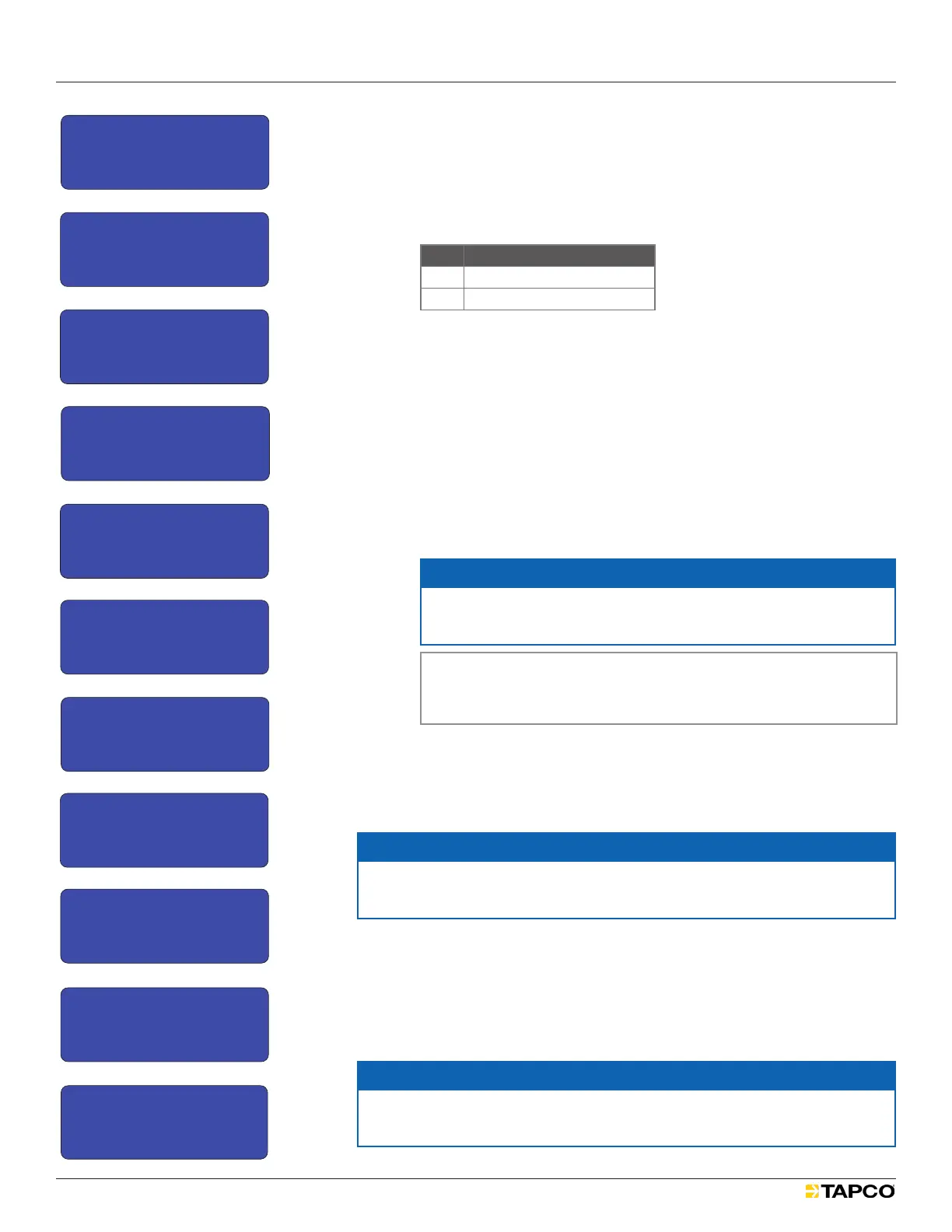
Setting the Binding Code:
1. Select MAIN MENU > RADIO SETUP > Set Binding Code.
See Figures 35 and 36.
2. From BINDING CONFIG select Digit 7. See Figure 37.
3. Scroll to the correct BINDING DIGIT 7 value (0) and select it.
See Figure 38.
Icon Meaning
X
Current saved value
- ->
Selected value
4. Conrm the digit value (0) by selecting the value again.
5. Exit to the BINDING CONFIG menu.
6. Scroll to Digit 6 and select. See Figure 39.
7. Scroll to the correct BINDING DIGIT 6 value (2) and select it.
See Figure 40.
8. Conrm the digit value by selecting it twice.
9. Repeat Steps 3-7 for digits 5-1.
10. When all values are correctly set, select and apply *SendCode.
See Figure 41.
The BINDING CODE is saved. See Figure 42.
NOTICE
If *SendCode is not selected and applied, work could be lost.
Select and apply *SendCode to save changes.
Note: The complete binding code is always eight digits but
only seven digits can be assigned. Digit 8 is locked with a
value of 0.
11. Verify that the BindCode is correct in the RADIO STATUS menu.
See Figure 43.
Set Hop Channel Menu
NOTICE
A radio must have the same BindCode (Binding Code) and Hop Seq.
(Hop Channel) as every other radio in the network.
To access the Set Hop Channel Menu, select MAIN MENU > RADIO SETUP >
Set Hop Channel. See Figures 44 and 45.
Frequency-hopping spread-spectrum transmission is a continuous
switching of radio frequencies that reduces interference and avoids signal
interception. The firmware settings controlling this type of transmission are
Hop Channels.
NOTICE
If two radio networks are less than a mile apart, ensure that each network
uses a different HOP CHANNEL to avoid unwanted signal interference.
Figure 40
RADIO SETUP
1) Set Binding Code
2) Set Hop Channel
3) Set Operation Mode
>
BINDING DIGIT 7
9
0
1
--> X
< >
BINDING CONFIG
Digit 7 0
Digit 6 2
Digit5 0
*
BINDING DIGIT 6
1
2
3
--> X
< >
BINDING CONFIG
Digit 2 0
Digit 1 2
SendCode -->
*
BINDING SAVING SAVED
00204462
BINDING CONFIG
Digit 7 0
Digit 6 2
Digit 5 0
>
RADIO STATUS -TX-
Radio Fw V: ##.##.###
LCD Fw V: ##.##.###
BindCode: 00204462
Is this the clearest and simplest that it could be?
BINDING CONFIG
SendCode ->
Digit 7 0
Digit 6 2
*
1
2
3
4
5
6
7
8
9
10
11
12
BINDING CONFIG
SendCode ->
Digit 7 0
Digit 6 2
*
BINDING CONFIG
Digit 5 0
Digit 4 4
Digit 3 4
*
BINDING CONFIG
Digit 3 4
Digit 2 6
Digit 1 2
*
*
*
Figure 41
RADIO SETUP
1) Set Binding Code
2) Set Hop Channel
3) Set Operation Mode
>
BINDING DIGIT 7
9
0
1
--> X
< >
BINDING CONFIG
Digit 7 0
Digit 6 2
Digit5 0
*
BINDING DIGIT 6
1
2
3
--> X
< >
BINDING CONFIG
Digit 2 0
Digit 1 2
SendCode -->
*
BINDING SAVING SAVED
00204462
BINDING CONFIG
Digit 7 0
Digit 6 2
Digit 5 0
>
RADIO STATUS -TX-
Radio Fw V: ##.##.###
LCD Fw V: ##.##.###
BindCode: 00204462
Is this the clearest and simplest that it could be?
BINDING CONFIG
SendCode ->
Digit 7 0
Digit 6 2
*
1
2
3
4
5
6
7
8
9
10
11
12
BINDING CONFIG
SendCode ->
Digit 7 0
Digit 6 2
*
BINDING CONFIG
Digit 5 0
Digit 4 4
Digit 3 4
*
BINDING CONFIG
Digit 3 4
Digit 2 6
Digit 1 2
*
*
*
Figure 42
RADIO SETUP
1) Set Binding Code
2) Set Hop Channel
3) Set Operation Mode
>
BINDING DIGIT 7
9
0
1
--> X
< >
BINDING CONFIG
Digit 7 0
Digit 6 2
Digit5 0
*
BINDING DIGIT 6
1
2
3
--> X
< >
BINDING CONFIG
Digit 2 0
Digit 1 2
SendCode -->
*
BINDING SAVING SAVED
00204462
BINDING CONFIG
Digit 7 0
Digit 6 2
Digit 5 0
>
RADIO STATUS -TX-
Radio Fw V: ##.##.###
LCD Fw V: ##.##.###
BindCode: 00204462
Is this the clearest and simplest that it could be?
BINDING CONFIG
SendCode ->
Digit 7 0
Digit 6 2
*
1
2
3
4
5
6
7
8
9
10
11
12
BINDING CONFIG
SendCode ->
Digit 7 0
Digit 6 2
*
BINDING CONFIG
Digit 5 0
Digit 4 4
Digit 3 4
*
BINDING CONFIG
Digit 3 4
Digit 2 6
Digit 1 2
*
*
*
Figure 43
RADIO SETUP
1) Set Binding Code
2) Set Hop Channel
3) Set Operation Mode
>
BINDING DIGIT 7
9
0
1
--> X
< >
BINDING CONFIG
Digit 7 0
Digit 6 2
Digit5 0
*
BINDING DIGIT 6
1
2
3
--> X
< >
BINDING CONFIG
Digit 2 0
Digit 1 2
SendCode -->
*
BINDING SAVING SAVED
00204462
BINDING CONFIG
Digit 7 0
Digit 6 2
Digit 5 0
>
RADIO STATUS -TX-
Radio Fw V: ##.##.###
LCD Fw V: ##.##.###
BindCode: 00204462
Is this the clearest and simplest that it could be?
BINDING CONFIG
SendCode ->
Digit 7 0
Digit 6 2
*
1
2
3
4
5
6
7
8
9
10
11
12
BINDING CONFIG
SendCode ->
Digit 7 0
Digit 6 2
*
BINDING CONFIG
Digit 5 0
Digit 4 4
Digit 3 4
*
BINDING CONFIG
Digit 3 4
Digit 2 6
Digit 1 2
*
*
*
RADIO SETUP
1) Set Binding Code
2) Set Hop Channel
3) Set Operation Mode
>
BINDING DIGIT 7
9
0
1
--> X
< >
BINDING CONFIG
Digit 7 0
Digit 6 2
Digit5 0
*
BINDING DIGIT 6
1
2
3
--> X
< >
BINDING CONFIG
Digit 2 0
Digit 1 2
SendCode -->
*
BINDING SAVING SAVED
00204462
BINDING CONFIG
Digit 7 0
Digit 6 2
Digit 5 0
>
RADIO STATUS -TX-
Radio Fw V: ##.##.###
LCD Fw V: ##.##.###
BindCode: 00204462
Is this the clearest and simplest that it could be?
BINDING CONFIG
SendCode ->
Digit 7 0
Digit 6 2
*
1
2
3
4
5
6
7
8
9
10
11
12
BINDING CONFIG
SendCode ->
Digit 7 0
Digit 6 2
*
BINDING CONFIG
Digit 5 0
Digit 4 4
Digit 3 4
*
BINDING CONFIG
Digit 3 4
Digit 2 6
Digit 1 2
*
*
*
Figure 39
Figure 37
RADIO SETUP
1) Set Binding Code
2) Set Hop Channel
3) Set Operation Mode
>
BINDING DIGIT 7
9
0
1
--> X
< >
BINDING CONFIG
Digit 7 0
Digit 6 2
Digit5 0
*
BINDING DIGIT 6
1
2
3
--> X
< >
BINDING CONFIG
Digit 2 0
Digit 1 2
SendCode -->
*
BINDING SAVING SAVED
00204462
BINDING CONFIG
Digit 7 0
Digit 6 2
Digit 5 0
>
RADIO STATUS -TX-
Radio Fw V: ##.##.###
LCD Fw V: ##.##.###
BindCode: 00204462
Is this the clearest and simplest that it could be?
BINDING CONFIG
SendCode ->
Digit 7 0
Digit 6 2
*
1
2
3
4
5
6
7
8
9
10
11
12
BINDING CONFIG
SendCode ->
Digit 7 0
Digit 6 2
*
BINDING CONFIG
Digit 5 0
Digit 4 4
Digit 3 4
*
BINDING CONFIG
Digit 3 4
Digit 2 6
Digit 1 2
*
*
Figure 36
RADIO SETUP
1) Set Binding Code
2) Set Hop Channel
3) Set Operation Mode
>
BINDING DIGIT 7
9
0
1
--> X
< >
BINDING CONFIG
Digit 7 0
Digit 6 2
Digit5 0
*
BINDING DIGIT 6
1
2
3
--> X
< >
BINDING CONFIG
Digit 2 0
Digit 1 2
SendCode -->
*
BINDING SAVING SAVED
00204462
BINDING CONFIG
Digit 7 0
Digit 6 2
Digit 5 0
>
RADIO STATUS -TX-
Radio Fw V: ##.##.###
LCD Fw V: ##.##.###
BindCode: 00204462
Is this the clearest and simplest that it could be?
BINDING CONFIG
SendCode ->
Digit 7 0
Digit 6 2
*
1
2
3
4
5
6
7
8
9
10
11
12
BINDING CONFIG
SendCode ->
Digit 7 0
Digit 6 2
*
BINDING CONFIG
Digit 5 0
Digit 4 4
Digit 3 4
*
BINDING CONFIG
Digit 3 4
Digit 2 6
Digit 1 2
*
*
*
RADIO SETUP
1) Set Binding Code
2) Set Hop Channel
3) Set Operation Mode
>
BINDING DIGIT 7
9
0
1
--> X
< >
BINDING CONFIG
Digit 7 0
Digit 6 2
Digit5 0
*
BINDING DIGIT 6
1
2
3
--> X
< >
BINDING CONFIG
Digit 2 0
Digit 1 2
SendCode -->
*
BINDING SAVING SAVED
00204462
BINDING CONFIG
Digit 7 0
Digit 6 2
Digit 5 0
>
RADIO STATUS -TX-
Radio Fw V: ##.##.###
LCD Fw V: ##.##.###
BindCode: 00204462
Is this the clearest and simplest that it could be?
BINDING CONFIG
SendCode ->
Digit 7 0
Digit 6 2
*
1
2
3
4
5
6
7
8
9
10
11
12
BINDING CONFIG
SendCode ->
Digit 7 0
Digit 6 2
*
BINDING CONFIG
Digit 5 0
Digit 4 4
Digit 3 4
*
BINDING CONFIG
Digit 3 4
Digit 2 6
Digit 1 2
*
*
*
Figure 38
Figure 35
MAIN MENU
3) Radio Setup
4) Legacy Control
5) Site Survey
>
MAIN MENU
2) Radio Status
3) Radio Setup
4) Legacy Control>
MAIN MENU
1) Controller Status
2) Radio Status
3) Radio Setup
4) Legacy Control
5) Site Survey
MAIN MENU
1) Controller Status
2) Radio Status
3) Radio Setup
>
MAIN MENU
0) Quick Setup
1) Controller Status
2) Radio Status
3) Radio Setup
>
>
MAIN MENU
1) Controller Status
2) Radio Status
3) Radio Setup
LCD Screen Icons
Selected and Saved
Saved Value
Selected
>
*
->
1
2
3
4
5
6


 To Next Page
 Loading...