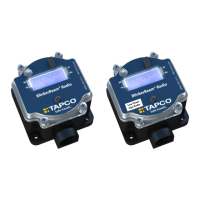
BlinkerBeam™ Radio Operation Guide
15
MAIN MENU
3) Radio Setup
4) Legacy Control
5) Site Survey
>
LEGACY CONTROL
1) Local Control
2) Network Control
>
LEGACY CONTROL
1) Local Control
2) Network Control
>
LOCAL COMMANDS
1) LED1 10s ON
2) LED2 10s ON
3) Reset Legacy
4) Send Button TO
5) Set Button TO
6) Chevron Config
NETWORK COMMANDS
1) LED1 10s ON
2) LED2 10s ON
3) Reset Controllers
4) Send Button TO
5) Set Button TO
LOCAL COMMANDS
1) LED1 10s ON
2) LED2 10s ON
3) Reset Legacy
>
NETWORK COMMANDS
1) LED1 10s ON
2) LED2 10s ON
3) Reset Controllers
>
LOCAL COMMANDS
1) LED1 10s ON
2) LED2 10s ON
3) Reset Legacy
>
LOCAL COMMANDS
1) LED1 10s ON
2) LED2 10s ON
3) Reset Legacy
>
NETWORK COMMANDS
1) LED1 10s ON
2) LED2 10s ON
3) Reset Controllers
>
>
NETWORK COMMANDS
1) LED1 10s ON
2) LED2 10s ON
3) Reset Controllers
>
NETWORK COMMANDS
3) Reset Controllers
4) Send Button TO
5) Set Button TO
>
LOCAL COMMANDS
4) Send Button TO
5) Set Button TO
6) Chevron Config
>
NETWORK COMMANDS
3) Reset Controllers
4) Send Button TO
5) Set Button TO
>
LOCAL COMMANDS
4) Send Button TO
5) Set Button TO
6) Chevron Config
>
Button T/O SAVING
20 secs
>
BUTTON TIMEOUT MENU
15
20
25
--> X
< >
secs
Is this the clearest and simplest that it could be?
1
2
3
4
5
6
7
8
9
10
11
12
13
14
Figure 75
MAIN MENU
3) Radio Setup
4) Legacy Control
5) Site Survey
>
LEGACY CONTROL
1) Local Control
2) Network Control
>
LEGACY CONTROL
1) Local Control
2) Network Control
>
LOCAL COMMANDS
1) LED1 10s ON
2) LED2 10s ON
3) Reset Legacy
4) Send Button TO
5) Set Button TO
6) Chevron Config
NETWORK COMMANDS
1) LED1 10s ON
2) LED2 10s ON
3) Reset Controllers
4) Send Button TO
5) Set Button TO
LOCAL COMMANDS
1) LED1 10s ON
2) LED2 10s ON
3) Reset Legacy
>
NETWORK COMMANDS
1) LED1 10s ON
2) LED2 10s ON
3) Reset Controllers
>
LOCAL COMMANDS
1) LED1 10s ON
2) LED2 10s ON
3) Reset Legacy
>
LOCAL COMMANDS
1) LED1 10s ON
2) LED2 10s ON
3) Reset Legacy
>
NETWORK COMMANDS
1) LED1 10s ON
2) LED2 10s ON
3) Reset Controllers
>
>
NETWORK COMMANDS
1) LED1 10s ON
2) LED2 10s ON
3) Reset Controllers
>
NETWORK COMMANDS
3) Reset Controllers
4) Send Button TO
5) Set Button TO
>
LOCAL COMMANDS
4) Send Button TO
5) Set Button TO
6) Chevron Config
>
NETWORK COMMANDS
3) Reset Controllers
4) Send Button TO
5) Set Button TO
>
LOCAL COMMANDS
4) Send Button TO
5) Set Button TO
6) Chevron Config
>
Button T/O SAVING
20 secs
>
BUTTON TIMEOUT MENU
15
20
25
--> X
< >
secs
Is this the clearest and simplest that it could be?
1
2
3
4
5
6
7
8
9
10
11
12
13
14
Figure 76
MAIN MENU
3) Radio Setup
4) Legacy Control
5) Site Survey
>
LEGACY CONTROL
1) Local Control
2) Network Control
>
LEGACY CONTROL
1) Local Control
2) Network Control
>
LOCAL COMMANDS
1) LED1 10s ON
2) LED2 10s ON
3) Reset Legacy
4) Send Button TO
5) Set Button TO
6) Chevron Config
NETWORK COMMANDS
1) LED1 10s ON
2) LED2 10s ON
3) Reset Controllers
4) Send Button TO
5) Set Button TO
LOCAL COMMANDS
1) LED1 10s ON
2) LED2 10s ON
3) Reset Legacy
>
NETWORK COMMANDS
1) LED1 10s ON
2) LED2 10s ON
3) Reset Controllers
>
LOCAL COMMANDS
1) LED1 10s ON
2) LED2 10s ON
3) Reset Legacy
>
LOCAL COMMANDS
1) LED1 10s ON
2) LED2 10s ON
3) Reset Legacy
>
NETWORK COMMANDS
1) LED1 10s ON
2) LED2 10s ON
3) Reset Controllers
>
>
NETWORK COMMANDS
1) LED1 10s ON
2) LED2 10s ON
3) Reset Controllers
>
NETWORK COMMANDS
3) Reset Controllers
4) Send Button TO
5) Set Button TO
>
LOCAL COMMANDS
4) Send Button TO
5) Set Button TO
6) Chevron Config
>
NETWORK COMMANDS
3) Reset Controllers
4) Send Button TO
5) Set Button TO
>
LOCAL COMMANDS
4) Send Button TO
5) Set Button TO
6) Chevron Config
>
Button T/O SAVING
20 secs
>
BUTTON TIMEOUT MENU
15
20
25
--> X
< >
secs
Is this the clearest and simplest that it could be?
1
2
3
4
5
6
7
8
9
10
11
12
13
14
Figure 77
MAIN MENU
3) Radio Setup
4) Legacy Control
5) Site Survey
>
LEGACY CONTROL
1) Local Control
2) Network Control
>
LEGACY CONTROL
1) Local Control
2) Network Control
>
LOCAL COMMANDS
1) LED1 10s ON
2) LED2 10s ON
3) Reset Legacy
4) Send Button TO
5) Set Button TO
6) Chevron Config
NETWORK COMMANDS
1) LED1 10s ON
2) LED2 10s ON
3) Reset Controllers
4) Send Button TO
5) Set Button TO
LOCAL COMMANDS
1) LED1 10s ON
2) LED2 10s ON
3) Reset Legacy
>
NETWORK COMMANDS
1) LED1 10s ON
2) LED2 10s ON
3) Reset Controllers
>
LOCAL COMMANDS
1) LED1 10s ON
2) LED2 10s ON
3) Reset Legacy
>
LOCAL COMMANDS
1) LED1 10s ON
2) LED2 10s ON
3) Reset Legacy
>
NETWORK COMMANDS
1) LED1 10s ON
2) LED2 10s ON
3) Reset Controllers
>
>
NETWORK COMMANDS
1) LED1 10s ON
2) LED2 10s ON
3) Reset Controllers
>
NETWORK COMMANDS
3) Reset Controllers
4) Send Button TO
5) Set Button TO
>
LOCAL COMMANDS
4) Send Button TO
5) Set Button TO
6) Chevron Config
>
NETWORK COMMANDS
3) Reset Controllers
4) Send Button TO
5) Set Button TO
>
LOCAL COMMANDS
4) Send Button TO
5) Set Button TO
6) Chevron Config
>
Button T/O SAVING
20 secs
>
BUTTON TIMEOUT MENU
15
20
25
--> X
< >
secs
Is this the clearest and simplest that it could be?
1
2
3
4
5
6
7
8
9
10
11
12
13
14
Figure 78
End of Search
If the nal count shows that not all radios on the network are
communicating, check the radio to verify the following:
All radios are powered on.
Only one radio is set to Transmitter.
All radios have the same binding code.
All radios are on the same Hop channel.
If a radio cannot be added to the network, see Binding Codes, Set Hop
Channel Menu, and Troubleshooting.
When all radios have joined the network, exit the menu.
LEGACY CONTROL MENU
The Legacy Control menu allows several functions used for Intelligent
Warning Systems (IWS) network management:
Run an LED diagnostic routine,
Reboot a single radio,
Reboot all the radios in the network, or
Change the length of time that an LED display ashes.
To access these various functions:
1. Select MAIN MENU > Legacy Control. See Figure 72.
2. From the LEGACY CONTROL Menu select either option:
Local Control (this unit). See Figure 73.
Network Control (all units). See Figure 74.
Run an LED Diagnostic Routine
The user can run an LED Diagnostic routine on either LED array from either
the LOCAL COMMANDS or NETWORK COMMANDS menu.
1. Select MAIN MENU > Legacy Control. See Figure 72.
2. From the LEGACY CONTROL Menu select either option:
Local Control (this unit). See Figure 73.
Network Control (all units). See Figure 74.
3. Select either:
LED1 10s ON for Array 1. See Figures 75 and 76.
LED2 10s ON for Array 2. See Figures 77 and 78.
When activated, the LEDs on the selected array stay ON for 10 seconds.
Reboot a Single Radio
To reboot the radio,
1. Select MAIN MENU > Legacy Control. See Figure 79.
2. Select LEGACY CONTROL> Local Control. See Figure 80.
3. Select LOCAL COMMANDS > Reset Legacy. See Figure 81.
MAIN MENU
3) Radio Setup
4) Legacy Control
5) Site Survey
>
LEGACY CONTROL
1) Local Control
2) Network Control
>
LEGACY CONTROL
1) Local Control
2) Network Control
>
LOCAL COMMANDS
1) LED1 10s ON
2) LED2 10s ON
3) Reset Legacy
4) Send Button TO
5) Set Button TO
6) Chevron Config
NETWORK COMMANDS
1) LED1 10s ON
2) LED2 10s ON
3) Reset Controllers
4) Send Button TO
5) Set Button TO
LOCAL COMMANDS
1) LED1 10s ON
2) LED2 10s ON
3) Reset Legacy
>
NETWORK COMMANDS
1) LED1 10s ON
2) LED2 10s ON
3) Reset Controllers
>
LOCAL COMMANDS
1) LED1 10s ON
2) LED2 10s ON
3) Reset Legacy
>
LOCAL COMMANDS
1) LED1 10s ON
2) LED2 10s ON
3) Reset Legacy
>
NETWORK COMMANDS
1) LED1 10s ON
2) LED2 10s ON
3) Reset Controllers
>
>
NETWORK COMMANDS
1) LED1 10s ON
2) LED2 10s ON
3) Reset Controllers
>
NETWORK COMMANDS
3) Reset Controllers
4) Send Button TO
5) Set Button TO
>
LOCAL COMMANDS
4) Send Button TO
5) Set Button TO
6) Chevron Config
>
NETWORK COMMANDS
3) Reset Controllers
4) Send Button TO
5) Set Button TO
>
LOCAL COMMANDS
4) Send Button TO
5) Set Button TO
6) Chevron Config
>
Button T/O SAVING
20 secs
>
BUTTON TIMEOUT MENU
15
20
25
--> X
< >
secs
Is this the clearest and simplest that it could be?
1
2
3
4
5
6
7
8
9
10
11
12
13
14
Figure 81
Figure 79
MAIN MENU
3) Radio Setup
4) Legacy Control
5) Site Survey
>
MAIN MENU
2) Radio Status
3) Radio Setup
4) Legacy Control>
MAIN MENU
1) Controller Status
2) Radio Status
3) Radio Setup
4) Legacy Control
5) Site Survey
MAIN MENU
1) Controller Status
2) Radio Status
3) Radio Setup
>
MAIN MENU
0) Quick Setup
1) Controller Status
2) Radio Status
3) Radio Setup
>
>
MAIN MENU
1) Controller Status
2) Radio Status
3) Radio Setup
LCD Screen Icons
Selected and Saved
Saved Value
Selected
>
*
->
1
2
3
4
5
6
Figure 80
MAIN MENU
3) Radio Setup
4) Legacy Control
5) Site Survey
>
LEGACY CONTROL
1) Local Control
2) Network Control
>
LEGACY CONTROL
1) Local Control
2) Network Control
>
LOCAL COMMANDS
1) LED1 10s ON
2) LED2 10s ON
3) Reset Legacy
4) Send Button TO
5) Set Button TO
6) Chevron Config
NETWORK COMMANDS
1) LED1 10s ON
2) LED2 10s ON
3) Reset Controllers
4) Send Button TO
5) Set Button TO
LOCAL COMMANDS
1) LED1 10s ON
2) LED2 10s ON
3) Reset Legacy
>
NETWORK COMMANDS
1) LED1 10s ON
2) LED2 10s ON
3) Reset Controllers
>
LOCAL COMMANDS
1) LED1 10s ON
2) LED2 10s ON
3) Reset Legacy
>
LOCAL COMMANDS
1) LED1 10s ON
2) LED2 10s ON
3) Reset Legacy
>
NETWORK COMMANDS
1) LED1 10s ON
2) LED2 10s ON
3) Reset Controllers
>
>
NETWORK COMMANDS
1) LED1 10s ON
2) LED2 10s ON
3) Reset Controllers
>
NETWORK COMMANDS
3) Reset Controllers
4) Send Button TO
5) Set Button TO
>
LOCAL COMMANDS
4) Send Button TO
5) Set Button TO
6) Chevron Config
>
NETWORK COMMANDS
3) Reset Controllers
4) Send Button TO
5) Set Button TO
>
LOCAL COMMANDS
4) Send Button TO
5) Set Button TO
6) Chevron Config
>
Button T/O SAVING
20 secs
>
BUTTON TIMEOUT MENU
15
20
25
--> X
< >
secs
Is this the clearest and simplest that it could be?
1
2
3
4
5
6
7
8
9
10
11
12
13
14
Figure 73
MAIN MENU
3) Radio Setup
4) Legacy Control
5) Site Survey
>
LEGACY CONTROL
1) Local Control
2) Network Control
>
LEGACY CONTROL
1) Local Control
2) Network Control
>
LOCAL COMMANDS
1) LED1 10s ON
2) LED2 10s ON
3) Reset Legacy
4) Send Button TO
5) Set Button TO
6) Chevron Config
NETWORK COMMANDS
1) LED1 10s ON
2) LED2 10s ON
3) Reset Controllers
4) Send Button TO
5) Set Button TO
LOCAL COMMANDS
1) LED1 10s ON
2) LED2 10s ON
3) Reset Legacy
>
NETWORK COMMANDS
1) LED1 10s ON
2) LED2 10s ON
3) Reset Controllers
>
LOCAL COMMANDS
1) LED1 10s ON
2) LED2 10s ON
3) Reset Legacy
>
LOCAL COMMANDS
1) LED1 10s ON
2) LED2 10s ON
3) Reset Legacy
>
NETWORK COMMANDS
1) LED1 10s ON
2) LED2 10s ON
3) Reset Controllers
>
>
NETWORK COMMANDS
1) LED1 10s ON
2) LED2 10s ON
3) Reset Controllers
>
NETWORK COMMANDS
3) Reset Controllers
4) Send Button TO
5) Set Button TO
>
LOCAL COMMANDS
4) Send Button TO
5) Set Button TO
6) Chevron Config
>
NETWORK COMMANDS
3) Reset Controllers
4) Send Button TO
5) Set Button TO
>
LOCAL COMMANDS
4) Send Button TO
5) Set Button TO
6) Chevron Config
>
Button T/O SAVING
20 secs
>
BUTTON TIMEOUT MENU
15
20
25
--> X
< >
secs
Is this the clearest and simplest that it could be?
1
2
3
4
5
6
7
8
9
10
11
12
13
14
MAIN MENU
3) Radio Setup
4) Legacy Control
5) Site Survey
>
LEGACY CONTROL
1) Local Control
2) Network Control
>
LEGACY CONTROL
1) Local Control
2) Network Control
>
LOCAL COMMANDS
1) LED1 10s ON
2) LED2 10s ON
3) Reset Legacy
4) Send Button TO
5) Set Button TO
6) Chevron Config
NETWORK COMMANDS
1) LED1 10s ON
2) LED2 10s ON
3) Reset Controllers
4) Send Button TO
5) Set Button TO
LOCAL COMMANDS
1) LED1 10s ON
2) LED2 10s ON
3) Reset Legacy
>
NETWORK COMMANDS
1) LED1 10s ON
2) LED2 10s ON
3) Reset Controllers
>
LOCAL COMMANDS
1) LED1 10s ON
2) LED2 10s ON
3) Reset Legacy
>
LOCAL COMMANDS
1) LED1 10s ON
2) LED2 10s ON
3) Reset Legacy
>
NETWORK COMMANDS
1) LED1 10s ON
2) LED2 10s ON
3) Reset Controllers
>
>
NETWORK COMMANDS
1) LED1 10s ON
2) LED2 10s ON
3) Reset Controllers
>
NETWORK COMMANDS
3) Reset Controllers
4) Send Button TO
5) Set Button TO
>
LOCAL COMMANDS
4) Send Button TO
5) Set Button TO
6) Chevron Config
>
NETWORK COMMANDS
3) Reset Controllers
4) Send Button TO
5) Set Button TO
>
LOCAL COMMANDS
4) Send Button TO
5) Set Button TO
6) Chevron Config
>
Button T/O SAVING
20 secs
>
BUTTON TIMEOUT MENU
15
20
25
--> X
< >
secs
Is this the clearest and simplest that it could be?
1
2
3
4
5
6
7
8
9
10
11
12
13
14
Figure 74
Figure 72
MAIN MENU
3) Radio Setup
4) Legacy Control
5) Site Survey
>
MAIN MENU
2) Radio Status
3) Radio Setup
4) Legacy Control>
MAIN MENU
1) Controller Status
2) Radio Status
3) Radio Setup
4) Legacy Control
5) Site Survey
MAIN MENU
1) Controller Status
2) Radio Status
3) Radio Setup
>
MAIN MENU
0) Quick Setup
1) Controller Status
2) Radio Status
3) Radio Setup
>
>
MAIN MENU
1) Controller Status
2) Radio Status
3) Radio Setup
LCD Screen Icons
Selected and Saved
Saved Value
Selected
>
*
->
1
2
3
4
5
6


 To Next Page
 Loading...