11
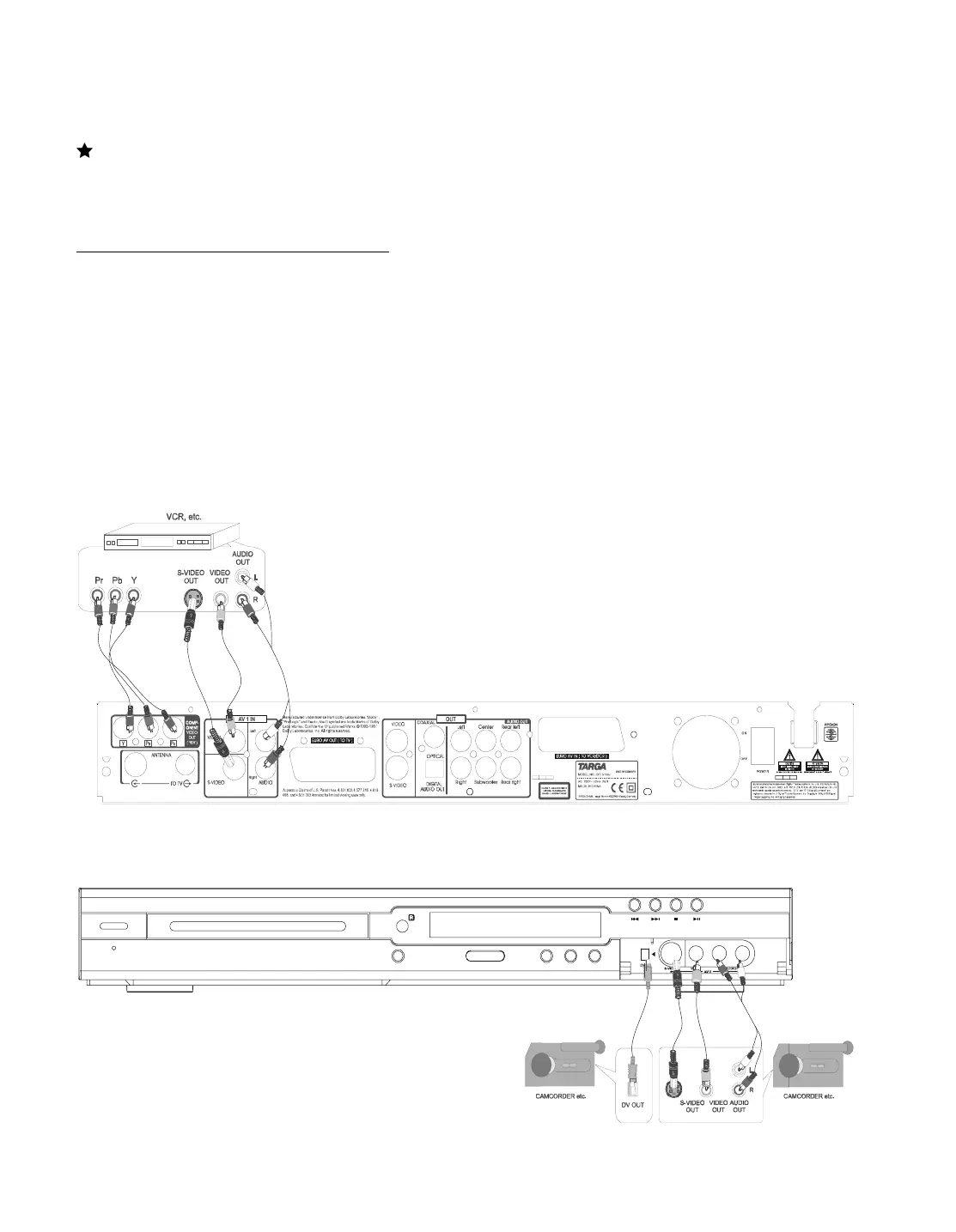
Connect your DVD recorder to VCR or a similar
recording equipment
You can use this unit as the source player or as the recording deck. If
your VCR or similar equipment have a SCART connector use this
connetion. (See Picture 1 on the previous page)
Connection for recording from other equipment
You can connect additional devises such as decoders, camcorders,
etc. to the S-video /Video/component and Audio in , then you can see
the picture from the additional device on your TV set. At the same time
, you can record the program from the additional device .
1. Connect to the AV IN by a video cable.(configuration A+D)
2. Connect to the AV IN by a s-video cable.(configuration B+D)
3. Connect with component video cable.(configuration C+D)
4. Connect to a camcorder etc. by a video/s-video/DV IN.
To copy camcorder recordings, you can use the front sockets
.These sockets are located behind the flap on the left hand side .
Best picture Quality (Configuration A)
If you have a DV or digital 8 camcorder , connect the DV IN of
the DVD recorder to the appropriate DV output on the
Camcorder.
Very good picture Quality (Configuration B+D)
If you have H18 or S-VHS (c) camcorder , connect the S-
Video 2 of the DVD recorder to the S-VHS output on the
camcorder. you must also connect the audio input L AUDIO R
on the DVD recorder to Audio output on the camcorder.
Good picture Quality (Configuration C+D)
If your camcorder only have a single Video output (composite
Video , CVBS) , connect the Video(AV 2) of the DVD recorder
to the Video output on the camcorder. you must also connect
the audio input L AUDIO R on the DVD recorder to Audio
output on the camcorder.
Picture 2:
A
C
BD
CD
A
B



 To Next Page