Targetmax® V.2.0 Attendance System Hardware Suite Guide
5
Chapter One - Introduction
1.1 Communication Port
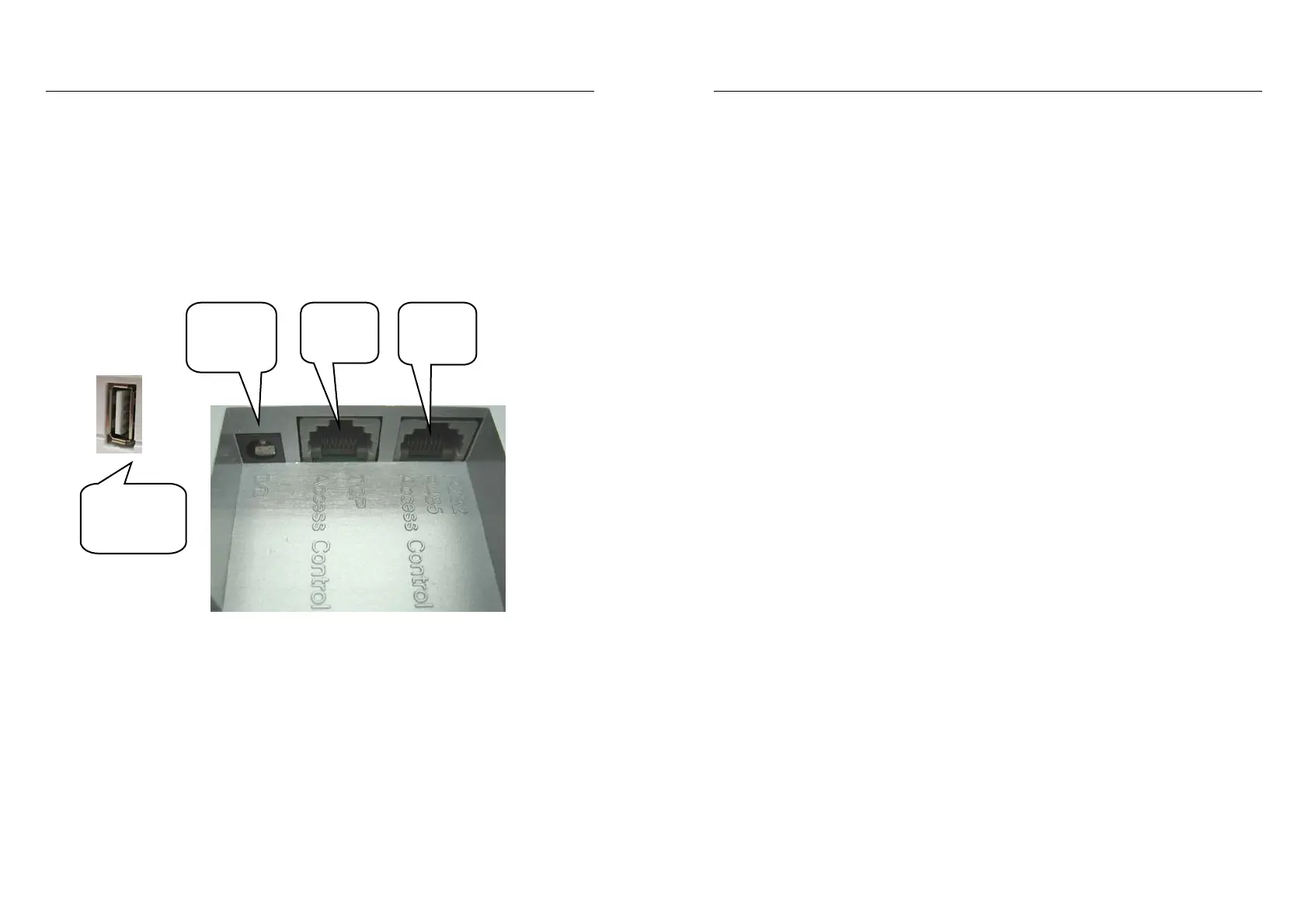
There are four communication ports for the fingerprint time attendance
terminal: 9-pin RS232/485 interface and TCP/IP interface and power cords
are as following table:
As per following figure:
1.2 Power Source Control
• Turn on the machine to attending status by press the power switch once
• The machine will be turned off automatically if no any operation exceeding
time limit during attending status in the case of “Auto off” selected
• In the case of attending status, turn off the machine by pressing the power
switch more than 4 seconds
• Turn off the machine by communication types of the managing device
Power
cords
RS232
RS485
TCP/IP
USB stick
Download
Targetmax® V.2.0 Attendance System Hardware Suite Guide
6
1.3 Attendance Users
The users to the machine can be divided into “managers” and “users”
• The “users” can operate the attendance only instead of management
• The “managers” can operate both attendance and management
The “managers” can add or delete users’ registered fingerprint or password
and, view data records or system information as well as do setting
1.4 Registering Ways
There are 3 registering ways to the machine, Fingerprint (FP), Password
(PWD) and ID Card (ID Card).
Each way is suitable to a certain users’ situation; the user is required to
select the best way for him to register prior to read the instructions
carefully.
Each user can register maximum 3 fingerprints, 1 password & 1 ID Card.
1.5 User ID and Password
The user ID number (Employee Number) is any number combination from
1 to 99999999, the password is any number combination from 1 to
99999999.
1.6 Working status
There are 3 working status which is “Attending”, “Managing” and “Locking”
1.6.1 In the case of “Attending”, the users can sign in/out by fingerprints
or passwords so as to verify themselves to be registered users or not,
if so, LCD will show their registered users’ ID
Meanwhile, output electronic signal of locking control and, record the
users’ ID and attendance time into the memory.


 To Next Page