38
8.2 Cubase VST – MacOS
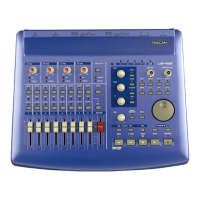
The US-428 is fully supported under
Cubase v5.00 for MacOS, including
ASIO 16 and 24 bit drivers and control
surface mapping. Note: the US-428 is
fully functional as both an audio and 32
channel MIDI interface in earlier
versions of Cubase as well. In v4.1,
partial functionality of the controller
surface is supported; however, to fully
utilize the features of the US-428 under
Cubase Mac, it is necessary to run
v5.00 or later.
Before setting up the US-428 to work
with Cubase, please install the US-428
MacOS v2.00 drivers, and set up the
OMS. (Refer to the enclosed
documents on setting up both the
drivers and OMS.) Begin the setup
procedure below with the US-428
plugged in and powered on.
Installing under Cubase 5.0 and later:
Open the Cubase application.
From the O
PTIONS pulldown menu,
choose M
IDI SETUP / SYSTEM. Under
OMS C
OMPATIBILITY, select IN AND OUT.
Still under the O
PTIONS / MIDI SETUP /
S
YSTEM menu, open the INPUT FROM
menu and enable all inputs shown for
the US-428 (MIDI 1, MIDI 2 and
US-428
C
ONTROL)
Under the Options / Remote Setup
menu, select S
ETUP, and in the resulting
VST R
EMOTE dialog, select the US-428,
and US-428 C
ONTROL PORT for the
I
NPUT and OUTPUT communication.
Under the O
PTIONS / AUDIO SETUP /
S
YSTEM menu, locate the ASIO
DEVICE selector and choose one of
the US-428’s ASIO drivers (16 or 24
bit) as the device.
Note: these parameters save with the
song and are not globally remembered.
You will need to save the song as
DEF.ALL if you want the OMS MIDI
setup to load automatically.
Open the US-428’s Control Panel
(Apple menu). From the pulldown
menu, select “US-428 Native”.
You should now be ready to use
Cubase 5.0 with the US-428.
With Cubase 4.1 and earlier:
Open the Cubase application.
From the O
PTIONS pulldown menu,
choose M
IDI SETUP / SYSTEM. Under
OMS C
OMPATIBILITY, select IN AND
OUT.
Still under the Options / MIDI Setup /
System menu, open the I
NPUT FROM
dialog and enable all Inputs shown
for the US 428 (MIDI 1
AND 2 AND
US-428 CONTROL)
Note: these parameters save with
the song and are not globally
remembered. You will need to save
the song as DEF.ALL if you want the
OMS MIDI setup to load
automatically.
From the O
PTIONS / VST REMOTE
menu, select CS-10. Select the US-
428 C
ONTROL PORT for the in and
out communication.



 To Next Page