48
8.5 Digital Performer (MacOS)
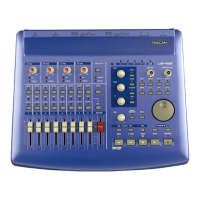
The US-428 is supported in Digital
Performer v2.7 and later. Before setting
up the US-428 to work with Digital
Performer, please install the US-428
MacOS v3 drivers, and set up either
OMS or FreeMIDI. (Refer to the
chapters on setting up both the drivers
and OMS. Information on setting up
FreeMIDI may be found in the Digital
Performer documentation)
Begin the setup procedure below with
the US-428 plugged in and powered on.
Locate the Digital Performer Control
Surface Plugin on the US-428 CD-ROM.
(If you’ve downloaded the driver from
our website, locate the folder on your
hard drive.) Drag it into the P
LUGINS
folder within the D
IGITAL PERFORMER
folder.
I
MPORTANT: The Control Surface Plugin
must be in the P
LUGINS folder within the
D
IGITAL PERFORMER folder, along with
the Digital Performer application itself.
Failure to use the correct folder will
result in non-performance.
Next, verify that the ASIO drivers are
installed correctly. Open the ASIO
D
RIVERS folder within the DIGITAL
PERFORMER folder. Verify that this folder
contains both the US-428’s 16 bit and
24 bit ASIO drivers. (If not you can copy
them from the US-428 folder on the
Desktop, which was created during
installation.)
Open the US-428 Control Panel (Apple
menu). Select US-428 N
ATIVE from the
pulldown menu.
Open Digital Performer. Select an
existing project, or open a new one.
From the B
ASICS / MOTU AUDIO SYSTEM
OPTIONS menu, select CONFIGURE
H
ARDWARE DRIVER. From the pulldown
menu that appears, select the ASIO
device option, and then select one of the
US-428’s ASIO drivers.
Select the B
ASICS / CONTROL SURFACE
SETUP menu. From the HARDWARE
pulldown menu, select the US-428 as
the Control Surface. Select US-428
C
ONTROL PORT from the MIDI
C
OMMUNICATION drop down menu. If
you wish to use the MIDI ports on the
US-428, you must go to the B
ASICS /
S
ET INPUT FILTER menu and check the
box marked A
CCEPT INPUT FROM MMC
D
EVICE.
Controller Surface Mapping
Note: The S
ET and REC ENABLE buttons
act as shift keys, and should be held
down while pressing other buttons to
modify their behavior.
Transport Controls:
STOP Stop, or rewind if already stopped
PLAY Play toggle
REC Record toggle and one-touch recording
REW Fast rewind (REW
LED lit)
FFWD Fast forward (FFWD
LED lit)
SET + REW Slow rewind (REW
LED
flashing)
SET + FFWD Slow forward (FFWD
LED
flashing)
(If you select Fast or Slow Forward
mode while playing, Digital Performer
will play at double or half speed.)




 To Next Page