47
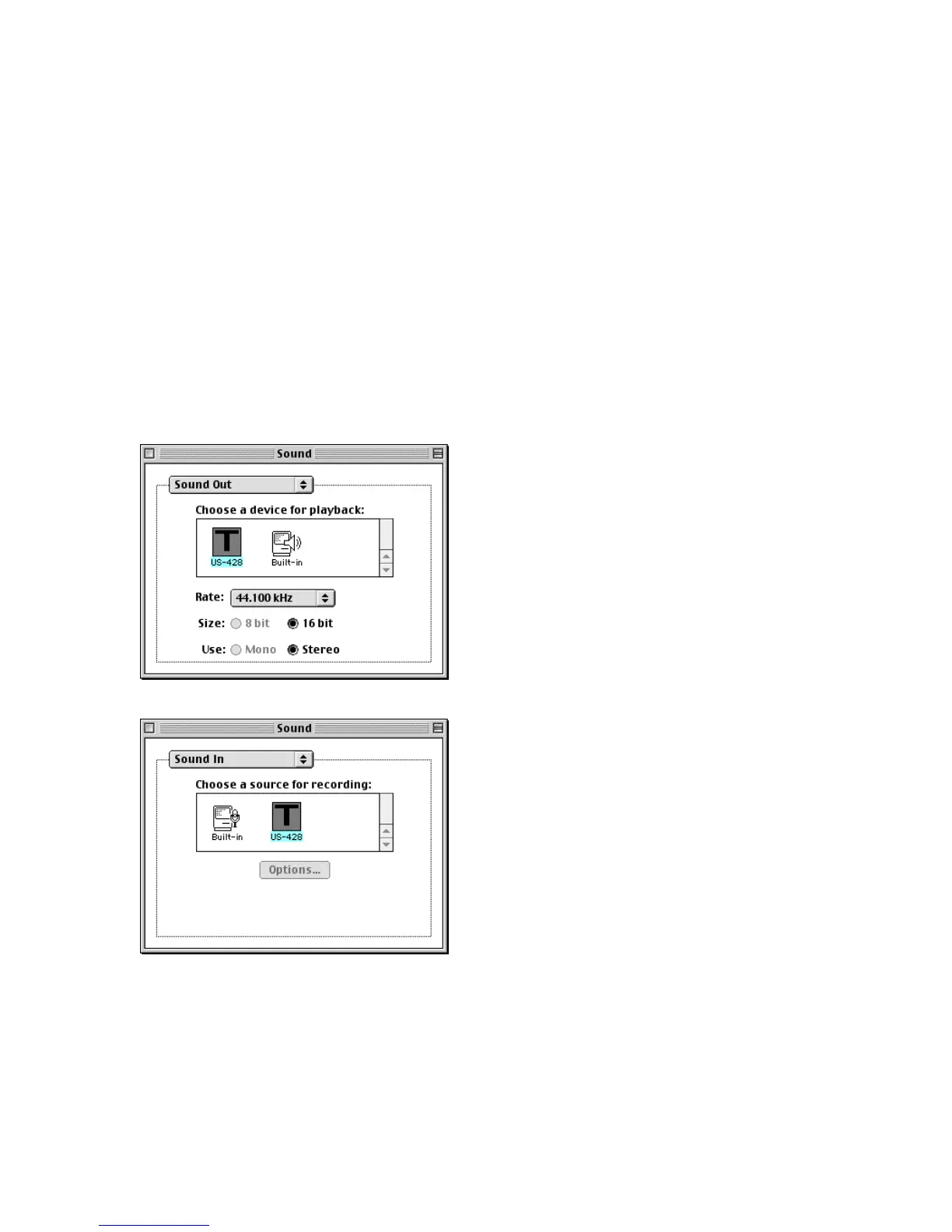
volume control, its slider under “Volume”
in this control panel is only used to
enable or mute the US-428 output.
Under “Sound In” you can select the
“US-428” instead of the Mac’s Built-in
sources, but it doesn’t let you select
between the US-428’s A:B and C:D
input pairs. To do this, go to the “US-
428” control panel’s “System” tab. There
you will find a field labeled “Sound
Manager Input” that selects between the
two input pairs. You can change this
setting at any time, even while a
program is using the Sound Manager
I/O.




 To Next Page