75
maximum setting for the control. This prevents "wrapping" and discontinuous changes in the
values of the parameters being sent. A pan encoder knob is also defined; its operation is similar
to the EQ encoders.
US-428 To Host Commands:
1. SELECT_EQ_HI
a. Button-down: BF 2C 7F
b. Button-up: BF 2C 00
2. SELECT_EQ_HIMID
a. Button-down: BF 2D 7F
b. Button-up: BF 2D 00
3. SELECT_EQ_LOMID
a. Button-down: BF 2E 7F
b. Button-up: BF 2E 00
4. SELECT_EQ_LO
a. Button-down: BF 2F 7F
b. Button-up: BF 2F 00
5. EQ_GAIN_CHANGE:
a. BF 48 vv, vv = 2's complement using 7 data bits
6. EQ_FREQ_CHANGE
a. BF 49 vv, vv = 2's complement using 7 data bits
7. EQ_BW_CHANGE
a. BF 4A vv, vv = 2's complement using 7 data bits
8. MASTER_FADER
a. BF 4B vv, vv=2's complement using 7 data bits
9. PAN_CHANGE
a. BF 4D vv, vv = 2's complement using 7 data bits
Host to US-428 Messages:
1. UPDATE_EQ_HI_LED: F0 4E<UNIT> 12 09<STATE> F7
2. UPDATE_EQ_HIMID_LED: F0 4E<UNIT> 12 0A<STATE> F7
3. UPDATE_EQ_LOMID_LED: F0 4E<UNIT> 12 0B<STATE> F7
4. UPDATE_EQ_LO_LED: F0 4E<UNIT> 12 0C<STATE> F7
where <STATE>is either 0x00 (LED OFF) or 0x7F (LED ON)<UNIT> is device ID. Should be
transmitted as 0 for now.
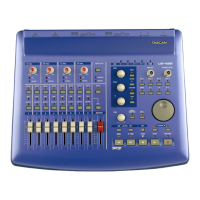
Function switches, LED's, and continuous data wheel
A row of four AUX buttons is used to select an effect (aux-send) level for the selected channel(s).
When the user selects and AUX1-4 button, this fact is transmitted to the host, indicating that
future movements of the data wheel will affect that parameter.
Another row of four switches includes an ASN (track-source assign) button, and three application-
definable function buttons. A typical use of the function buttons would be to enable/disable
effects, or to mimic the function of the computer's arrow keys, to allow the user to switch from
track to track, switch between controls in a dialog, etc. The ASN button is intended to allow the
user to quickly determine the input-source for a track, by selecting this button and then using the
data wheel to cycle through the possible input-sources for the selected track.




 To Next Page