3-17
Preparation before Use > Preparation for Sending a Document to a Shared Folder in a PC
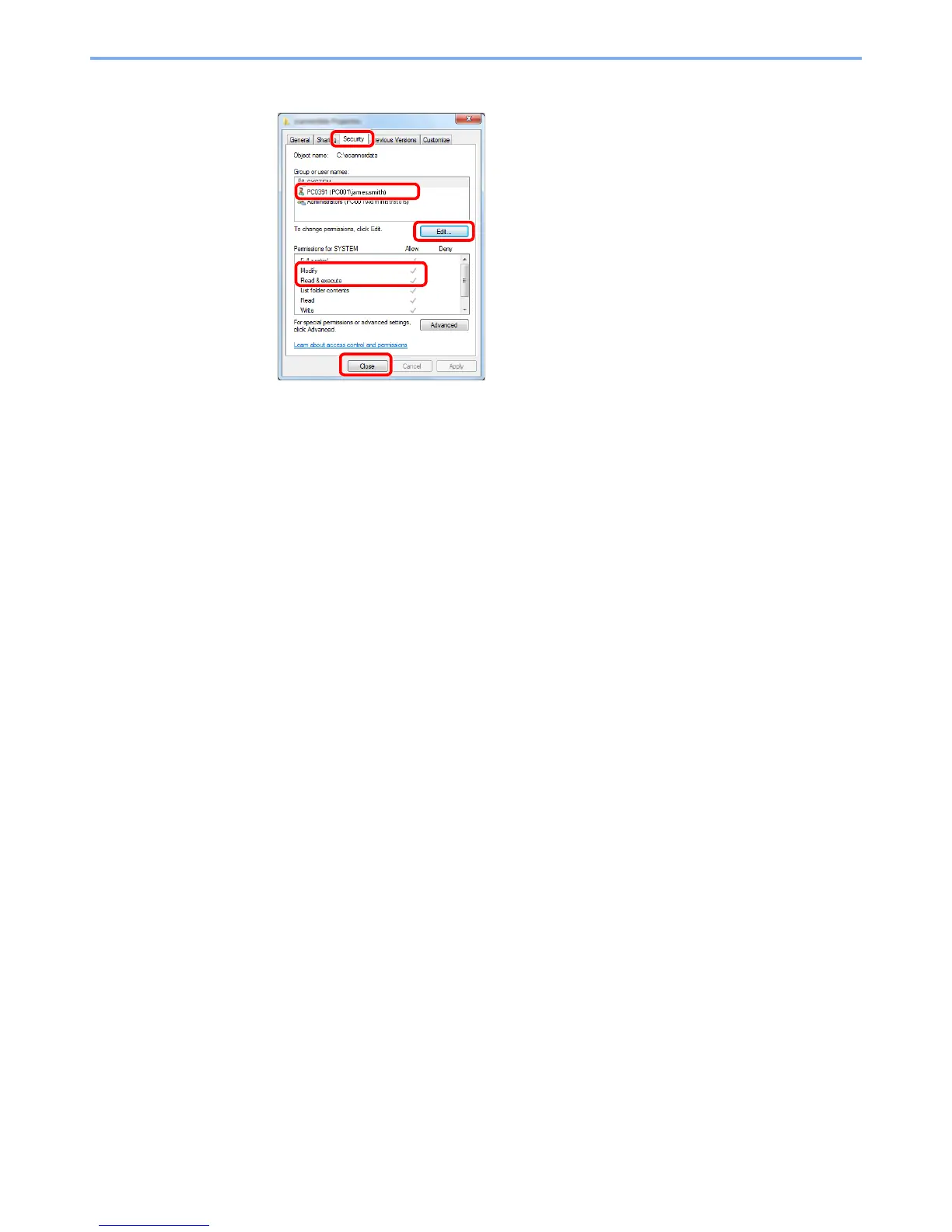
7 Check the details set in the [Security] tab.
In Windows XP, make sure that checkmarks appear on [Allow] checkbox for the "Modify" and
"Read & execute" permissions, and click the [OK] button.
2
3
4
1 Select the [Security] tab.
2 Select the user you entered.
If the user does not appear on "Group or user
names", click [Edit] button to add user in a similar
way of "configuration of permission settings".
3 Make sure that checkmarks appear on [Allow]
checkbox for the "Modify" and "Read & execute"
permissions.
4 Click the [Close] button.
1



 To Next Page