8-32
Setup and Registration (System Menu) > System Menu
WSD Scan
WSD Print
Enhanced WSD
Item Description
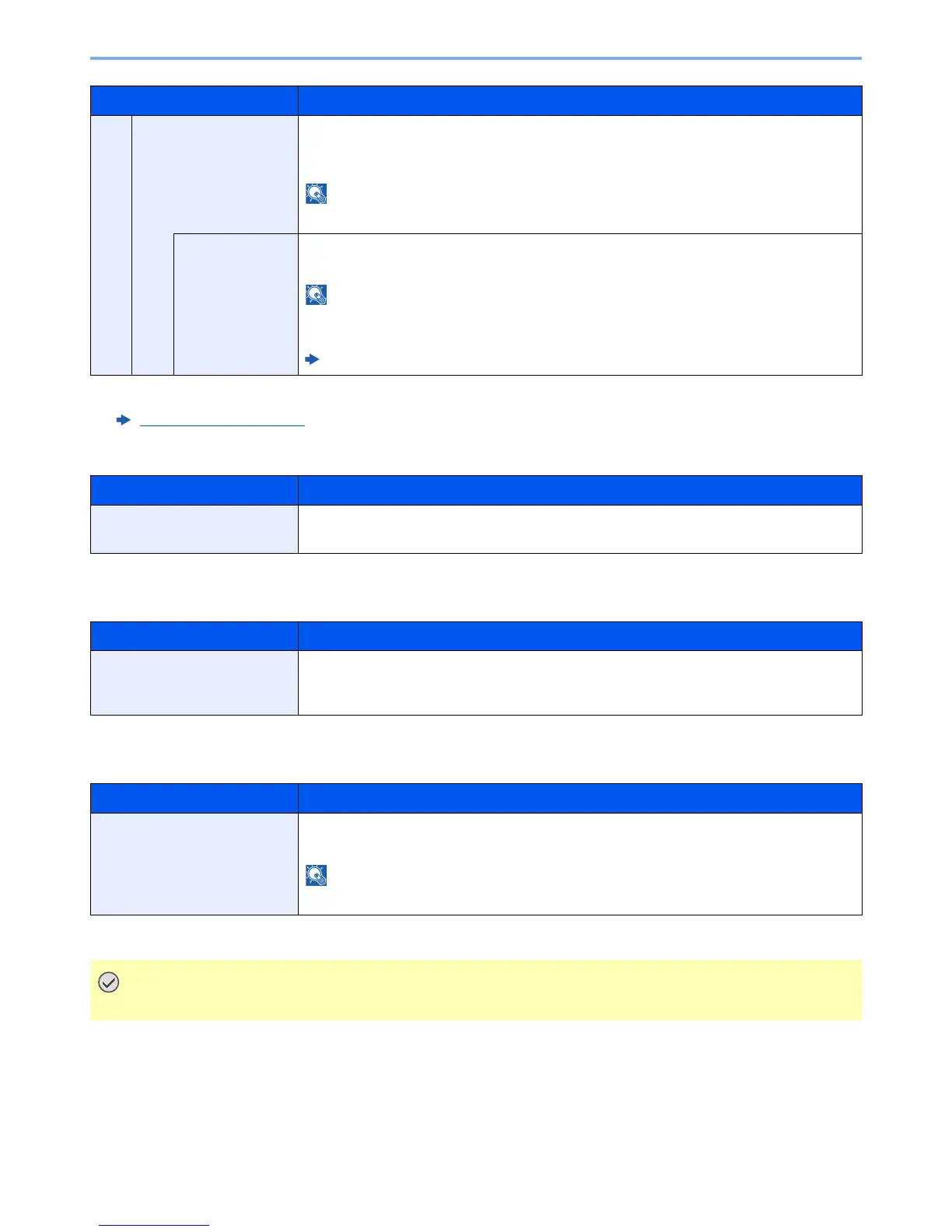
ThinPrint Select whether to use ThinPrint. To use the ThinPrint protocol, set the protocol to [On]. The
default port number is 4000.
*1
*2
Value: Off, On
This function is displayed only when the optional ThinPrint Option is activated.
*1 The setting will be changed after restarting the device or the network for the machine.
*2 Set "SSL" to [On] in "Secure Protocol".
Secure Protocol (page 8-33)
ThinPrintOver
SSL
To use the ThinPrint over SSL protocol, set [ThinPrintOverSSL] and [SSL] to [On].
Value: Off, On
When selecting [On], it also requires a certificate for SSL. The default certificate is the self-
certificate of the machine.
Command Center RX User Guide
Item Description
WSD Scan Select whether or not to use WSD Scan.
*1
Value: Off, On
*1 The setting will be changed after restarting the device or the network for the machine.
Item Description
WSD Print Set whether to use our proprietary web services. WIA driver, TWAIN driver and Network FAX
driver use this Enhanced WSD web service.
*1
Value: Off, On
*1 The setting will be changed after restarting the device or the network for the machine.
Item Description
Enhanced WSD Set whether to use our proprietary web services.
*1
Value: Off, On
Selecting [Off] will disable the functionality of WIA, TWAIN, and Network FAX driver.
*1 The setting will be changed after restarting the device or the network for the machine.
After changing the setting, restart the network or turn the machine OFF and then ON.



 To Next Page