21
Power-on password enable/disable
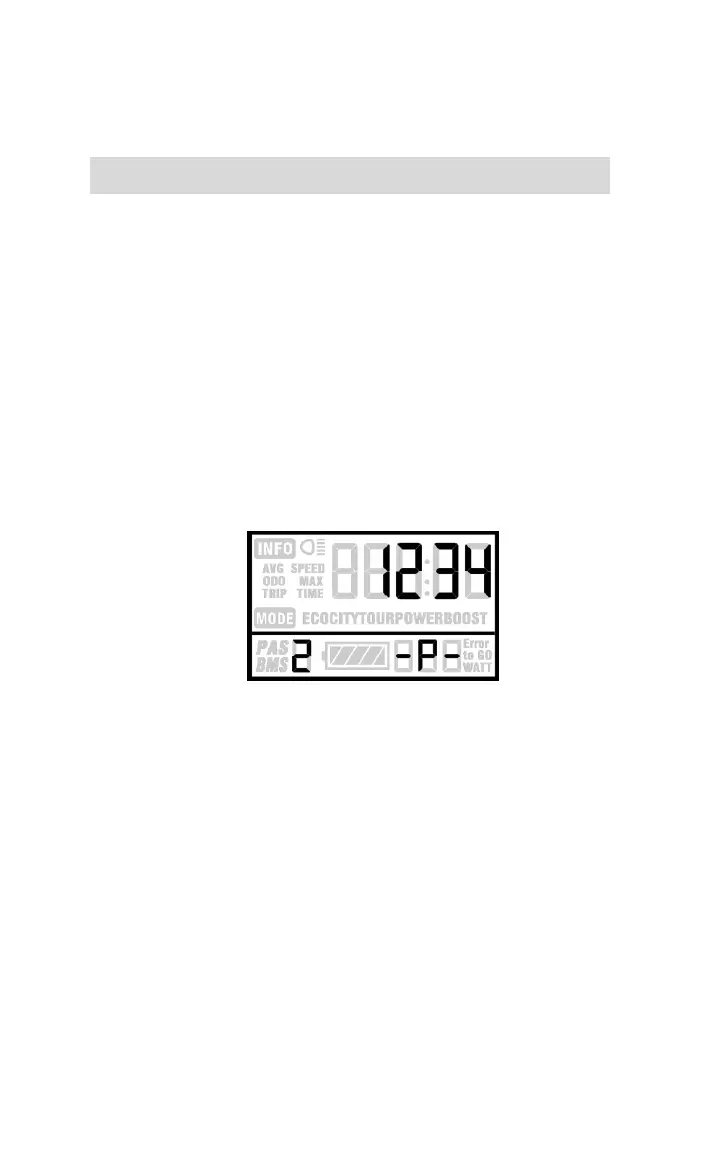
The character “-P-” on the bottom of the screen
designates the password page. Hold both UP and DOWN
for 2 seconds to enter normal settings and then hold
both UP and MODE for another 2 seconds to enter the
power-on password enable/disable page.
Press UP/DOWN to change the number & press
MODE to enter digits one by one. After the correct
4-digit password is entered, press MODE to confirm then
select password enable or disable.
Password entering page
Power-on password enable
Press UP/DOWN to select Y or N, and press MODE
to confirm. Power-on password default is N.
Y = Power-on password enabled
N = Power-on password disabled


 To Next Page