26
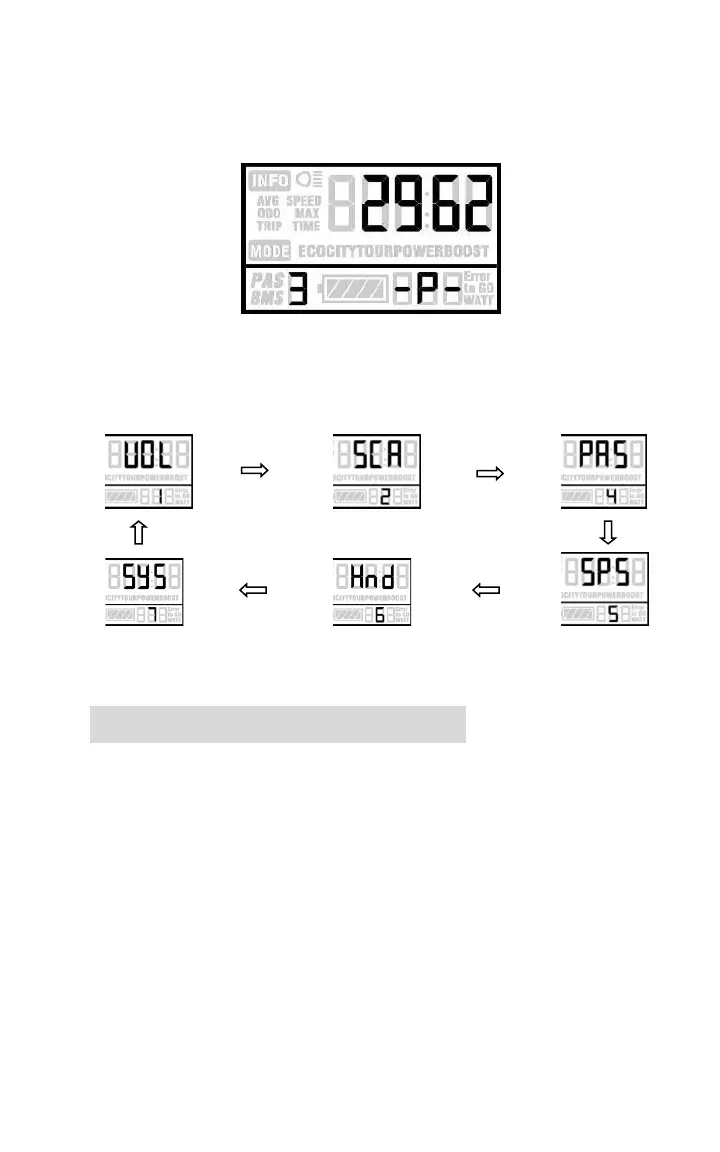
System parameter password input
Press UP/DOWN to select and press MODE to enter
the corresponding setting page.
Option select page
Battery power bar setting
Select VOL to enter the battery power bar setting.
Each bar represents a voltage value. 5 voltage values
MUST BE entered one by one.
Press MODE to select the bar and UP/DOWN to
select the value. Then long press MODE to save the
modification.
VOL = voltage


 To Next Page