14
Delay Spill-over
The Nova Delay features true delay spill-over. With true
delay spill-over, delay repeats will continue when
changing to manual or preset mode, when changing to
a different preset and also when going to bypass mode.
This feature gives numerous musical possibilities. As
an example you may switch from a long delay with a
high level of feedback to a short slap-back type and still
hear the long delay repeats ring out across your new
delay setting.
Delay spill-over can be set individually for manual
mode and for all individual presets:
• Select manual or preset mode.
• If preset mode is selected, then recall the preset for
which you would like to enable or disable delay
spill-over.
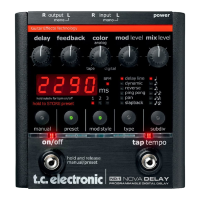
• Press and hold “MOD STYLE” to toggle between
delay spill-over modes.
- In delay spill-over mode - LEDs 1, 2 and 3 will
flash slowly one at a time.
- In delay mute mode (no spill-over) - LEDs 1, 2
and 3 will rapidly flash one time each.
These indications are also given when changing
between manual and preset modes.
DELAY SPILL-OVER
To mute the outputs of the Nova pedal while
calibrating you can press and hold the TAP
TEMPO switch.



 To Next Page