6
Chapter 3. Use your earbuds
Tap or press the touch control area on the earbuds to control your music, phone calls, and other
useful functions without getting out your phone.
Music feature
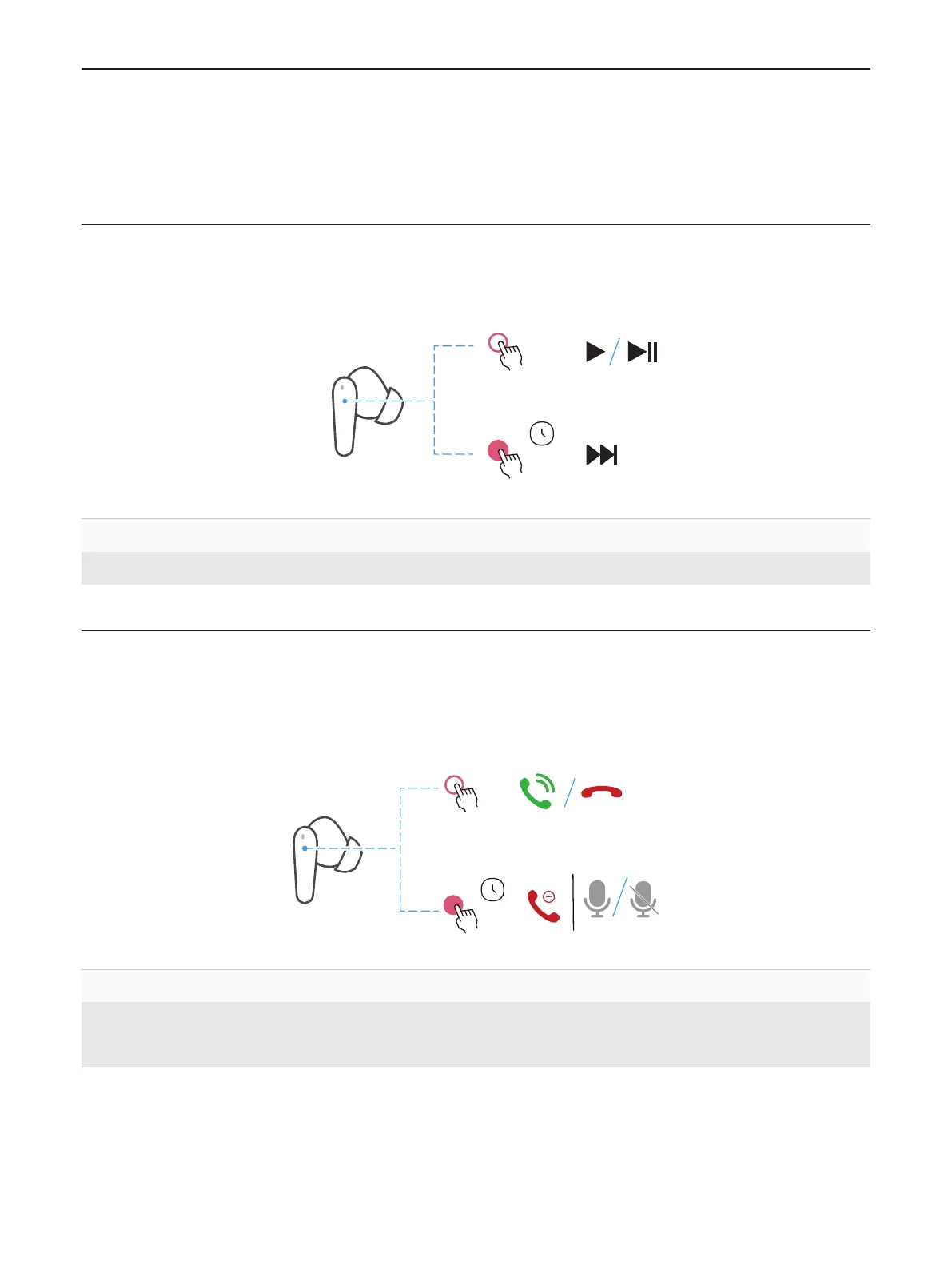
You can perform the playback controls by tapping and holding your right earbud.
x2
3s
Double tap Play or pause
Press and hold for 3 seconds Next song
Call feature
Phone controls
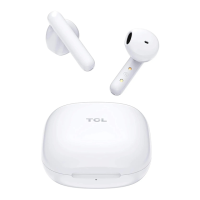
Manage calls by tapping and holding either of your earbuds.
L/R
x2
3s
Double tap Answer or end a call
Press and hold for 3 seconds
• Reject an incoming call
• Mute or unmute your microphone during phone call
Call waiting
If you receive an incoming call while on a call, you can use either earbud to perform the
following operations.


 To Next Page