8.2.4 PROCEDURE FOR REPLACING ROLLERS AT MAST SIDE
(1)
Remove the carriage from the inner channel
in the same procedure as described in
“8.2.3 PROCEDURE FOR REPLACING
ROLLERS AT CARRIAGE SIDE.”
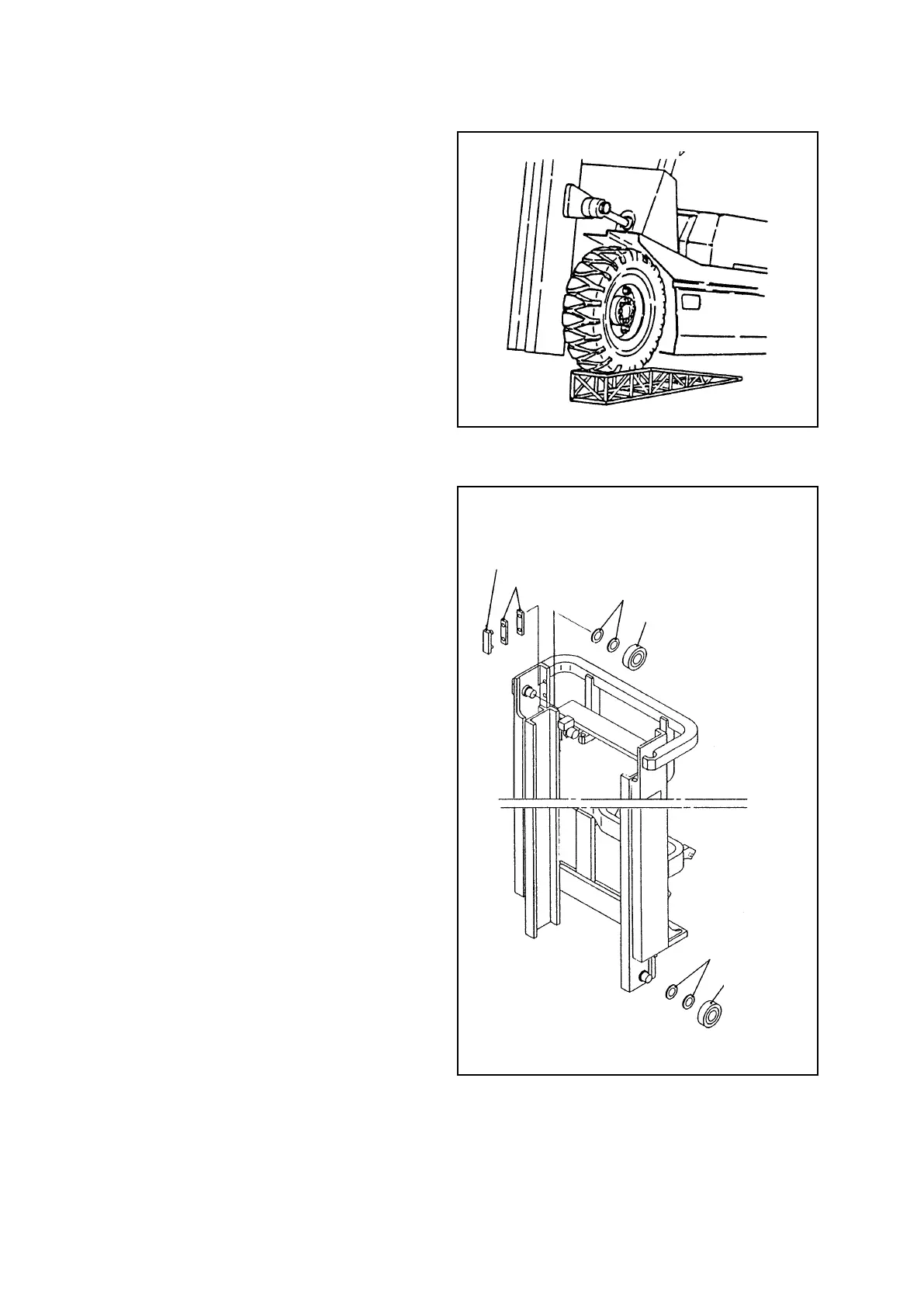
(2) Move the truck to a level surface and put
the both rear wheels on the bench of 250 –
300 mm [9.8 – 11.8 in.] in height.
(3) Apply parking brake and block the rear
wheels securely.
(4) Remove the bolt securing the lift cylinders
to the inner channel, and hoist the inner
channel with a crane, keeping shims at the
end of the piston rod.
(5) Remove the lift cylinder mounting bolts at
the lower section of the outer channel and
cylinders support at the middle section,
and remove the lift cylinder from the outer
channel. Remove the hydraulic hose with
two wrenches, using caution not to loosen
the ttings at the cylinder side.
(6) Operate the crane to lower the inner
channel gradually and remove the end
rollers from the lower section of the inner
channel. At the same time, the end rollers
at the upper section of the outer channel
can also be removed.
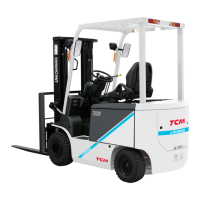
(7) Replacing end rollers
① Remove upper end rollers with a puller,
keeping shims.
② Install new end rollers with the shims
removed in step ① . Check for the stamp
of S or SS and install the roller which is
marked the same stamp, pointing the stamp
side to the inner channel side. (See Figure
8.12.)
③ Replace the lower end rollers, using same
procedure as above. In this step, point the
stamp side to the outer channel side.
(8) Operate the crane to hoist the inner
channel. Place each roller into the channels.
(9) Install the lift cylinder and carriage in the reverse order of disassembly.
Fig. 8.16
Fig. 8.17
END ROLLER
SLIPPER
SHIM
SHIM
END
ROLLER
SHIM



 To Next Page