Table 4-1 contd.: Front panel controls and indicators
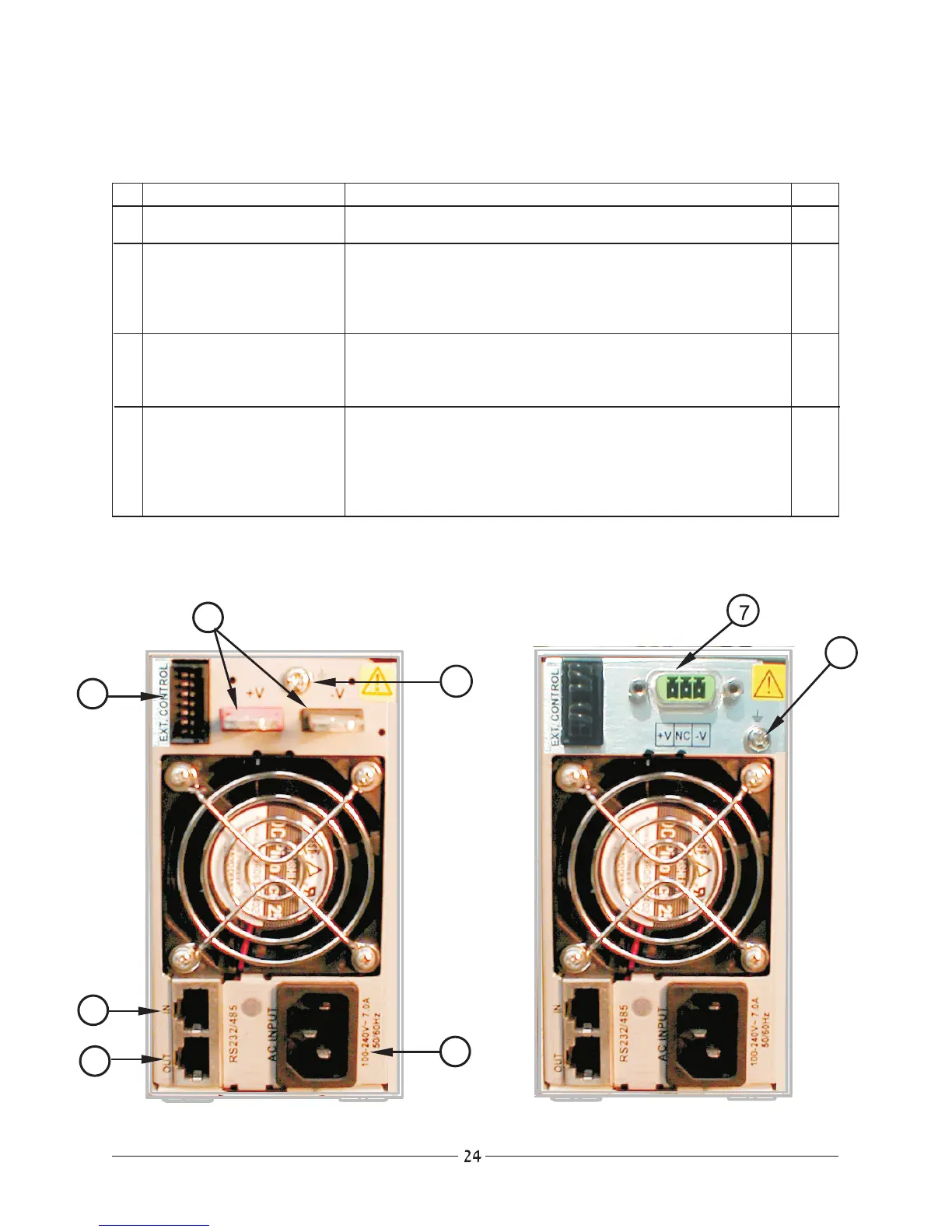
4.2.2 Rear Panel
6V to 60V models
80V and 120V models
#
Control/Indicator
10 AC ON/OFF
11 V/A Pushbutton
12 OVP / UVP
13 ADDR
Description
Turns AC power On and Off.
Selects the voltage or current adjust mode. fast or slow
adjustment speed can be selected by pressing the
pushbutton consecutively. Adjustment is made by rotating
theAdjust knob.
Makes selection between Over-voltage or Under-voltage
adjust mode. Adjustment is made by rotating the Adjust
knob.
Main function: Selects the address for remote control. The
adjustment is made by rotating the Adjust knob.
Auxiliary function: Holding ADDR pressed for approx. 3sec.
changes the function to Baud-rate selection.
Par.











 To Next Page