EasyManua.ls Logo

Teac A-2340 - Page 26

Teac A-2340
34 pages
Print Icon
To Next Page IconTo Next Page
To Previous Page IconTo Previous Page
Loading...
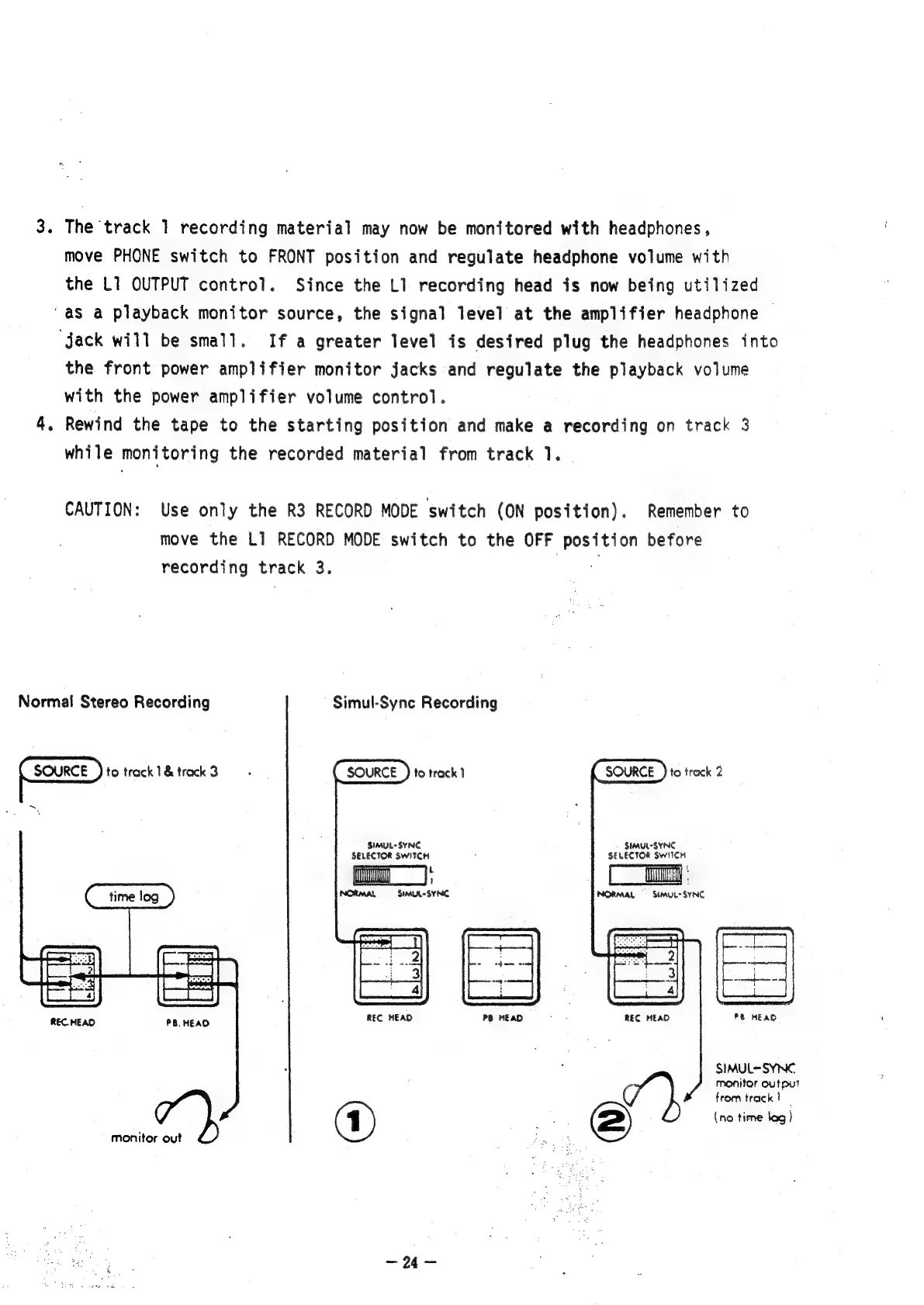
3.
The
track
1
recording
material
may
now
be
monitored
with
headphones,
move
PHONE
switch
to
FRONT
position
and
regulate
headphone
volume
with
the
L1
OUTPUT
control.
Since
the
L1
recording
head
is
now
being
utilized
‘as
a
playback
monitor
source,
the
signal
level
at
the
amplifier
headphone
“jack
will
be
small.
If
a
greater
level
is
desired
plug
the
headphones
into
the
front
power
amplifier
monitor
jacks
and
regulate
the
playback
volume
with
the
power
amplifier
volume
control.
Rewind
the
tape
to
the
starting
position
and
make
a
recording
on
track
3
while
monitoring
the
recorded
material
from
track
1.
>
°
CAUTION:
Use
only
the
R3
RECORD
MODE
switch
(ON
position).
Remember
to
move
the
L1
RECORD
MODE
switch
to
the
OFF
eee
before
recording
track
3.
Normal
Stereo
Recording
Simul-Sync
Recording
to
track
1&
track
3
~
SOURCE
SOURCE
)
to
track
Z
to
track
|
SIMUL
SYNC
SELECTOR
SWITCH
t
SIMUL-SYNC
SELECTOR
SWITCH
TO
:
'
NORMAL
SIMUL-
SYNC
NORMAL
SIMUL>
SYNC
8
HEAD
REC
HEAD
REC
HEAD
REC.
HEAD
PB.
HEAO
SIMUL-SYNC
monitor
output
7},
from
track
)
;
(1)
2)
(no
time
lag)
monitor
out
Page

Other manuals for Teac A-2340

Related product manuals