CENTER Mode Speaker Positioning
– 18 –
The installation positions of speakers differ according
to the size, and acoustics of the listening room. While
actually listening to a program source, try various
speaker positions to determine which layout provides
the best surround effect.
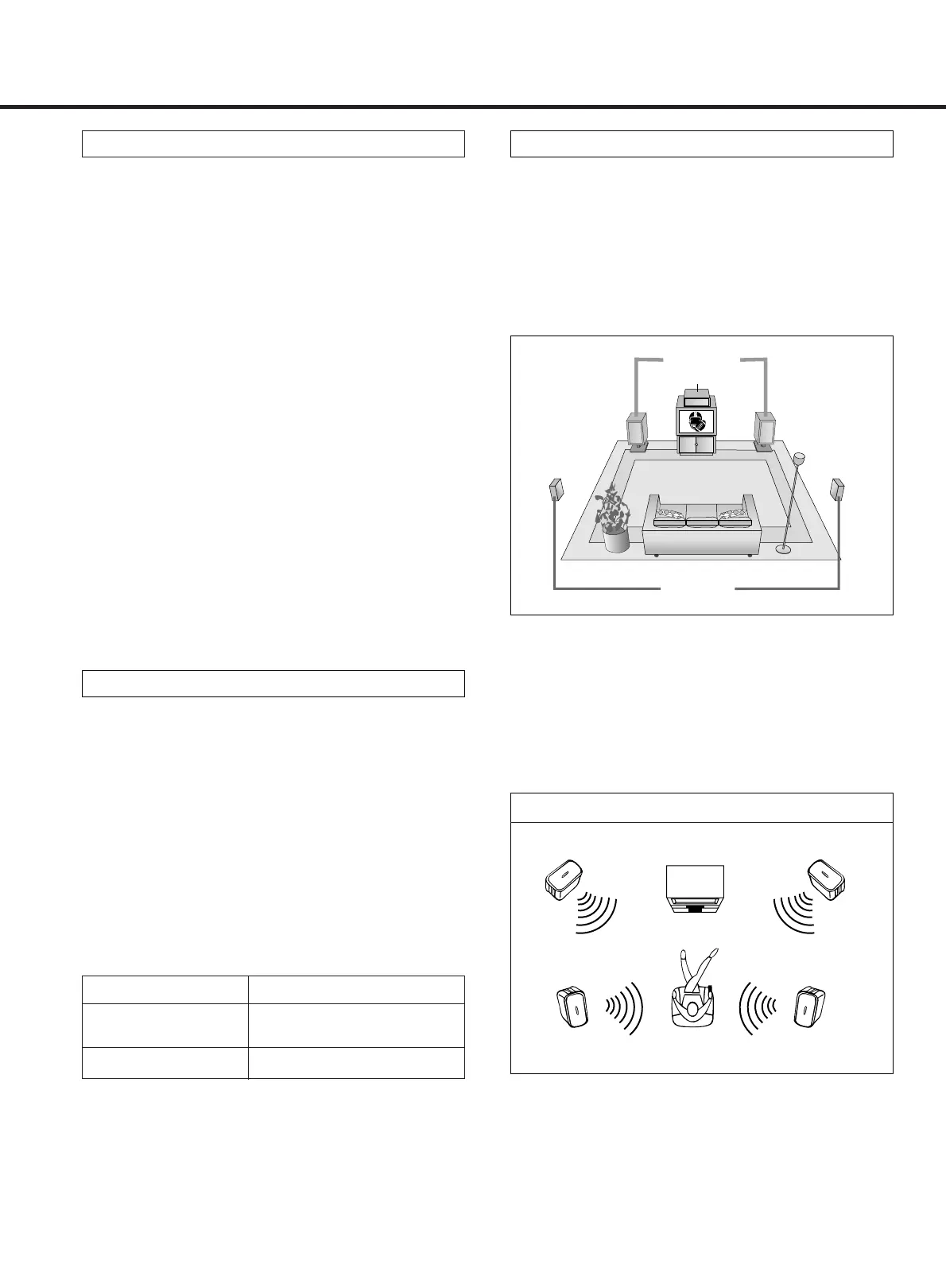
Speaker layout example when using DOLBY PRO
LOGIC surround
There are 3 kinds of the center modes. Select the
desired mode suitable to your speaker system.
NORMAL Mode
Use this position when the center speaker is a compact
speaker which is not capable of fully reproducing bass
frequencies below 100 Hz. In this mode, the bass fre-
quencies below 100 Hz are distributed to the front left
and right speakers.
WIDE Mode
Use this position when the center speaker is an equiva-
lent speaker to the front left and right speakers or when
it is capable of fully reproducing bass frequencies
below 100 Hz.
PHANTOM Mode
Use this position when the center speaker is not used.
The center channel sound is distributed to the left and
right front speakers.
● Dolby 3 Stereo has only NORMAL and WIDE modes,
not PHANTOM mode which Dolby Pro Logic has
altogether with the former two modes.
Front speakers
Center Speaker
Rear speakers
● For best effect, do not install the rear speakers too far
behind the listening position and install them above
the level of the listener’s ears. It is also effective to
direct the rear speakers toward a wall or ceiling to
further disperse the sound.
● When not using a center speaker with the DOLBY
PRO LOGIC surround function, set the center mode to
PHANTOM.
Front(Left) Front(Right)
(Left) - Rear - (Right)
No center speaker
HALL, THEATER Modes
Delay Time
In the surround modes, the sound from the rear
speakers should be delayed slightly, relative to that
from the front speakers. The optimum delay time will
depend on acoustic properties, whether the walls and
furnishings reflect or absorb sound, etc.
It is recommended that you try different delay times to
obtain the best effect. The delay is digitally
synthesized, for the highest sound quality with
minimum noise and distortion.
The delay time can be set independently for each
surround mode using the DELAY TIME button, with the
current setting shown in the display.
Delay Time Setting
Surround Mode Adjustable Range
DOLBY PRO
15 – 30ms
LOGIC
HALL/THEATER 15 – 50ms



 To Next Page