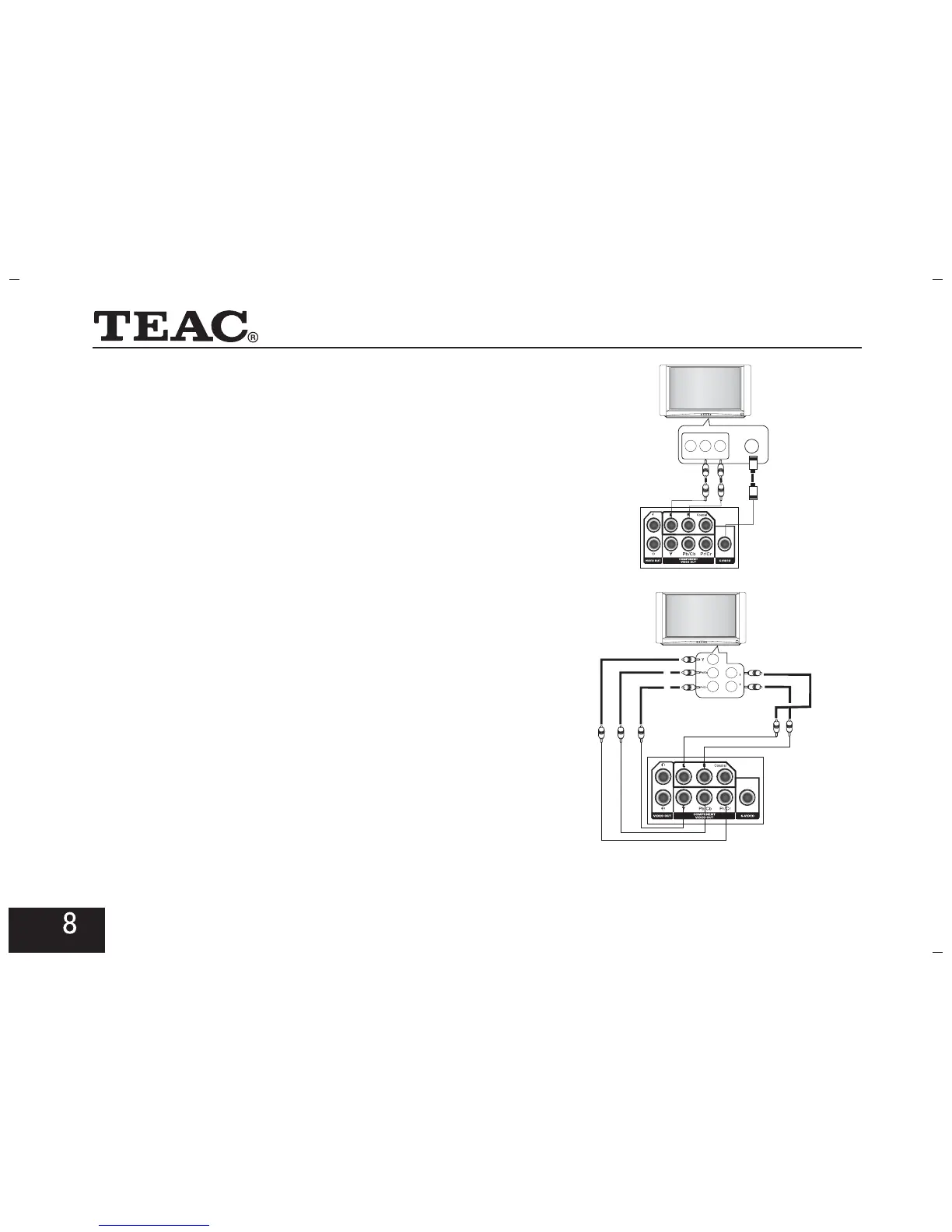
2.Connect with S-Video Terminal
Connect the S-Video output and the Audio(L,R) outputs of
the DVD player to matching inputs of your TV.
Connect the Y, Pb/Cb, Pr/Cr jacks on the disc player and
the corresponding jacks on the TV with YUV cord. After
that, connect disc player to the TV with audio cord.
3.Connect with YUV (Y Pb/Cb Pr/Cr)
Terminal
S-VIDEO
VID EO L-AUDIO-R
For a Progressive Scanning TV set, press the key on
the remote control after the DVD player has read the disc.
Then, the DVD player will shift to the progressive output
mode and there may be no picture on the TV screen.
You can recover the picture by shifting the video mode
of the TV set to the progressive scanning mode.
PS
YUV
L
AUDIO
R



 To Next Page