9
Channel Management
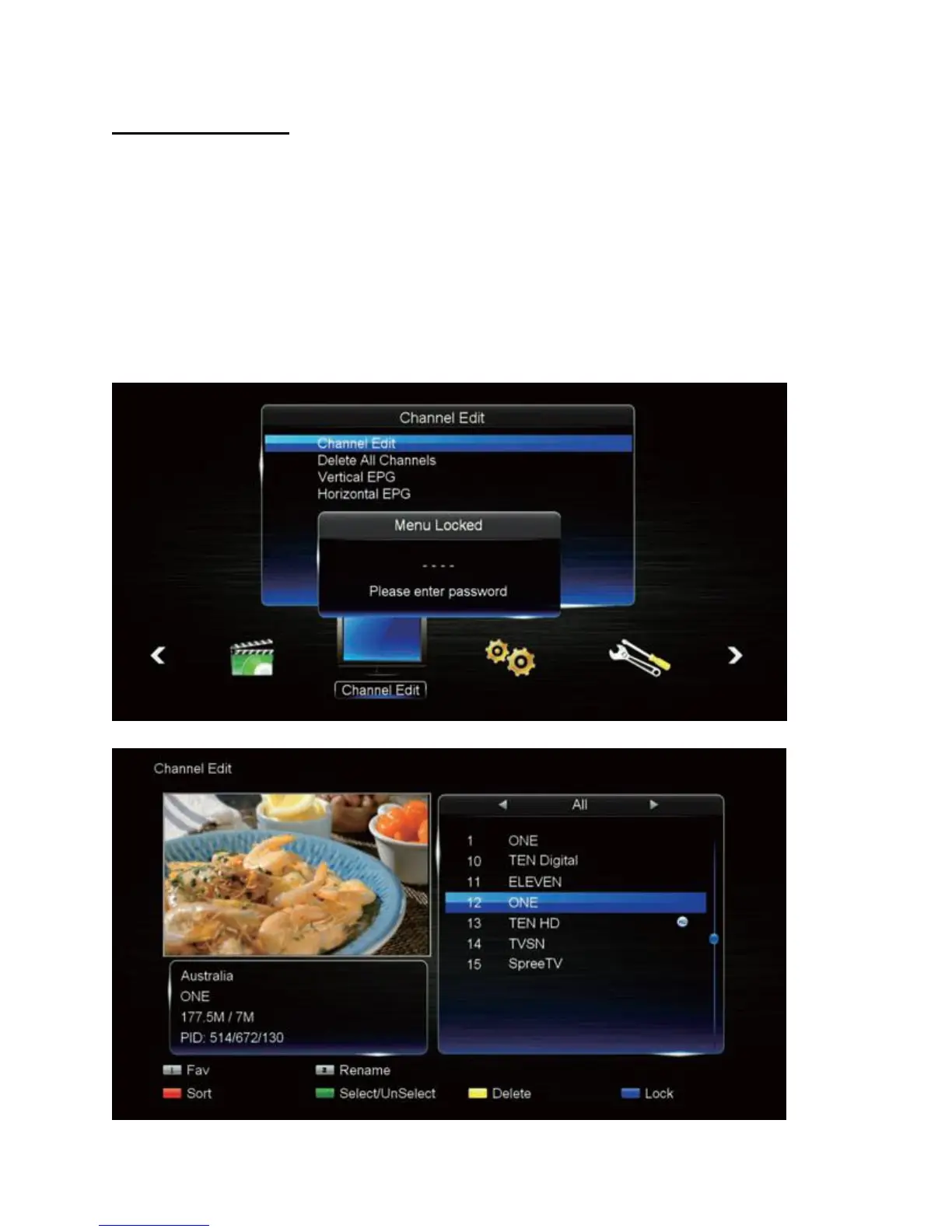
The Channel Edit menu lets you make personal changes to the program listings. To access this
menu:
1. Press the MENU button, press the RIGHT button to select "Channel", and press OK.
2. Channel Edit is password protected. Key in the correct password. (Default password:
0000)
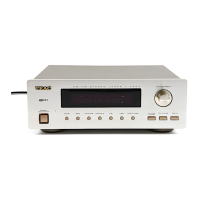
3. Use the UP/DOWN buttons to choose Channel Edit and press OK.
4. Customise your channels as desired – referring to on-screen button hints and the
detailed descriptions on the next page.
5. To finish, press the EXIT button to exit the menu entirely.


 To Next Page