19
SYSTEM SETTINGS
The Settings menu allows customisation of technical input/output settings, date/time, language,
and parental control/password settings. You can also upgrade the firmware (downloadable from
www.teac.com.au) or reset the unit to its initial condition.
1. Press the MENU button, the press LEFT/RIGHT to go to the Settings menu.
2. Press UP/DOWN to select a desired item.
3. Press OK on the item to view the list of options, or to access it.
4. Different items behave differently. You may be able to press LEFT/RIGHT to adjust the
settings or press UP/DOWN to highlight an item within a list and then OK to confirm your
choice.
5. Press MENU to close the current submenu or EXIT to quit the OSD menu entirely.
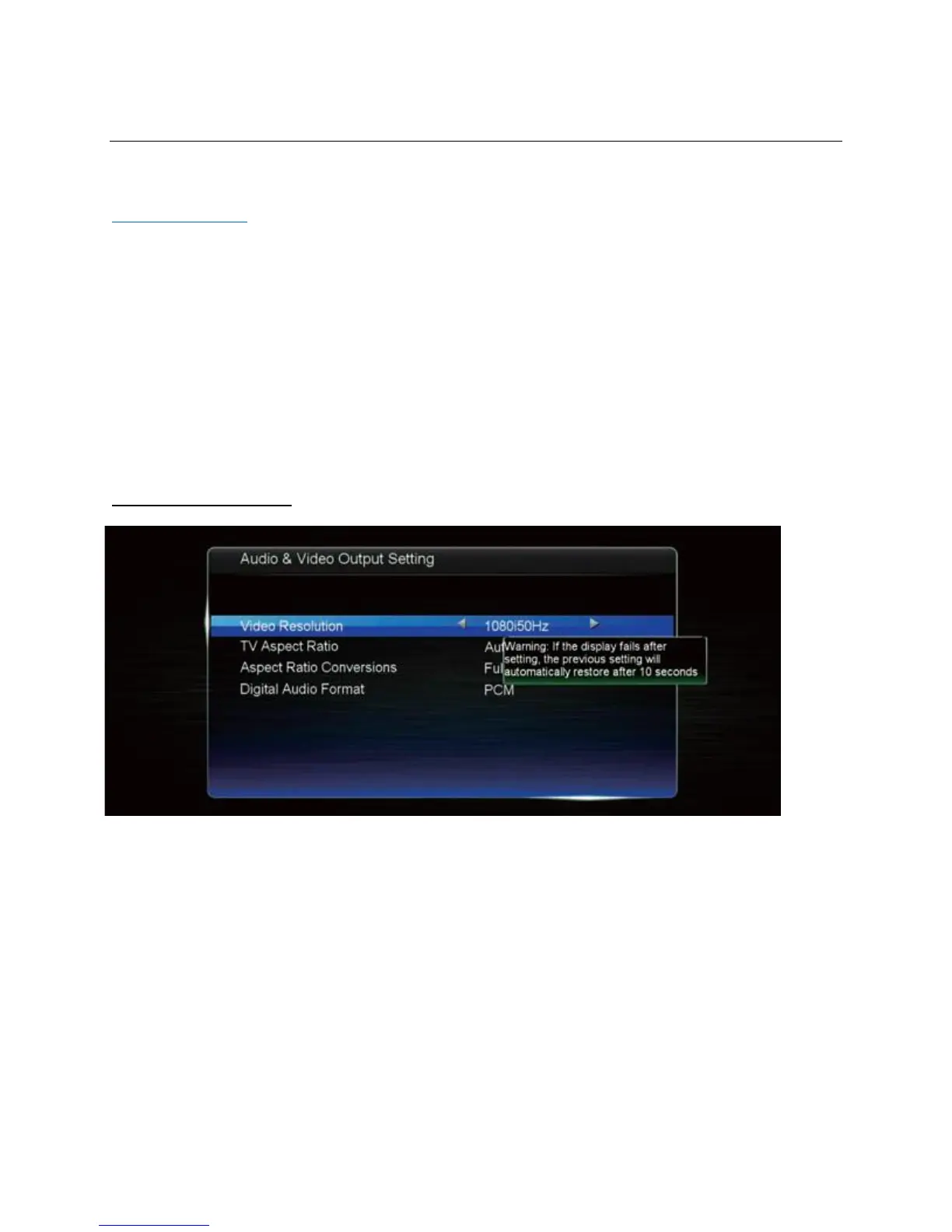
Audio & Video Setting
• Video resolution: adjust the video output resolution to suit your TV.
• TV aspect ratio: adjust the aspect ratio to suit your TV. (16:9 for flat screen TVs)
• Aspect ratio conversions: adjust how the picture fills your TV screen.
• Digital audio format: adjust the digital audio output format for your amplifier.


 To Next Page