20
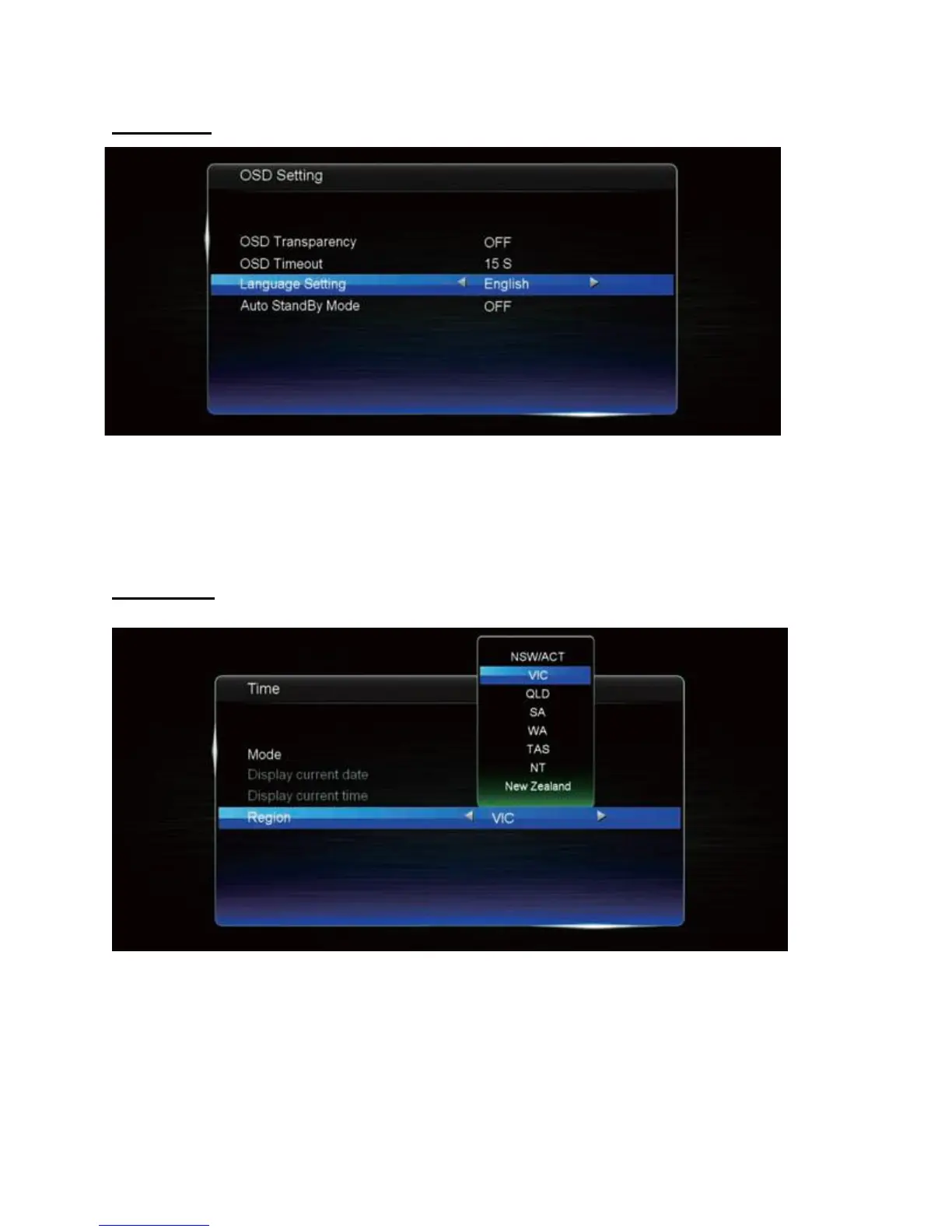
OSD Setting
• OSD transparency: adjust menu transparency.
• OSD timeout: adjust the timer for the OSD to hide automatically.
• Language setting: adjust the language presented in the OSD.
• Auto standby mode: turn on/off for automatic standby.
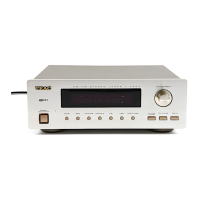
Time Setting
• Mode: choose between Auto and Manual time settings.
• Display current date: current date – can be adjusted if set to Manual.
• Display current time: current time – can be adjusted if set to Manual.
• Region: choose your locality.



 To Next Page