9
ENGLISH
LR
LINE OUT
LR
LINE IN
Connection
C
A
B
D
CAUTION:
< Switch off the power to all equipment before making
connections.
< Read the instructions of each component you intend to use
with this unit.
< Be sure to insert each plug securely. To prevent hum and noise,
avoid bundling the signal interconnection cables together with
the AC power cord.
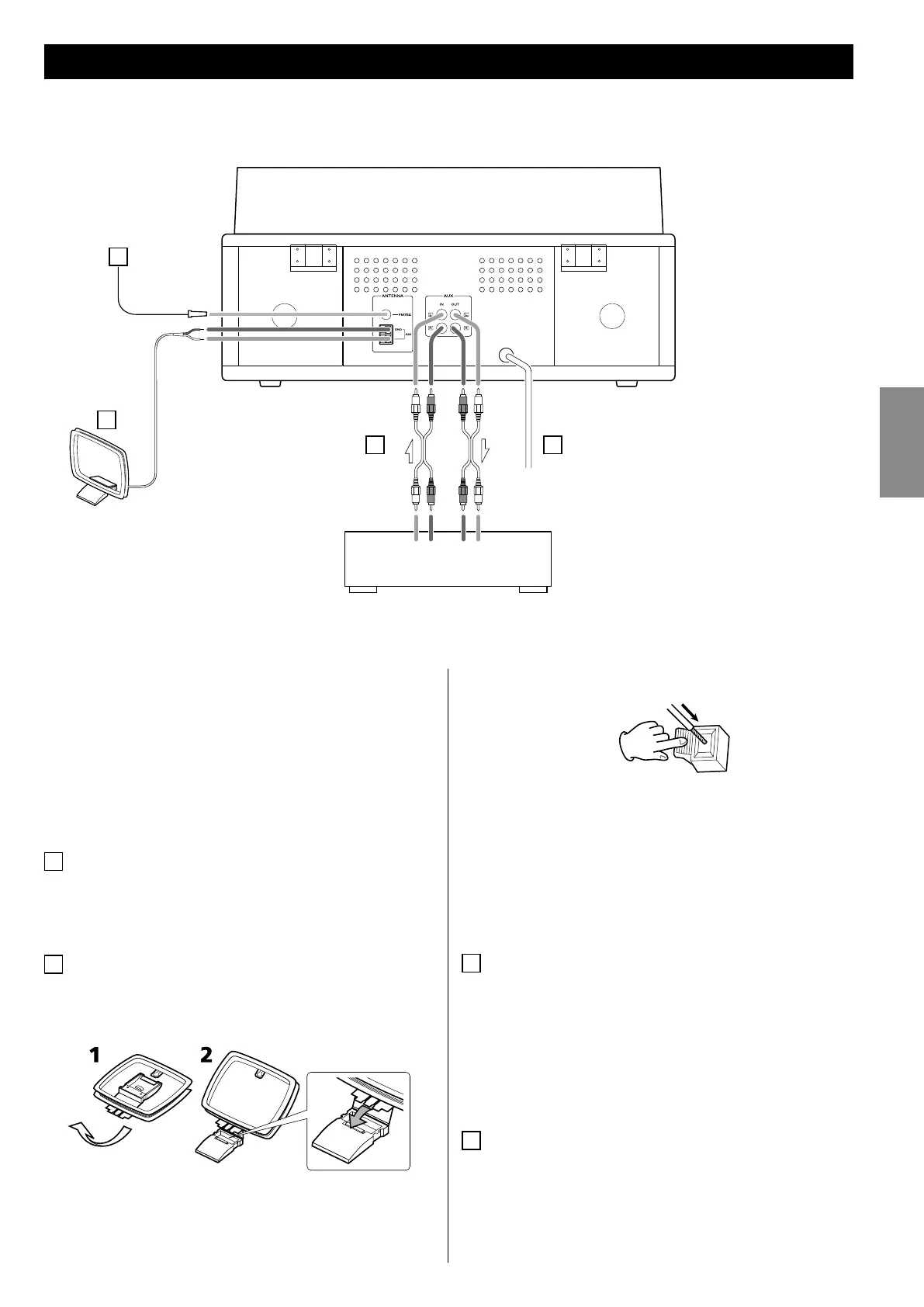
A
FM antenna
While in FM mode, tune in an FM station and extend the lead to
find the best position for the reception. This antenna may need
to be repositioned if you move your unit to a new location.
B
AM loop antenna
To stand the loop antenna on a surface, fix the claw to the slot
in the antenna base.
Connect the loop antenna’s wires to the AM antenna terminals.
< Make sure to connect the black wire to the GND terminal.
Place the antenna on a shelf or hang it on a window frame, etc.,
in the direction which gives the best reception. Keep all other
wires such as power cords, speaker wires or interconnect wires
as far away as possible from the antenna.
C
AUX IN/OUT jacks
Analog 2-channel audio signal is input or output from these
jacks. Connect these jacks to a CD player, cassette tape deck,
etc. using attached RCA cables.
Make sure to connect:
white plug q white jack (L: left channel)
red plug q red jack (R: right channel)
D
AC Power Cord
Plug this AC power cord into an AC wall socket.
Red
Red
White
White
White
White
Cassette Tape Deck, etc.



 To Next Page