English – 17 | MP-211
Viewing Photos
Press and hold M until the main menu is displayed. Select with
or
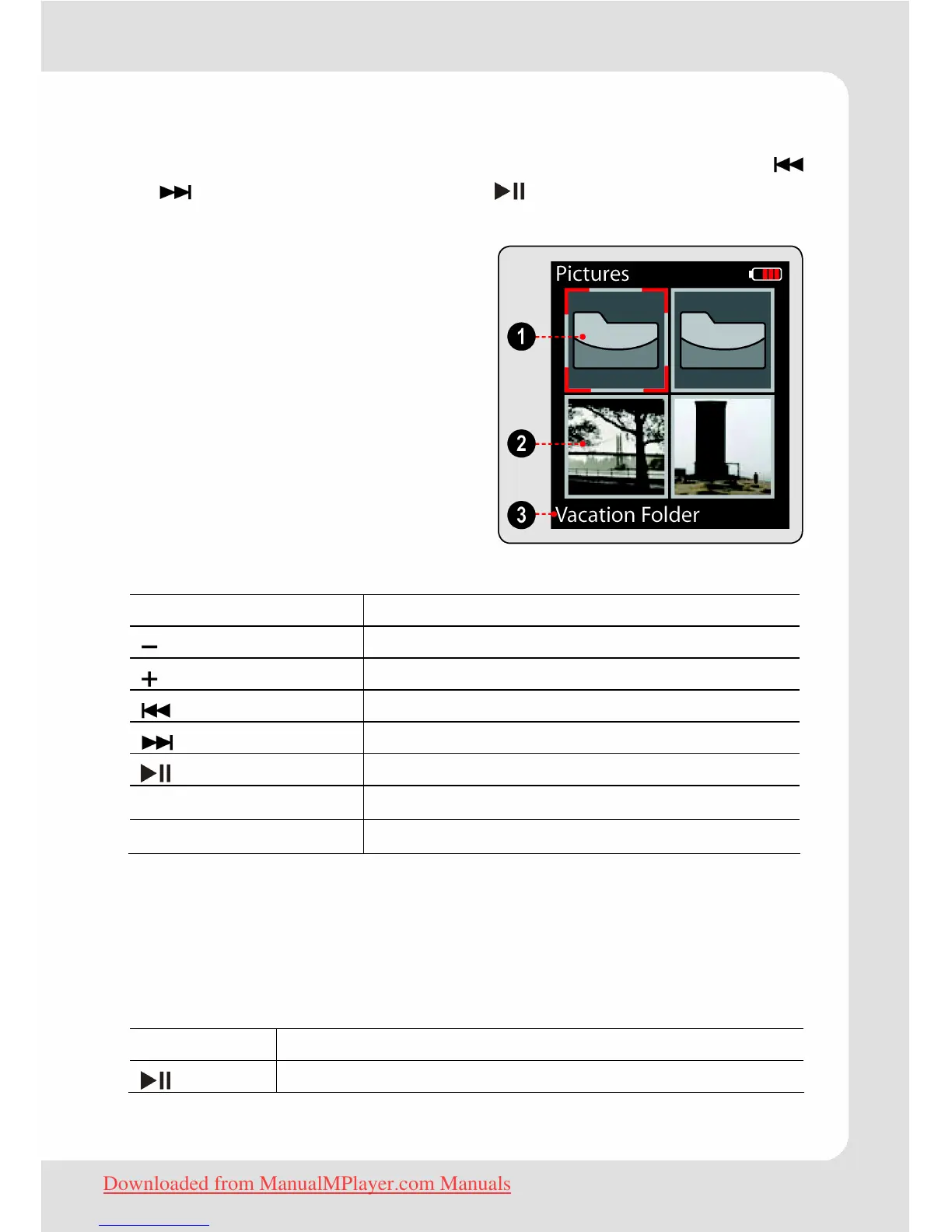
“Pictures” and confirm with . The Photo Browser screen
will appear. Your pictures will be displayed as thumbnail images.
Folder (selected)
Picture
Name of the selected folder or
selected picture
Picture Browser Controls
Button Function
Move the selection down.
Move the selection up.
Move to the left.
Move to the right.
Select/view an item.
M
Return to the previous screen.
Press and hold M
Return to Main Menu.
Picture Mode
To use the buttons please proceed as described in the paragraph
"Basic Operation".
Additionally there is one other button function:
Button Function
Start or stop slideshow mode.
Downloaded from ManualMPlayer.com Manuals


 To Next Page