English – 26 | MP-211
Upgrade Procedure
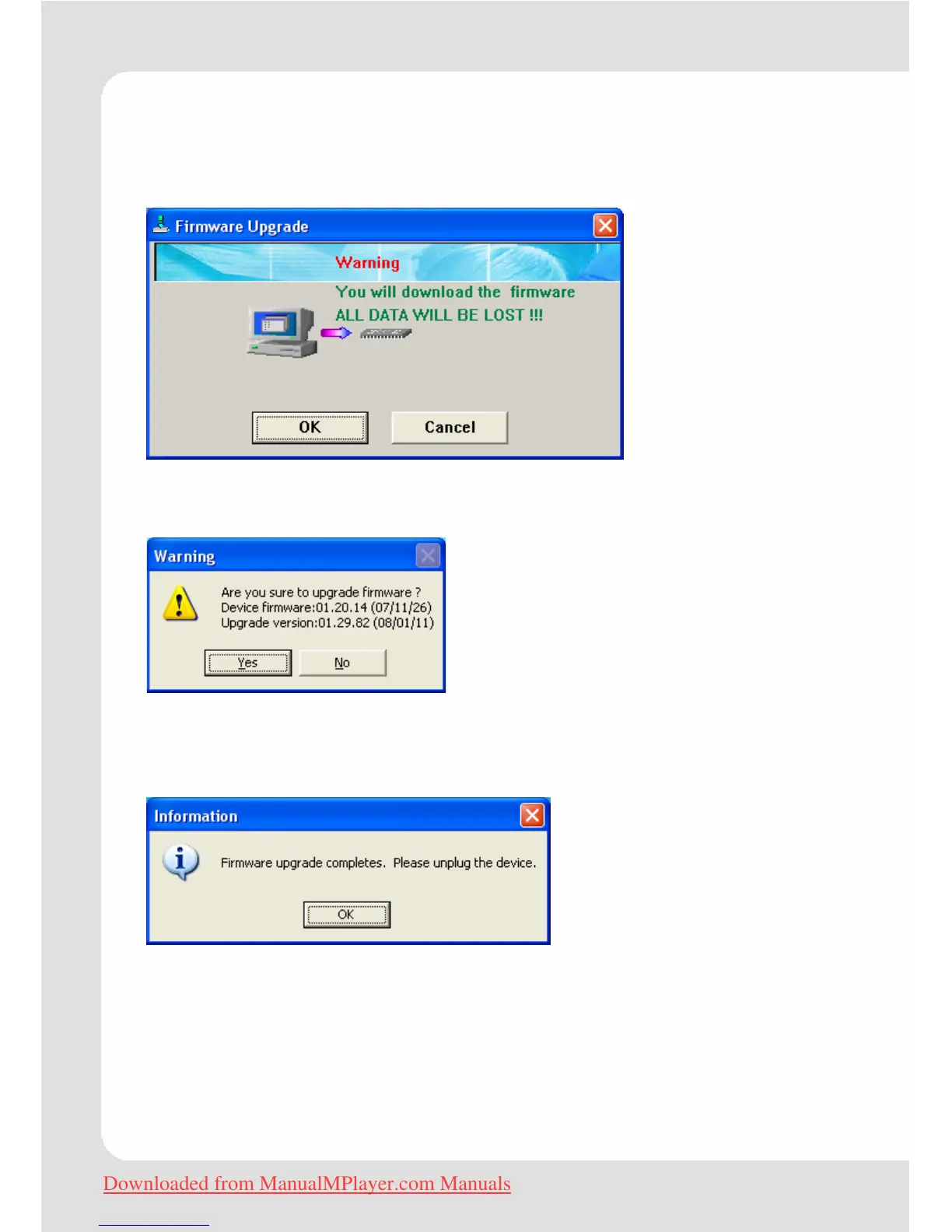
Fist, connect the player with the PC, and then open FWISP.exe. You
will see the window as follows:
Click the first button (OK, or YES, or SURE, or Confirm). You will see
the window as follows:
Click the first button (Yes), the computer will display how much the
upgrade has be finished, just like 10%,20%,40%… until 100%. The
upgrade has been finished. At the same time, you can see:
Click the OK button to confirm, then safely remove the player. The
player has been upgraded successfully.
Downloaded from ManualMPlayer.com Manuals


 To Next Page